How Long Does Steam Take to Respond to a Hacked Account?
Fast answer first. Then use the tabs or video for more detail.
- Watch the video explanation below for a faster overview.
- Game mechanics may change with updates or patches.
- Use this block to get the short answer without scrolling the whole page.
- Read the FAQ section if the article has one.
- Use the table of contents to jump straight to the detailed section you need.
- Watch the video first, then skim the article for specifics.
Getting your Steam account hacked can feel like a digital nightmare. The immediate concern, naturally, is getting it back. So, how long does Steam take to respond and help you reclaim your account? The answer, unfortunately, isn’t a straightforward one. While Steam aims for a swift resolution, the actual timeframe can vary significantly depending on the complexity of the situation. Generally, you can expect an initial response from Steam Support within 2 to 12 hours. However, the entire recovery process can take anywhere from a few hours to several weeks, with the average being 1 to 7 days. Several factors influence this timeline, which we’ll explore in detail below.
Factors Influencing Steam’s Response Time
Several elements can impact how quickly Steam resolves a hacked account situation. These include:
- The Complexity of the Hack: If the hacker has only changed the password, recovery is typically faster. However, if the hacker has changed the email address, phone number, and enabled Steam Guard Mobile Authenticator on their device, the process will take longer due to the increased verification steps needed.
- The Information You Provide: Providing accurate and detailed information in your initial support ticket is crucial. This includes proof of ownership like purchase receipts, CD keys, or even details about your Steam Wallet balance. The more information you provide, the faster Steam can verify your identity and assist you.
- The Volume of Support Requests: Like any customer service platform, Steam Support experiences fluctuations in demand. During peak times, such as game releases or holidays, response times can be longer due to the sheer number of tickets being processed.
- The Age of Your Account: Older accounts, especially those with a long history of purchases and activity, often have more readily available verification data, which can expedite the recovery process.
- Whether You’ve Created Additional Tickets: While it’s tempting to bombard Steam Support with multiple tickets in the hope of a faster response, this can actually slow down the process. Sticking to one well-detailed ticket is the most effective approach.
What to Do Immediately After Your Account is Hacked
Time is of the essence when your Steam account is compromised. Here’s what you should do immediately:
-
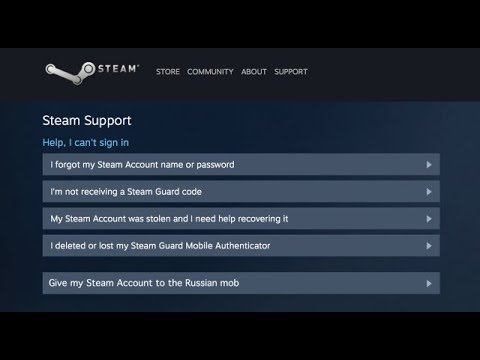
Try to Recover Your Account Yourself: Before contacting Steam Support, attempt the self-recovery process. Visit the Steam Support website and use the “Help, I can’t sign in” option. Follow the prompts to reset your password and regain access to your account.
-
Contact Steam Support: If self-recovery fails, file a support ticket immediately. Be sure to select the appropriate category (“Stolen or Hijacked Account”) to ensure your request is routed to the correct team.
-
Provide Proof of Ownership: Gather any evidence that proves you own the account. This includes:
- Purchase Receipts: Screenshots or scans of email receipts for games purchased on Steam.
- CD Keys: Photos or scans of physical game boxes with the CD key visible.
- Steam Wallet Balance: Information about your current or past Steam Wallet balance.
- Payment Information: Details about the credit cards or PayPal accounts used to make purchases on Steam.
-
Describe the Situation in Detail: Explain exactly what happened, when you noticed the hack, and any changes made to your account (e.g., password changes, email changes, unauthorized purchases).
-
Be Patient and Professional: While it’s understandable to be frustrated, remain polite and respectful in your communication with Steam Support. This will help ensure a smoother and more efficient resolution.
Proactive Steps to Prevent Future Hacks
Prevention is always better than cure. Here are some proactive steps you can take to secure your Steam account:
- Enable Steam Guard Mobile Authenticator: This adds an extra layer of security by requiring a unique code from your smartphone each time you log in from a new device.
- Use a Strong and Unique Password: Avoid using the same password for multiple accounts. Use a combination of uppercase and lowercase letters, numbers, and symbols.
- Keep Your Email Account Secure: Your Steam account is linked to your email, so ensure your email account is also well-protected with a strong password and two-factor authentication. Changing the password on your email account will ensure a hijacker can’t steal your Steam account a second time, or interfere with assistance from Steam Support.
- Be Wary of Phishing Scams: Be cautious of suspicious emails or links that ask for your Steam login credentials. Always verify the legitimacy of a website before entering your information. Valve will never ask you to come in touch with them, outside of their official Support or third-party apps, like Discord.
- Scan Your Computer Regularly for Malware: Malware can steal your Steam login information. Use a reputable antivirus program to scan your computer regularly.
- Review Third-Party Application Permissions: Periodically review the third-party applications that have access to your Steam account and revoke permissions from any apps you no longer use or trust.
- Educate Yourself: Stay informed about the latest hacking techniques and security best practices. Resources like the Games Learning Society, found at GamesLearningSociety.org, offer valuable insights into the digital landscape and online safety.
Understanding Steam Support Tiers and Processes
Steam Support operates on a tiered system, with different teams handling different types of issues. Account recovery requests are typically handled by a specialized team trained to verify ownership and restore access to compromised accounts. The process involves:
- Ticket Submission: You submit a support ticket with all relevant information and proof of ownership.
- Initial Review: A Steam Support agent reviews your ticket to assess the situation and verify the information provided.
- Verification Process: Steam Support may request additional information or documentation to further verify your identity. This could include providing transaction IDs, answering security questions, or providing proof of address.
- Account Recovery: Once your ownership is verified, Steam Support will reset your password, remove any unauthorized changes, and restore access to your account.
- Security Measures: Steam Support may also recommend additional security measures to prevent future hacks, such as enabling Steam Guard Mobile Authenticator or changing your email password.
By understanding this process and providing accurate information, you can significantly increase your chances of a swift and successful account recovery.
Frequently Asked Questions (FAQs)
Here are some frequently asked questions about Steam account recovery:
1. What happens if a hacker changes my email address and phone number?
This makes the recovery process more complex, but it is still possible. Provide as much proof of ownership as possible, such as purchase receipts and CD keys. Steam Support will use this information to verify your identity and restore access to your account.
2. Can I get my games back if my account is hacked?
Yes, you will retain access to all your games once your account is recovered. The hacker cannot permanently remove games from your library.
3. How do I know if my account has been hacked?
Signs of a hacked account include: password changes you didn’t make, unauthorized purchases, unexpected friend requests, or messages sent from your account that you didn’t write.
4. What if I don’t have any purchase receipts?
While purchase receipts are ideal, you can also provide other forms of verification, such as CD keys, information about your Steam Wallet balance, or details about payment methods used on your account.
5. Is Steam support 24/7?
Yes, Steam Support is available 24/7. However, response times may vary depending on the volume of requests.
6. Can I speed up the recovery process by calling Steam?
No, Steam does not offer phone support. All support requests must be submitted through the Steam Support website.
7. What should I do if the hacker made unauthorized purchases on my account?
Report the unauthorized purchases to Steam Support immediately. They will investigate the transactions and may be able to reverse the charges.
8. How long does it take for Steam to refund unauthorized purchases?
Refunds for unauthorized purchases can take anywhere from a few days to a few weeks, depending on the complexity of the investigation and the payment method used.
9. What is Steam Guard Mobile Authenticator?
Steam Guard Mobile Authenticator is a security feature that adds an extra layer of protection to your account. It requires a unique code from your smartphone each time you log in from a new device.
10. Can I get my Steam account back if I forgot my email address?
Yes, but you will need to provide other forms of verification, such as purchase receipts, CD keys, or information about your payment methods.
11. What is the best way to contact Steam Support?
The best way to contact Steam Support is through the Steam Support website (help.steampowered.com).
12. How can I prevent my Steam account from being hacked in the future?
Enable Steam Guard Mobile Authenticator, use a strong and unique password, keep your email account secure, and be wary of phishing scams.
13. What if I accidentally reported someone?
That’s fine, Steam will investigate and take action accordingly. False reports have consequences.
14. How long to wait after failed login Steam?
Wait at least 30 minutes before you try again.
15. Can I still call on Steam?
If you’re able to access your Steam Friends and Chat UI, starting a voice chat is one click away.
Losing access to your Steam account is a stressful experience, but by taking swift action, providing accurate information, and implementing proactive security measures, you can significantly increase your chances of a successful recovery. Remember to stay informed about online safety and resources like GamesLearningSociety.org to protect yourself from future threats.