Decoding the Sim-Verse: How Many Mods Can The Sims 4 Really Handle?
Fast answer first. Then use the tabs or video for more detail.
- Watch the video explanation below for a faster overview.
- Game mechanics may change with updates or patches.
- Use this block to get the short answer without scrolling the whole page.
- Read the FAQ section if the article has one.
- Use the table of contents to jump straight to the detailed section you need.
- Watch the video first, then skim the article for specifics.
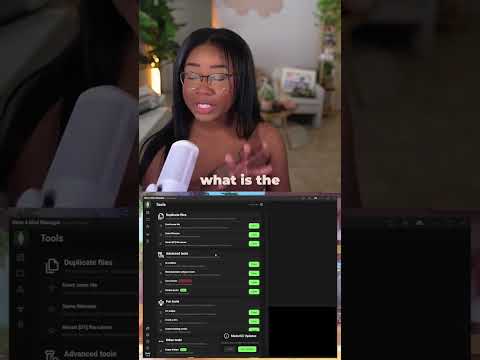
The magic of The Sims 4 lies in its unparalleled customizability. From quirky traits to architectural marvels, players shape their digital worlds with a level of control that few games offer. Central to this creative freedom are mods and custom content (CC). But the question that haunts every Simmer’s dreams (and sometimes their gameplay) is: How many mods can The Sims 4 actually handle?
The blunt truth is, there’s no hard and fast limit. The game isn’t programmed to tap out at a specific number of files. Instead, the limitations are imposed by your computer’s hardware, the type of mods you’re using, and how meticulously you manage your files. A powerful gaming rig can handle significantly more than a modest laptop. A few well-optimized script mods will impact performance differently than mountains of poorly constructed CC.
Think of it like a bookshelf. You could theoretically keep stacking books until the shelf collapses. But a smarter approach is to consider the shelf’s weight capacity, the size of the books, and how neatly you arrange them. The same principle applies to The Sims 4 mods.
The Key Factors at Play
Several elements influence how many mods your game can gracefully manage:
-
Hardware: Your CPU, RAM, and storage drive are the primary determinants. More RAM (16GB or more is ideal) allows the game to handle larger datasets, like those generated by complex mods. A faster CPU processes the game’s calculations more efficiently, preventing lag. Finally, a Solid State Drive (SSD) significantly reduces loading times compared to a traditional Hard Disk Drive (HDD).
-
Mod Complexity: Simple CC items, like new hairstyles or clothing, generally have a smaller performance impact than script mods that alter gameplay mechanics. Script mods execute code that needs to be processed in real-time, which can strain your CPU. Large “overhaul” mods that fundamentally change the game’s structure tend to be the most demanding.
-
Mod Optimization: Not all mods are created equal. Some creators are more skilled at optimizing their content, resulting in smaller file sizes and more efficient code. Poorly optimized mods can bog down your game even if you don’t have a massive amount of CC overall.
-
File Organization: This is crucial. The Sims 4 has a somewhat finicky relationship with deeply nested folders within the Mods folder. While there’s technically no restriction on the number of folders, the game might not load content placed too far down the directory structure. Stick to a maximum of one folder deep for script mods.
-
Conflicting Mods: Mods that alter the same game files can cause conflicts, leading to glitches, errors, or even game crashes. Thorough testing and using a mod conflict detector (like The Sims 4 Studio) is essential to identify and resolve these issues.
The Art of Mod Management: A Simmer’s Guide
Maximizing your mod capacity requires a strategic approach:
-
Prioritize Essential Mods: Identify the mods that genuinely enhance your gameplay experience. Don’t clutter your folder with CC you rarely use. Quality over quantity is key.
-
Organize Your Mods Folder: Implement a clear folder structure. Categorize by type (e.g., “Clothing,” “Hair,” “Gameplay”), creator, or function. This makes troubleshooting significantly easier.
-
Test Mods Individually: After downloading a new mod, test it in a new save file before integrating it into your main game. This helps pinpoint any potential issues.
-
Use Mod Conflict Detectors: Regularly scan your Mods folder for conflicting files. The Sims 4 Studio is an excellent tool for this purpose.
-
Monitor Game Performance: Pay attention to your game’s frame rate and loading times. If you notice a significant drop in performance, it’s a sign that you’re pushing your system too hard.
-
Keep Mods Updated: Mod creators often release updates to fix bugs and ensure compatibility with the latest game patches. Stay informed about updates for the mods you use.
-
The 50/50 Method: When troubleshooting, the 50/50 method is your best friend. Divide your Mods folder in half and test each half to isolate the problematic mod.
-
Understand Script Mods: Script mods, indicated by the “.ts4script” file extension, should only be one folder deep. This is critical for them to function correctly.
When Things Go Wrong: Troubleshooting Tips
Even with meticulous management, problems can arise. Here’s how to tackle common mod-related issues:
- Game Crashes: Remove all mods and slowly reintroduce them to identify the culprit.
- Glitches and Errors: Check for mod conflicts and outdated mods.
- Mods Not Appearing in Game: Ensure the files are in the correct folder and that Custom Content and Mods are enabled in the game settings.
- LastException.txt Files: These files contain error logs that can help you pinpoint the source of the problem. They are often cryptic, but can provide clues when shared on modding forums.
Mods are an important part of gaming as highlighted by the Games Learning Society, providing ways to teach and learn through gameplay. Visit GamesLearningSociety.org to learn more.
FAQ: Your Sims 4 Mod Questions Answered
Here are some frequently asked questions about mods in The Sims 4:
1. Can I get banned for using mods in The Sims 4?
No, you cannot be banned for using mods in The Sims 4. Electronic Arts (EA) has explicitly stated that the game is designed to be modded, and they support the modding community.
2. Do Sims 4 mods take up a lot of space?
Yes, custom content can take up a significant amount of storage space, especially if you download a large quantity of high-resolution assets. Be mindful of your storage capacity.
3. How deep can Sims 4 mods go in the folders?
Mods ending in “.ts4script” can only go one folder deep. Other types of mods are more flexible, but it’s still best to avoid excessively nested folders.
4. Can EA detect what mods I use?
While EA can’t specifically track every mod you have, it is plausible that their anti-cheat system (EAC) could flag unusual game behavior caused by certain mods. This is more of a concern for online multiplayer games.
5. Is it illegal to mod a game?
Modding for personal, non-commercial use is generally considered legal. However, selling mods or violating the game’s End User License Agreement (EULA) could have legal repercussions.
6. Will reinstalling Sims 4 remove all my mods?
No, reinstalling The Sims 4 will not automatically remove your mods. However, it’s always a good idea to back up your Mods folder before reinstalling the game.
7. Can you have more than 8 Sims in a household in Sims 4?
Yes, with mods like MC Command Center (MCCC), you can increase the maximum household size to well over 8 Sims.
8. Are mods legal in Sims?
As long as the mods are non-commercial and distributed free of charge, they are generally considered legal under The Sims’ guidelines.
9. Can mods ruin my game?
Yes, poorly made or conflicting mods can ruin your game by causing crashes, glitches, or other issues. Always test mods thoroughly.
10. What is the 50/50 method in Sims 4 modding?
The 50/50 method involves dividing your Mods folder in half and testing each half to isolate a problematic mod.
11. What if there is no Mods folder in Sims 4?
If you can’t find the Mods folder, you can create it yourself in Documents > Electronic Arts > The Sims 4. Ensure the spelling is exact (“Mods”).
12. Is 256 GB enough for Sims 4 with mods?
256 GB should be enough for The Sims 4 with all expansion packs and a reasonable amount of custom content.
13. Is the Sims 4 Extreme Violence mod safe?
The Extreme Violence mod contains graphic content that some players may find disturbing. It is not officially supported by EA and is used at your own risk.
14. What is The Sims 4 mod controversy?
Past controversies have revolved around restrictions on how mod creators can promote their work, particularly regarding the use of official game logos and trademarks.
15. Can Sims get drunk without mods?
No, due to the game’s rating, Sims cannot get drunk without mods. They drink “juice” instead, which can provide moodlets.
In conclusion, the “limit” to The Sims 4 mods isn’t a fixed number but a delicate balance of hardware, mod complexity, and your own organizational skills. By understanding these factors and employing smart mod management techniques, you can unleash the full potential of your game and create truly unique and immersive experiences. Happy Simming!