Delving into the Undead: Black Ops 1 Zombies Player Counts Explained
Fast answer first. Then use the tabs or video for more detail.
- Watch the video explanation below for a faster overview.
- Game mechanics may change with updates or patches.
- Use this block to get the short answer without scrolling the whole page.
- Read the FAQ section if the article has one.
- Use the table of contents to jump straight to the detailed section you need.
- Watch the video first, then skim the article for specifics.
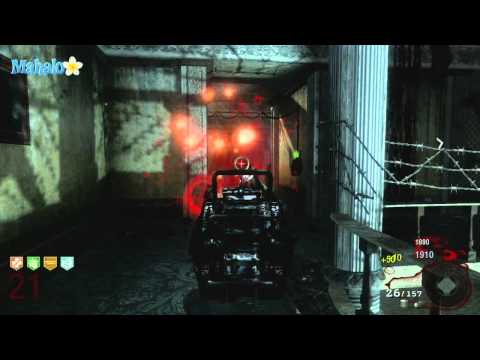
So, you’re itching to take on the undead hordes in Call of Duty: Black Ops 1 (BO1) Zombies, and you want to know just how many friends (or brave solo players) you can bring along. The definitive answer: Black Ops 1 Zombies supports up to four players online or two players in local split-screen co-op. Let’s dive deeper into the intricacies of player counts, splitscreen capabilities, and other vital information to ensure you have the ultimate zombie-slaying experience.
Understanding the Player Limits in Black Ops 1 Zombies
The thrill of BO1 Zombies lies in its cooperative gameplay. Coordinating strategies, reviving downed teammates, and strategically opening up new areas are all crucial for survival. The game caters to different playstyles and hardware setups, allowing players to customize their zombie-slaying experience according to their preferences and resources.
Online Co-op: The Four-Player Frenzy
The most popular way to experience BO1 Zombies is through online cooperative play. Here, up to four players can team up to take on the relentless waves of undead. This mode requires a stable internet connection for each participant and allows you to connect with friends or other zombie enthusiasts from around the globe. The enhanced chaos and strategic possibilities afforded by four players make for a truly intense and engaging experience.
Local Split-Screen: The Two-Player Lockdown
For those who prefer to huddle up on the couch, Black Ops 1 Zombies offers a two-player split-screen mode. This is perfect for friends or family members who want to experience the zombie apocalypse side-by-side. Keep in mind that only two players can play together on one console in splitscreen. The screen will be divided, providing each player with their own view of the action. While it might be a bit more cramped than online play, the shared experience and direct communication can be incredibly rewarding.
No Offline Four-Player: A Common Misconception
It’s important to note that while some older Call of Duty titles might have offered four-player offline split-screen in Zombies mode, Black Ops 1 limits offline play to two players. Despite some misinformation floating around, there’s no way to get four players on a single console offline.
BO1 Zombies Player Counts: Frequently Asked Questions
To further clarify the various aspects of player counts and co-op modes in Black Ops 1 Zombies, here’s a compilation of frequently asked questions:
1. Can you play Black Ops 1 Zombies 4 player offline?
No, unfortunately, Black Ops 1 Zombies does not support 4-player offline play. You are limited to two players in local split-screen.
2. Is Black Ops 1 Zombies only 2 player?
Not entirely. While local split-screen is limited to two players, online co-op allows for up to four players.
3. Can 3 people play Black Ops 1 Zombies?
Yes, but only if you are playing online. You cannot play with exactly three players offline on a single console.
4. How many split screens are there in Black Ops 1 Zombies?
In local offline mode, Black Ops 1 Zombies supports one split screen, allowing for two players to play on the same console.
5. Does Call of Duty: Black Ops 1 Zombies have split-screen?
Yes, Call of Duty: Black Ops 1 Zombies features split-screen support for two players in the local offline mode.
6. How many people can play Zombies together locally (splitscreen)?
Two players can play Zombies together locally via split-screen on a single console in Black Ops 1.
7. How many people can you play Zombies with online in Black Ops 1?
Up to four players can play Zombies together online in Black Ops 1.
8. Does BO2 have 3 player Zombies?
Yes, Black Ops 2 does allow 3-player zombies in online mode, same as BO1 it allows up to four players online.
9. Is a Gold Membership required for additional players in combo co-op on the 360 for Black Ops 1?
Yes, a Xbox Live Gold subscription is required for all players to participate in online multiplayer, including Zombies mode, on the Xbox 360.
10. Does Black Ops 1 have multiplayer?
Yes, Black Ops 1 features a robust multiplayer mode alongside the Zombies mode and campaign.
11. Which Black Ops has multiplayer Zombies?
Essentially all of the Black Ops games feature multiplayer Zombies. Call of Duty: Black Ops 4 is the first entry in the series to omit a traditional single-player campaign, focusing entirely on Multiplayer, Zombies, and the Blackout battle royale mode.
12. How do you play 2 player Zombies on Black Ops?
To play 2-player Zombies on Black Ops 1, simply sign in to your profiles on the console, launch the game, select Zombies mode, and choose “Local.” The second player can then join by pressing the start button on their controller.
13. Do more players mean more zombies in Black Ops 1?
Yes, the number of zombies increases with the number of players in the game. This dynamic scaling makes the game more challenging and engaging for larger groups.
14. How many players is World War 2 zombies?
World War 2 Zombies supports up to four players online or via LAN. It also supports two-player local co-op and combo co-op for up to four people.
15. Is Call of Duty Black Ops Zombies cross platform?
While more recent Call of Duty titles like Black Ops Cold War offer cross-platform play in Zombies mode, Black Ops 1 does not support cross-platform play. Players are restricted to playing with others on the same platform (e.g., PlayStation 3 players can only play with other PlayStation 3 players).
Mastering the Undead: Tips for Different Player Counts
The ideal strategy for Black Ops 1 Zombies often depends on the number of players involved. Here are some tips for maximizing your chances of survival:
Solo Play
- Prioritize self-sufficiency: Focus on acquiring perks like Juggernog and Quick Revive early.
- Train effectively: Learn to lead zombies in tight circles to avoid getting cornered.
- Utilize the map: Know the best escape routes and camping spots.
Two-Player Co-op
- Communicate clearly: Coordinate your actions, such as opening doors and covering each other’s backs.
- Specialize roles: One player can focus on crowd control while the other handles high-damage weapons.
- Revive strategically: Don’t rush to revive a downed teammate in a dangerous situation.
Four-Player Co-op
- Divide responsibilities: Assign roles such as medic, crowd control, and point man.
- Conserve resources: Share ammo and revive each other to maximize your team’s longevity.
- Maintain situational awareness: With more players, the chaos intensifies, so stay vigilant.
The Enduring Appeal of Black Ops 1 Zombies
Despite its age, Black Ops 1 Zombies continues to captivate players with its challenging gameplay, intricate maps, and immersive atmosphere. The strategic depth, combined with the thrill of cooperative survival, makes it a timeless classic in the zombie gaming genre. Whether you prefer the intimate experience of two-player split-screen or the chaotic fun of four-player online co-op, Black Ops 1 Zombies offers something for every zombie enthusiast.
As you continue your exploration of video game learning, consider exploring the resources provided by the Games Learning Society at GamesLearningSociety.org. You’ll find a wealth of information to further expand your knowledge.