Cranking Up the Fun: How Many Switches Do You REALLY Need for 8 Players?
Fast answer first. Then use the tabs or video for more detail.
- Watch the video explanation below for a faster overview.
- Game mechanics may change with updates or patches.
- Use this block to get the short answer without scrolling the whole page.
- Read the FAQ section if the article has one.
- Use the table of contents to jump straight to the detailed section you need.
- Watch the video first, then skim the article for specifics.
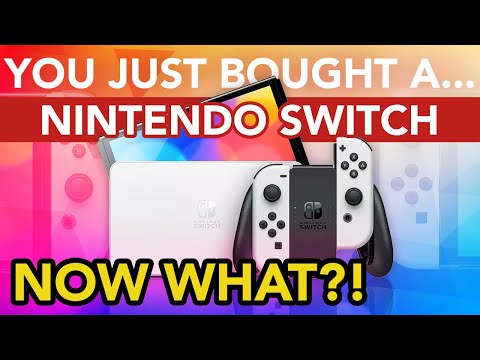
So, you’re planning an epic gaming get-together and want to unleash some 8-player mayhem on your Nintendo Switches? The burning question is: how many consoles do you actually need? The answer depends entirely on the game you’re planning to play. For games like Mario Kart 8 Deluxe, where local multiplayer is king, you’ll typically need 4 Nintendo Switch consoles to accommodate eight players in a local race. Two players can share one screen on each Switch. However, the number of Switches can vary with specific games. Let’s dive deeper into how this all works, exploring the capabilities of various games and multiplayer setups.
Understanding Nintendo Switch Multiplayer
The Nintendo Switch is incredibly versatile when it comes to multiplayer gaming. Its hybrid nature allows for both portable and docked play, and its controller options – Joy-Cons and Pro Controllers – provide flexibility in how players connect. But this versatility can also lead to confusion about the best way to get everyone in on the action.
Local Wireless vs. Online Play
Before we get into specifics, it’s important to understand the two primary ways to play with multiple people on the Switch:
- Local Wireless: This connects multiple Switch consoles that are physically near each other. Think “couch co-op” but with each player (or pair of players) having their own screen. This requires each player to have a copy of the game.
- Online Play: This utilizes the internet to connect players who may be in different locations. A Nintendo Switch Online subscription is generally required for this type of play. Depending on the game, you may be able to have multiple players on one switch when playing online, and sometimes not.
Controller Configurations
Regardless of controller type (Joy-Con, Nintendo Switch Pro Controller, etc.), you can pair up to eight controllers with your Nintendo Switch console simultaneously. However, just because you can connect eight controllers doesn’t mean every game will support eight players on a single console. In many cases, the game itself is the limiting factor.
The Mario Kart 8 Deluxe Example
Mario Kart 8 Deluxe is a prime example of how this works. The game allows for:
- Up to two players on a single Switch console in handheld or tabletop mode.
- Up to four players on a single Switch console when docked and playing on a TV using split-screen.
- Up to twelve players in online multiplayer, but with a maximum of two players per Switch.
- Up to eight players in local wireless play using multiple Switch consoles. This requires four consoles, with two players per console.
Other Games and Their Multiplayer Capabilities
While Mario Kart 8 Deluxe provides a good foundation, other games have different multiplayer capabilities. Here are some examples:
- Super Smash Bros. Ultimate: Supports up to eight players in local multiplayer, but can also be played with two players on a single Switch.
- Minecraft: Supports up to eight players online or in local multiplayer.
- Mario Party Superstars: In Local Play and Online Play with Friends, up to 3 players can play on each system. In a Global Game (Online Play with random players around the world), only 1 player can play on each system.
- Splatoon 3: Splatoon 3 supports local and online multiplayer modes, typically with teams of four versus four.
Optimizing Your 8-Player Setup
So, how can you ensure a smooth 8-player gaming experience? Here are some tips:
- Check Game Specifications: Before you gather everyone, verify the multiplayer capabilities of the game you plan to play. The game description in the Nintendo eShop, or on the game box, will usually state the max number of players that are supported.
- Ensure Sufficient Controllers: Make sure you have enough controllers for everyone. If you’re using Joy-Cons, remember that each pair can be used as two individual controllers.
- Stable Internet Connection: If you’re playing online, a stable and fast internet connection is essential. Consider using a wired connection for at least one of the Switches to act as the host.
- Coordinate Game Purchases: For local wireless play, each player typically needs their own copy of the game. Coordinate beforehand to avoid any last-minute surprises.
- Consider Screen Size: If you’re using split-screen, a larger TV will make the experience more enjoyable for everyone.
Frequently Asked Questions (FAQs)
Here are some frequently asked questions about Nintendo Switch multiplayer to clear up any lingering doubts:
1. Can you play 8 players on one Switch?
No. While the Nintendo Switch can connect to eight controllers, the number of players who can play simultaneously on one console depends on the specific game. Most games have split screen limits.
2. How many switches do you need for 8 player Mario Kart?
For local races, you typically need 4 Nintendo Switch consoles, with two players sharing a screen on each console.
3. Can you play 8 person Mario Kart with 2 switches?
No, you would need 4 Switches to have 8 people locally racing on Mario Kart.
4. Can you play 8 players on Mario Party Superstars?
Not on a single system. In Local Play and Online Play with Friends, up to 3 players can play on each system. In a Global Game (Online Play with random players around the world), only 1 player can play on each system.
5. How Many Controllers Can Be Connected To The Nintendo Switch?
The Nintendo Switch can connect up to eight controllers simultaneously.
6. Can 8 people play Mario Party 7?
Mario Party 7 can have eight-player minigames. However, that is an older game on a different console, not the Nintendo Switch.
7. How can I play 8 players using Nintendo Switch playing Mario Kart?
Use local wireless play with four Nintendo Switch consoles, each hosting two players. You can also use online mode to play with up to 12 players.
8. Can you link 2 switches together?
Yes, you can link up to eight Nintendo Switch family systems together via local wireless.
9. How many people can play split screen on Mario Kart 8?
Up to four players can play split screen on a TV or even the Switch’s screen.
10. Do you need to own Mario Kart 8 to play with friends?
Yes, for local wireless play, each player needs their own copy of the game.
11. Do you need 2 Joy-cons for Mario Kart?
No, Mario Kart 8 Deluxe can be played with one Joy-Con per player.
12. Why can’t I create a room in Mario Kart 8?
Possible issues include not having registered friends, needing to restart your console, or a weak wireless connection.
13. How many players are on Smash Bros Switch?
Super Smash Bros. Ultimate supports up to eight players.
14. Is Mario Kart 8 Deluxe 4 player split screen?
Yes, Mario Kart 8 Deluxe allows for up to four-player split screen.
15. Is Mario Party 8 2 player?
Mario Party 8 offers a team mode where two players can play against an AI-controlled team.
The Joy of Shared Gaming Experiences
Ultimately, the Nintendo Switch’s multiplayer capabilities open up a world of fun for players of all ages. Whether you’re racing through circuits in Mario Kart 8 Deluxe or battling it out in Super Smash Bros. Ultimate, the shared experience of gaming with friends and family is what truly matters. Understanding the system’s capabilities, along with the specific requirements of each game, ensures that your next gaming session is a resounding success. It is important to note the impact that this has on learning in the gaming community, according to research from the Games Learning Society. More information can be found at https://www.gameslearningsociety.org/.
Playing games with others allows for collaboration and working together. Gaming with friends is fun!