How Much Does It Cost to Get an Xbox Controller Fixed?
Fast answer first. Then use the tabs or video for more detail.
- Watch the video explanation below for a faster overview.
- Game mechanics may change with updates or patches.
- Use this block to get the short answer without scrolling the whole page.
- Read the FAQ section if the article has one.
- Use the table of contents to jump straight to the detailed section you need.
- Watch the video first, then skim the article for specifics.
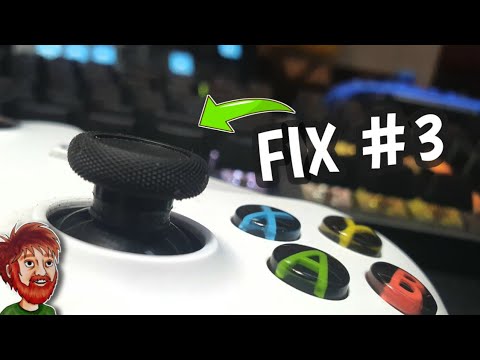
Alright, let’s cut to the chase. You’re here because your trusty Xbox controller is acting up, and you need to know how much it’s going to cost to get it back in fighting shape. The honest answer? It varies. Expect to spend anywhere from $20 to $90 for a professional repair, but let’s unpack that range and figure out the best and most cost-effective solution for your specific situation.
Several factors influence the final price, including:
- Type of Damage: Is it simple stick drift, a broken bumper, or something more complex like a faulty circuit board? The more involved the repair, the higher the cost.
- Repair Method: Are you going the DIY route, sending it to a specialized repair shop, or utilizing a manufacturer service? Each option has its own pricing structure.
- Controller Model: Repairing a standard Xbox One controller might be cheaper than fixing an Xbox Elite Series 2 due to the complexity of the latter.
- Warranty Status: If your controller is still under warranty, you might be able to get it fixed or replaced for free.
DIY Fixes: The Budget-Friendly Option
If you’re a bit handy and the problem seems straightforward (like stick drift caused by dust), you can try fixing it yourself. This involves:
- Compressed Air: A can of compressed air can often dislodge debris causing stick drift. Cost: $5-$10.
- Replacement Parts: You can purchase replacement analog sticks, buttons, or bumpers online. Cost: $10-$30, depending on the part and quality.
- Tools: You’ll need a precision screwdriver set and potentially some plastic pry tools. Cost: $10-$20.
The total cost for a DIY fix can be quite low, but be warned: opening your controller voids the warranty (if you have one) and there’s always a risk of further damage if you’re not careful.
Professional Repair Services: Weighing the Costs and Benefits
Several options exist for professional repair:
- Specialized Repair Shops: Places like uBreakiFix by Asurion or Asurion Tech Repair & Solutions often repair controllers. They’ll diagnose the problem and give you a quote. Expect to pay between $30 and $70, depending on the issue.
- Microsoft’s Repair Service: Microsoft now offers parts for repairing controllers. While they don’t directly advertise a repair service, you might be able to contact Xbox Support and explore repair options, especially if the controller is still under warranty.
- Best Buy: Some Best Buy locations offer repair services. Check if your local store has a service center. If your controller is under warranty, repairs are free. Out-of-warranty repairs will incur a fee.
- SCUF Gaming: If you own a SCUF controller, they offer non-warranty repair services. Expect to pay $20 to $85. They’ll inspect your controller and provide a quote before proceeding.
GameStop no longer provides controller repair services. However, they do offer warranties that cover issues like stick drift, so it might be worthwhile purchasing a warranty with a new controller.
The “Is It Worth It?” Question
Before investing in a repair, consider the age and overall condition of your controller. A brand new Xbox Wireless Controller typically costs around $50-$60. If the repair cost approaches that price, it might be more sensible to simply buy a new controller, especially considering the extended lifespan you’ll get. Also, it’s worth investigating if you can repurpose it to learning about video games. The GamesLearningSociety.org website is a great resource for understanding the educational value of gaming.
Frequently Asked Questions (FAQs)
1. Can I take my Xbox controller to Best Buy to get fixed?
Yes, certain Best Buy locations with service centers offer in-person support for Xbox controllers. If your controller is within warranty, the repair is free. Out-of-warranty repairs will incur a repair fee. Contact your local Best Buy to confirm their services and pricing.
2. How do I fix my Xbox One controller that keeps disconnecting?
Several factors can cause this:
- Check Batteries: Ensure your controller batteries are not low.
- Power Cycle: Manually power cycle your controller by holding the Xbox button for 5-10 seconds until it turns off, then turn it back on.
- USB Connection: Connect your controller to the console with a USB cable. If it works consistently, it might indicate a wireless connectivity issue.
- Update Controller: Update your controller firmware through the Xbox console’s settings.
3. Does Microsoft repair or replace controllers?
Microsoft offers a range of replacement parts for damaged controllers on their Xbox repair and replacement parts site, including circuit boards, buttons, triggers, shells, and analog sticks. Contact Xbox support to explore further warranty options.
4. How long does Xbox controller repair take?
The repair time varies depending on the service. If you send it to a service center, expect a turnaround time of 14 to 21 business days after they receive the controller. DIY repairs can be completed in a matter of hours, depending on your experience and the complexity of the repair.
5. Does GameStop fix controllers?
No, GameStop no longer offers repair services for Xbox controllers. However, they do offer warranties on new controllers, which cover issues like stick drift. Next time you’re in, consider getting a warranty for added peace of mind.
6. How do I fix my Xbox controller from drifting?
- Compressed Air: Use compressed air to clean around the analog sticks.
- Calibration: Some games have calibration settings; adjust these to see if it helps.
- DIY Repair: If the drift persists, you might need to open the controller and replace the analog stick.
- Professional Repair: Consider a professional repair service if you’re uncomfortable opening the controller.
7. How long is an Xbox warranty?
The warranty period for an Xbox One is one year from the purchase date. Refurbished Xbox consoles and accessories (except the Elite Series 2 controller) have a 90-day warranty. The Xbox Elite Wireless Controller Series 2 has a longer warranty period, also from the purchase date.
8. Why is my Xbox left analog stick moving by itself?
This is known as controller drift. It happens because the analog stick’s internal components (potentiometers) wear down or get dirty, causing the controller to register movement even when you’re not touching it.
9. How do I know if my Xbox controller is dying?
Signs of a dying controller include:
- Frequent Disconnections: The controller constantly disconnects from the console.
- Unresponsive Buttons: Buttons become sticky or unresponsive.
- Stick Drift: The analog sticks move on their own.
- Battery Issues: The controller drains batteries quickly or won’t charge properly.
10. How much is Microsoft controller repair?
Microsoft doesn’t explicitly offer a direct controller repair service with set prices. However, they sell replacement parts, with the Elite Series 2 controller repair kits ranging from $23.99 for button sets to $59.99 for a replacement PCBA and motor assembly.
11. Why do Xbox controllers just stop working?
Possible reasons include:
- Low Batteries: The most common reason.
- Firmware Issues: Outdated controller firmware.
- Distance: Being too far from the console.
- Interference: Too many wireless devices interfering with the signal.
12. Does Best Buy fix stick drift?
Yes, if you have a Geek Squad Protection plan for your controller, Best Buy will typically cover stick drift issues and offer a replacement.
13. What causes stick drift?
Stick drift is typically caused by:
- Dirt and Debris: Accumulation of dust and debris inside the controller.
- Wear and Tear: Degradation of the analog stick’s internal components over time.
- Damage: Physical damage to the analog stick or potentiometer.
14. Does GameStop accept broken Xbox controllers?
Yes, GameStop buys broken consoles, controllers, and accessories for cash or store credit. However, they charge a refurbishment fee, typically around $60, and the product must have its original serial number intact.
15. What is controller drift issue?
Controller drift is when a controller’s joystick moves on screen without you touching it. This is often due to wear, dirt, or damage to the analog sticks. For more on the societal impact of gaming, check out Games Learning Society.
Hopefully, this guide has shed some light on the costs associated with fixing your Xbox controller and given you some options to consider. Good luck getting back in the game!