Decoding Frame Rates on Xbox: Unleashing the Power of FPS
Fast answer first. Then use the tabs or video for more detail.
- Watch the video explanation below for a faster overview.
- Game mechanics may change with updates or patches.
- Use this block to get the short answer without scrolling the whole page.
- Read the FAQ section if the article has one.
- Use the table of contents to jump straight to the detailed section you need.
- Watch the video first, then skim the article for specifics.
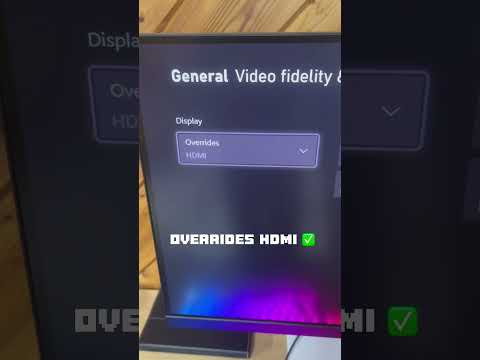
So, how much FPS (Frames Per Second) can you expect from your Xbox? The short answer is: it depends. The Xbox Series X and Series S are capable of achieving up to 120 FPS, while older consoles like the Xbox One generally target 30 or 60 FPS. However, achieving these higher frame rates requires the right combination of hardware, software, and game optimization. Let’s delve deeper into the fascinating world of frame rates on Xbox consoles.
Understanding the Basics: What is FPS and Why Does it Matter?
Before we dissect the specific capabilities of each Xbox console, it’s crucial to understand what FPS actually represents. FPS refers to the number of individual frames displayed on your screen every second. A higher FPS translates to a smoother and more responsive gaming experience. Imagine a flipbook animation – the more pages flipped per second, the smoother the animation appears. Similarly, higher FPS in games reduce motion blur, input lag (the delay between your actions and their appearance on screen), and overall perceived choppiness.
A 30 FPS experience is generally considered the bare minimum for playable games, though some players find it less than ideal. 60 FPS is widely regarded as the sweet spot, offering a noticeable improvement in fluidity and responsiveness. 120 FPS and beyond represent the pinnacle of smooth gaming, providing an incredibly fluid and reactive experience that’s particularly beneficial in fast-paced competitive titles.
Xbox One: Generations of Frame Rates
The Xbox One family, encompassing the original Xbox One, Xbox One S, and Xbox One X, offer varying levels of performance. The original Xbox One and Xbox One S generally target 30 FPS in most games, although some titles can reach 60 FPS. The Xbox One X, with its enhanced processing power and graphics capabilities, offers a more consistent 60 FPS experience in many games and allows for 4K resolution.
Xbox Series X and S: The Next Generation of Smoothness
The Xbox Series X and Xbox Series S represent a significant leap forward in performance. Both consoles are designed to achieve up to 120 FPS in supported games. The Xbox Series X, being the more powerful of the two, is better equipped to maintain higher frame rates at higher resolutions (like 4K). The Xbox Series S, while still capable of 120 FPS, may target lower resolutions (like 1440p or 1080p) to achieve this level of performance.
One key feature enabling higher frame rates on the Xbox Series X|S is FPS Boost. This technology allows select backward-compatible Xbox games to run at double or even quadruple their original framerate, often without requiring any developer input. This means games that were originally designed to run at 30 FPS can now reach 60 FPS or even 120 FPS, enhancing the overall gaming experience significantly.
Unlocking 120 FPS: Requirements and Considerations
Achieving 120 FPS on your Xbox Series X|S requires more than just the console itself. You’ll also need:
- A game that supports 120 FPS: Not all games are optimized for this frame rate. Check the game’s settings or documentation to confirm its support.
- A display that supports 120Hz: Your TV or monitor must have a refresh rate of at least 120Hz to display 120 FPS.
- An HDMI 2.1 cable: This is the latest HDMI standard, offering the bandwidth necessary to transmit 4K resolution at 120Hz.
Frequently Asked Questions (FAQs)
1. Can all Xbox Series X games run at 120 FPS?
No, not all games are optimized for 120 FPS. It depends on the game developer and the specific game engine.
2. Does the Xbox Series S support 4K gaming at 120 FPS?
While the Xbox Series S can output a 4K signal, it often targets lower resolutions like 1440p or 1080p to achieve 120 FPS due to its less powerful hardware compared to the Series X.
3. What is FPS Boost, and how does it work?
FPS Boost is a feature on Xbox Series X|S that increases the frame rate of select backward-compatible games, often doubling or quadrupling it, to provide a smoother gaming experience.
4. Do I need a special HDMI cable for 120 FPS gaming?
Yes, you’ll need an Ultra High Speed HDMI cable that supports HDMI 2.1 to transmit 4K resolution at 120Hz.
5. Is a 120Hz TV or monitor required for 120 FPS gaming on Xbox Series X|S?
Yes, your display must have a refresh rate of at least 120Hz to display 120 FPS.
6. Is 8K gaming possible on Xbox?
The Xbox Series X is technically capable of outputting an 8K signal, but very few games currently support native 8K resolution.
7. What’s the difference between 4K and 8K?
8K has four times the number of pixels as 4K, resulting in a sharper and more detailed image. However, the difference is most noticeable on larger screens.
8. Is 120 FPS gaming worth it?
For competitive gamers and those who value smooth, responsive gameplay, 120 FPS can offer a significant advantage. The improved fluidity and reduced input lag can enhance reaction times and overall performance. For more casual gamers, the difference may be less noticeable, but still provides a more enjoyable experience.
9. Can the Xbox One X run games at 120 FPS?
While some games on Xbox One X may reach 120 FPS at lower resolutions, it’s not a common occurrence. The console generally targets 30 or 60 FPS.
10. Does having a higher FPS affect input lag?
Yes, a higher FPS generally reduces input lag, making the game feel more responsive to your actions.
11. What games support 120 FPS on Xbox Series X|S?
The list of games supporting 120 FPS on Xbox Series X|S is constantly growing. Some popular titles include Fortnite, Call of Duty: Black Ops Cold War, Halo Infinite (multiplayer), and Ori and the Will of the Wisps.
12. Does resolution affect frame rates on Xbox?
Yes, higher resolutions generally require more processing power, which can lead to lower frame rates. For example, a game might run at 60 FPS in 1440p but only 30 FPS in 4K.
13. What is the Games Learning Society?
The Games Learning Society, accessible at GamesLearningSociety.org, is a community that explores how games can be powerful tools for learning and development. They examine the cognitive and social aspects of gaming, and how these aspects can be used in educational settings. Find more information at https://www.gameslearningsociety.org/.
14. Will my old Xbox One games automatically run at higher FPS on Xbox Series X|S?
Not all Xbox One games will automatically run at higher FPS on Xbox Series X|S. However, some games benefit from FPS Boost, increasing their frame rates significantly.
15. Why are some 8K TVs banned?
Some 8K TVs have been banned in certain regions due to exceeding energy efficiency standards. The bans are specifically based on the EEI power consumption numbers.
Final Thoughts
Understanding frame rates and their impact on your gaming experience is essential for maximizing your enjoyment on Xbox. While achieving 120 FPS requires specific hardware and game support, the enhanced smoothness and responsiveness can significantly improve your overall gaming experience. Whether you’re a competitive gamer seeking every edge or a casual player looking for a more immersive experience, understanding how much FPS your Xbox can deliver is a key step in optimizing your gameplay.