How to Recover Your Battle.net Account Without an Authenticator
Fast answer first. Then use the tabs or video for more detail.
- Watch the video explanation below for a faster overview.
- Game mechanics may change with updates or patches.
- Use this block to get the short answer without scrolling the whole page.
- Read the FAQ section if the article has one.
- Use the table of contents to jump straight to the detailed section you need.
- Watch the video first, then skim the article for specifics.
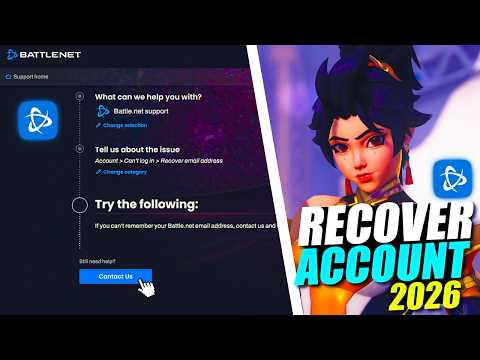
Losing access to your Battle.net account can be a frustrating experience, especially if you’ve lost your authenticator. Whether it’s a forgotten password, a misplaced device, or a malfunctioning app, the inability to log in can lock you out of your favorite games. Fortunately, Blizzard provides avenues for account recovery even without an authenticator. This article will guide you through the necessary steps and answer common questions to help you regain access to your beloved Battle.net account.
The Direct Solution: Contacting Blizzard Support
If you’ve lost your authenticator and can’t access your Battle.net account, the primary solution is to contact Blizzard Support directly. Here’s a step-by-step breakdown of the process:
- Navigate to the Support Page: Visit the Blizzard support website. You can usually find this by searching “Blizzard Support” on your preferred search engine.
- Find the Account Recovery Section: Look for sections related to “Account Recovery,” “Can’t Log In,” or “Authenticator Issues.” Blizzard’s support pages are well-organized and typically make these options easy to find.
- Submit a Ticket: There should be an option to submit a support ticket. This process does not usually require you to be logged in, which is crucial when you lack authenticator access.
- Provide Essential Information: You will need to provide as much detail about your account as possible. This includes:
- Your Battle.net Email: Even if you are unsure, provide all email addresses you might have used.
- The Account Holder’s Name: Use the name associated with your Battle.net account.
- Any Games Linked to the Account: Mention the games you played, including their versions or expansions.
- The Phone Number on File: If you previously had a phone number linked, provide that information.
- The Authenticator Serial Number (If you have it): If you can somehow retrieve the authenticator serial number, include it.
- Any Relevant Purchase History: Information about game purchases, subscriptions, or in-game purchases can help verify ownership.
- Attach a Government-Issued Photo ID: One of the most important steps is providing a clear photo or scan of your government-issued photo ID that matches the name on the account. This step is crucial for verifying that you are the legitimate owner of the Battle.net account. Accepted forms usually include a driver’s license, passport, or national ID card.
- Explain the Situation: Clearly and concisely explain that you have lost access to your authenticator and need assistance in removing it from your account.
- Be Patient: After submitting your ticket, you need to wait for a response from Blizzard’s Customer Support. Response times can vary based on the ticket volume, so be patient. Follow the email instructions to confirm any information that they require of you to finalize your recovery.
- Follow Up: If you haven’t received an update after a reasonable amount of time, don’t hesitate to follow up on your support ticket.
Understanding the Importance of Security
It’s important to understand why Blizzard employs strong security measures like the authenticator. These measures are designed to protect your account from unauthorized access, preventing potential theft of in-game items, characters, or even the account itself. While it can be inconvenient when you lose access, these precautions are necessary for maintaining the integrity of the Battle.net ecosystem.
Blizzard Phone Notifications as an Alternative
Blizzard also offers Phone Notifications as an alternative security measure. If you have this enabled, it can help you log in when you have problems with your authenticator. This is especially helpful as a backup plan and worth enabling if you haven’t already.
Frequently Asked Questions (FAQs)
Here are some frequently asked questions to provide more clarity on Battle.net account recovery without an authenticator:
How do I recover my Blizzard account if I forgot my email?
If you can’t remember your email, try all the emails you’ve created or used in the past. If you have a phone number on the account, try using that to log in. If all fails, you will need to contact Customer Support, just like with a lost authenticator.
Can I remove my authenticator if I still have access to my account?
Yes, if you still have access to your account and authenticator, you can remove or update it through the Security Options in your Battle.net account settings.
What do I do if my phone number is already in use on another Battle.net account?
A phone number can only be linked to one Battle.net account. You’ll need to log into the account where the number is registered and remove it from the Account Details page before using it on another account. Customer Support cannot bypass this restriction.
How can I transfer my authenticator to a new phone?
You can transfer your authenticator by following these steps:
- Open the menu on your old device and write down the Serial # and the Restore codes.
- Install the Blizzard Authenticator on your new device.
- Open the menu and use the Restore function.
- Enter the Serial Number and Restore code from step 1.
Why is Battle.net asking for verification codes frequently?
Frequent verification requests might mean your email has been compromised. Change your email address, reset your password, add phone notifications, or set up an authenticator to enhance your security.
Can I transfer games or merge Battle.net accounts?
Unfortunately, you cannot merge multiple Battle.net accounts, transfer games between accounts, or move games to a different account. Customer Support will not help bypass these restrictions.
Can I change my Battle.net account email?
Yes, you can change your email through your Account Details page. If you have trouble, contact Customer Support.
Do inactive Battle.net accounts get deleted?
Blizzard does not delete inactive accounts unless they are completely empty and haven’t been used for years. If you can’t find your account, ensure you’re using the correct email. It’s also possible your account was accessed without your knowledge and the email was changed.
How can I find out when my Battle.net account was created?
To get this information, you must submit a request to Blizzard Support to obtain your personal information.
How long does a request take to complete?
Blizzard says these requests can take up to 30 days to complete. Once this process is finalized, they cannot recover the information or restore your account under any circumstances.
Why does Battle.net say my email is already in use?
This usually means you already have a Battle.net account using that email. Log in to that account and change the email, freeing it up for another use.
Why can’t I verify my Battle.net account?
This error typically arises from a mismatching or forgotten password. Reset your password to resolve this. Also, check BlizzardCS Twitter for service interruptions.
Why is Battle.net not accepting my phone number?
Make sure the number is entered correctly, the country registered on your Battle.net account is correct, and your number is not being used on a VOIP plan. If you’ve moved countries, update this on your account.
Do I need a phone number for Battle.net Authenticator?
A mobile phone number is required to set up and use the Battle.net Authenticator. If you cannot access the Authenticator, contact support.
Can I have an Authenticator on two devices?
Yes, with the Microsoft Authenticator app, you can install it on a second mobile device like an iPad or other smartphone, and use it if your primary device is unavailable. However, for Blizzard’s own Authenticator, you’d need to follow the transfer instructions mentioned earlier.
Conclusion
Losing your authenticator can seem like a disaster, but Blizzard provides clear pathways to regain access to your account. By contacting customer support, providing the necessary information, and being patient, you can get your account back on track. Always ensure that you have a phone number and/or a backup email address linked to your account, and consider enabling Blizzard Phone Notifications as an extra layer of security to prevent this in the future. Remember, while the process may take some time, Blizzard’s aim is to keep your account safe, and by following these steps you’ll be back in the game in no time.