How to Transfer Pokemon Save Data from One Profile to Another
Fast answer first. Then use the tabs or video for more detail.
- Watch the video explanation below for a faster overview.
- Game mechanics may change with updates or patches.
- Use this block to get the short answer without scrolling the whole page.
- Read the FAQ section if the article has one.
- Use the table of contents to jump straight to the detailed section you need.
- Watch the video first, then skim the article for specifics.
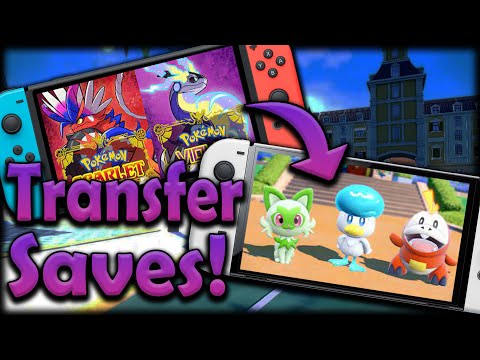
To transfer Pokemon save data from one profile to another, you need to use the Nintendo Switch’s built-in data transfer feature, which allows you to send save data to another console or receive save data from another console, but this process cannot be done directly between different user profiles on the same console. The Pokemon Home service can also be used to transfer Pokemon between different Nintendo Accounts, but this requires a Nintendo Switch Online subscription and a Pokemon Home account.
Understanding the Process
The process of transferring Pokemon save data between consoles involves selecting System Settings, then Data Management, and finally Transfer Your Save Data, and then choosing the Send Save Data to Another Console option on the console with the save data you want to transfer, and the Receive Save Data option on the console you want to transfer the data to.
FAQs
1. Can You Transfer Pokemon Save Data Between Different User Profiles on the Same Console?
No, you cannot transfer save data between different user profiles on the same Nintendo Switch console, as the console’s data management system does not support this feature.
2. How Do I Transfer Pokemon from One Nintendo Account to Another?
To transfer Pokemon from one Nintendo Account to another, you need to use the Pokemon Home service, which requires a Nintendo Switch Online subscription and a Pokemon Home account, and then follow the prompts to send and receive the Pokemon.
3. Can I Transfer Pokemon Save Data to Another Console?
Yes, you can transfer Pokemon save data to another Nintendo Switch console using the Send Save Data to Another Console option in the Data Management menu, but both consoles must be connected to the internet and have the latest system update installed.
4. How Do I Merge Nintendo Profiles?
It is not possible to merge multiple Nintendo Accounts together, or to add additional members to a Nintendo Account, including the My Nintendo service, as Nintendo does not support this feature.
5. Why Won’t My Switch Transfer Save Data?
If your Nintendo Switch won’t transfer save data, ensure that both consoles are connected to the internet, have the latest system update installed, and are near each other, and that the same Nintendo Account is linked to a user on each console.
6. Can You Transfer Pokemon GO Accounts?
To transfer a Pokemon GO account, you need to link your account to a Google Account or Facebook account, and then disconnect the old account and reconnect the new one, or change the email associated with your Pokemon Trainer’s Club account.
7. Can You Transfer Save Data from One Switch Profile to Another Reddit?
No, you cannot transfer save data from one Switch profile to another on the same console, as this feature is not supported by Nintendo.
8. How Do I Copy Save Data on Switch?
To copy save data on Switch, you need to use the Transfer Your User Data option in the System Settings menu, and then follow the prompts to transfer the data to another console.
9. Can You Transfer Saved Data from One Profile to Another on PS4?
Yes, you can transfer saved data from one PS4 profile to another using the Back Up and Restore option in the Settings menu, but you need to use an external hard drive to store the saved data.
10. Can You Move Saved Game from One Profile to Another PS5?
No, you cannot move saved games from one PS5 profile to another, as this feature is not supported by Sony.
11. How Do I Recover My Pokemon GO Account?
To recover your Pokemon GO account, you need to go to the Pokemon GO website, click on Sign In, and then click on Forgot Password, and follow the prompts to reset your password.
12. Can You Have Two Pokemon GO Accounts with One Gmail Account?
No, you cannot have two Pokemon GO accounts with one Gmail account, as each Pokemon GO account needs to be linked to a unique Gmail address or Pokemon Trainer’s Club account.
13. How Do I Transfer My Pokemon Account from One Phone to Another?
To transfer your Pokemon account from one phone to another, you need to open the Pokemon GO app on the new phone, sign in with the same Google Account or Pokemon Trainer’s Club account, and the data will be restored.
14. Does Niantic Ban Multiple Accounts?
Niantic lists using multiple accounts as a TOS violation and a form of cheating, but bans are typically limited to players who hack the client or use programs that access the backend of the client.
15. Can You Merge Niantic Accounts?
No, you cannot merge Niantic accounts, as game profiles with different email addresses and login providers share no connection and cannot be unified under the same Niantic ID.