EA Play on Steam vs. Origin: A Comprehensive Guide
Fast answer first. Then use the tabs or video for more detail.
- Watch the video explanation below for a faster overview.
- Game mechanics may change with updates or patches.
- Use this block to get the short answer without scrolling the whole page.
- Read the FAQ section if the article has one.
- Use the table of contents to jump straight to the detailed section you need.
- Watch the video first, then skim the article for specifics.
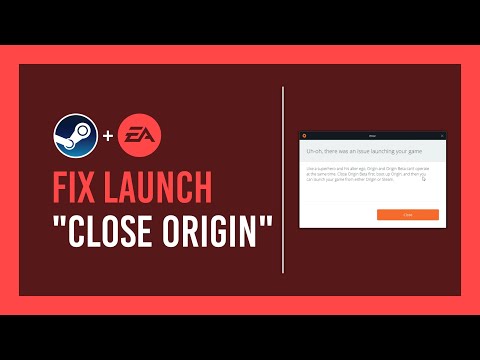
The question of whether EA Play exists on Steam but not on Origin requires a bit of clarification due to recent changes in EA’s platform strategy. The direct answer is: while EA Play was available on both Steam and Origin, Origin is now effectively defunct and has been replaced by the EA app. Therefore, while EA Play technically isn’t on Origin anymore, its functionality and associated games are now accessible through the EA app. This transition aims to streamline the user experience and consolidate EA’s PC gaming offerings.
The Evolution from Origin to the EA App
For years, Origin served as EA’s dedicated platform for digital distribution and game management on PC. It mirrored platforms like Steam, allowing users to purchase, download, and play EA titles, as well as access subscription services like EA Access (later renamed EA Play) and Origin Access Premier (later renamed EA Play Pro). However, Origin faced criticism for its user interface, performance issues, and perceived intrusiveness.
Recognizing these shortcomings, EA announced in 2020 its intention to retire Origin in favor of a new, redesigned desktop client. This new client, simply named the EA app, aimed to address the issues plaguing Origin and provide a more modern and user-friendly experience. The transition officially took place, with EA actively encouraging users to migrate from Origin to the EA app.
Now, the EA app serves as the primary platform for accessing EA Play on PC. This includes the standard EA Play subscription, which grants access to a library of games, exclusive in-game rewards, and early trials of new releases, as well as EA Play Pro, which offers full access to new EA titles upon release, along with premium editions and additional perks.
EA Play on Steam: How It Works
Despite the shift to the EA app, EA Play remains available on Steam. This allows players who prefer the Steam ecosystem to enjoy the benefits of an EA Play subscription without being forced to use a separate launcher. Here’s how it works:
- Subscription Through Steam: You can purchase an EA Play subscription directly through Steam. This subscription is then tied to your Steam account.
- Linking Accounts: When you launch an EA game from Steam for the first time, you’ll be prompted to link your Steam account to your EA Account. This is a necessary step to ensure that your EA Play benefits are recognized and applied to your game.
- EA App Dependency: Even if you purchase EA Play through Steam, you’ll still need the EA app installed on your computer. This is because the EA app handles game authentication, downloads, and updates, even when the game is launched from Steam.
- Benefits and Limitations: Subscribing to EA Play through Steam provides the same benefits as subscribing through the EA app, including access to the Play List (a library of games available to subscribers), member discounts on EA purchases, and early access to new releases. However, it’s important to note that your subscription is platform-specific. If you subscribe to EA Play on Steam, your benefits only apply to games launched through Steam.
Choosing Between Steam and the EA App
The decision of whether to access EA Play through Steam or directly through the EA app depends on individual preferences:
- Steam Users: If you primarily use Steam for your PC gaming and prefer to keep all your games in one place, subscribing to EA Play through Steam is a convenient option.
- EA Enthusiasts: If you primarily play EA games and want the most direct access to new releases and updates, using the EA app may be preferable.
- Game Pass Subscribers: If you have an Xbox Game Pass Ultimate subscription on PC, you will access EA Play games through the EA app.
Frequently Asked Questions (FAQs)
1. Is Origin completely gone?
Yes, Origin has been retired and replaced by the EA app. You can no longer download or use Origin.
2. Do I need an EA Account to play EA games on Steam?
Yes, even if you purchase an EA game on Steam, you need to link your Steam account to an EA Account to launch and play the game.
3. Can I transfer my games from Origin to the EA app?
Yes, any games you owned on Origin will automatically be available in the EA app once you log in with the same EA Account.
4. Is EA Play Pro available on Steam?
No, EA Play Pro, the premium tier of EA Play, is only available through the EA app.
5. What happens to my save data when I switch from Origin to the EA app?
Your save data should automatically transfer to the EA app as long as you use the same EA Account that you used on Origin. However, it is always a good idea to back up your save data before making any major changes.
6. Can I link my EA Play subscription from Steam to the EA app?
No, your EA Play subscription is tied to the platform where you purchased it. If you subscribe on Steam, your benefits only apply to games launched through Steam.
7. Does EA Play through Game Pass include EA Play Pro benefits?
No, EA Play included with Xbox Game Pass Ultimate provides access to the standard EA Play library. It does not include the additional benefits of EA Play Pro.
8. Is the EA app better than Origin?
The EA app is generally considered an improvement over Origin, offering a more modern user interface, improved performance, and a streamlined experience.
9. Do I have to repurchase EA games if I switch from Origin to the EA app?
No, you do not have to repurchase any games. All games associated with your EA Account will be available in the EA app.
10. Why is EA forcing me to use the EA app?
EA made the decision to transition users to the EA app to provide a better user experience and consolidate its PC gaming platform.
11. Can I still play The Sims 4 offline with the EA app?
Yes, you can play The Sims 4 offline with the EA app. However, you may need to perform some troubleshooting.
12. How do I find out which EA Account is linked to my Steam account?
Go to any EA website (e.g., ea.com), click “Sign In,” then click the Steam logo and enter your Steam credentials. You’ll be directed to the EA Account connected to that Steam account.
13. What are the benefits of EA Play?
EA Play offers access to a library of games, exclusive in-game rewards, member discounts on EA purchases, and early trials of new releases.
14. Can I gift EA Play to someone?
The ability to gift EA Play may vary depending on the platform (Steam or EA app) and current promotions. Check the respective platform’s store for availability.
15. Where can I learn more about game design and the impact of platforms like EA Play?
To learn more about the intersection of game design, platform ecosystems, and the learning potential of games, explore resources from organizations like the Games Learning Society. You can visit their website at https://www.gameslearningsociety.org/ to discover research, insights, and educational opportunities related to games and learning. The Games Learning Society is a valuable resource for anyone interested in the educational aspects of gaming.
In conclusion, while EA Play was formerly accessible through both Steam and Origin, the retirement of Origin and its replacement with the EA app means that the EA app is now the primary platform for accessing EA Play on PC. Steam still offers EA Play, but the subscription is tied to the Steam platform and requires the EA app for game management and authentication. Choosing between Steam and the EA app depends on individual preference and existing gaming habits. By understanding the nuances of this transition, gamers can make informed decisions about how to best access and enjoy EA Play and its associated benefits.