Is Fortnite Easy to Play on Switch? A Deep Dive for Aspiring Victory Royales
Fast answer first. Then use the tabs or video for more detail.
- Watch the video explanation below for a faster overview.
- Game mechanics may change with updates or patches.
- Use this block to get the short answer without scrolling the whole page.
- Read the FAQ section if the article has one.
- Use the table of contents to jump straight to the detailed section you need.
- Watch the video first, then skim the article for specifics.
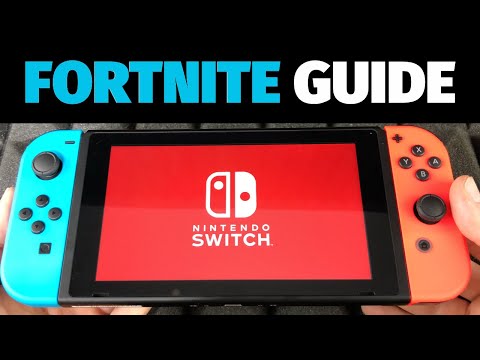
The Nintendo Switch presents a unique experience for Fortnite. While the core gameplay remains the same across platforms, the Switch version’s portability comes with certain compromises that significantly impact its difficulty. Simply put, Fortnite on the Switch is generally considered harder to play effectively compared to other platforms like PC, PlayStation, or Xbox. This isn’t to say that it’s impossible to achieve victory on the Switch, but the platform’s inherent limitations create a steeper learning curve, especially for new players. Let’s break down why this is the case.
Understanding the Challenges of Fortnite on Switch
The primary culprit behind the added difficulty lies in the Switch’s hardware, particularly its Joy-Con controllers.
The Joy-Con Conundrum
The Joy-Cons, while innovative and versatile, aren’t ideally suited for the fast-paced, precise aiming demanded by Fortnite. Here’s why:
- Tiny Joysticks: The smaller size of the joysticks compared to those on PlayStation or Xbox controllers makes fine-tuned movements much harder. This is particularly noticeable in close-quarters combat, where quick adjustments are crucial.
- Limited Travel: The joysticks have a shorter range of motion, limiting the precision of aiming adjustments. Getting that perfect headshot becomes significantly more challenging.
- Ergonomics: Holding the Joy-Cons for extended periods can be uncomfortable for some players, potentially leading to fatigue and reduced performance.
- Controller Drift: A known issue with Joy-Cons is “drift,” where the joystick registers movement even when untouched. This can be incredibly frustrating in a competitive game like Fortnite, leading to missed shots and accidental movements.
Performance Limitations
Beyond the controllers, the Switch’s hardware capabilities also play a role.
- Lower Resolution: The Switch typically runs Fortnite at a lower resolution than other platforms, resulting in a less crisp image. While improvements have been made, this can still make it harder to spot distant enemies or identify details in the environment.
- Frame Rate Instability: While the game aims for a stable 30 frames per second, dips in frame rate can occur during intense action, leading to stuttering and reduced responsiveness. This can impact aiming and building accuracy.
- Graphics Fidelity: The overall graphical quality is lower on the Switch, impacting visual clarity and making it harder to distinguish details.
The Cross-Platform Factor
Fortnite features cross-platform play, meaning you’ll be competing against players on PC, PlayStation, Xbox, and mobile devices. This can be a significant disadvantage for Switch players.
- Hardware Disparity: PC players often have access to higher frame rates, better graphics cards, and more precise input devices like mice and keyboards. This gives them a considerable edge in terms of aiming, reaction time, and overall awareness.
- Controller Advantages: Even console players on PlayStation and Xbox benefit from more comfortable and precise controllers.
- Mobile Advantages: Mobile devices can provide an advantage due to the sound indications.
Overcoming the Challenges: Tips for Switch Fortnite Players
While the Switch presents inherent challenges, there are strategies you can employ to improve your Fortnite experience:
- Practice in Playground/Creative Mode: As the original article suggests, honing your building skills in Playground or Creative mode is crucial. Focus on mastering basic building techniques like 90s, ramp rushes, and box fighting.
- Adjust Sensitivity Settings: Experiment with different sensitivity settings to find what works best for you. Many Switch players recommend lowering sensitivity to improve aiming accuracy.
- Use a Pro Controller: The Nintendo Switch Pro Controller offers a more traditional and ergonomic design with larger joysticks, providing a significant improvement over the Joy-Cons.
- Invest in Controller Grips/Attachments: There are various grips and attachments available that can enhance the ergonomics of the Joy-Cons and improve grip.
- Practice Aiming Drills: Regularly practice aiming drills in Creative mode to improve your accuracy and reaction time.
- Master Motion Controls: The Switch supports motion controls, which can be surprisingly effective for fine-tuning aiming adjustments. However, it takes time and practice to master.
- Optimize Visual Settings: Adjust your visual settings to prioritize performance over graphical fidelity. Lowering shadow quality and effects can help improve frame rate stability.
- Learn the Map: Knowing the map layout, loot locations, and rotation patterns is crucial for success in Fortnite.
- Play Strategically: Focus on making smart decisions, positioning yourself well, and utilizing cover effectively.
- Team Up with Friends: Playing with friends can make the game more enjoyable and improve your chances of success through teamwork and coordination.
- Watch Pro Players: Watching skilled Fortnite players on the Switch can provide valuable insights into strategies, building techniques, and aiming techniques.
- Stay Updated: Keep up with the latest Fortnite updates and meta changes to adapt your gameplay accordingly.
- Be Patient: Improving your skills in Fortnite takes time and practice. Don’t get discouraged by early losses.
The Social Impact of Gaming
It’s also worth considering the broader impact of gaming on individuals and society. The Games Learning Society, an organization dedicated to advancing the scientific understanding of games and learning, offers valuable resources and research in this area. You can learn more at GamesLearningSociety.org. Also the use of Cabined Accounts on Fortnite restricts certain features.
FAQs: Fortnite on Switch
Here are 15 frequently asked questions about playing Fortnite on the Nintendo Switch:
1. Is Fortnite free on the Switch?
Yes, Fortnite is completely free to download and play on the Nintendo Switch.
2. Do I need a Nintendo Switch Online subscription to play Fortnite?
No, a Nintendo Switch Online subscription is not required to play Fortnite.
3. Why is Fortnite so laggy on my Switch?
Lag can be caused by several factors, including a weak internet connection, overloaded servers, or the Switch’s hardware limitations. Try closing other applications, ensuring a stable internet connection, and adjusting your visual settings.
4. Can I use a keyboard and mouse on Fortnite on Switch?
Yes, you can use a keyboard and mouse with Fortnite on the Switch, but you’ll need a USB adapter. However, keep in mind that this may put you at an advantage over other Switch players.
5. Is Fortnite cross-platform on Switch?
Yes, Fortnite on the Switch supports cross-platform play, meaning you can play with friends on PC, PlayStation, Xbox, and mobile devices.
6. How do I improve my aim on Fortnite on Switch?
Practice aiming drills in Creative mode, adjust your sensitivity settings, consider using a Pro Controller, and try mastering motion controls.
7. What are the best controller settings for Fortnite on Switch?
There is no single “best” setting, as it depends on personal preference. However, many Switch players recommend lowering sensitivity to improve aiming accuracy.
8. Is it easier to play Fortnite on mobile than on Switch?
While mobile has advantages with sound indications, it can be harder. It is also down to personal preference as the touch controls can be hard to get used to and can prove challenging to get to grips with.
9. Can I link my Fortnite account to my Switch?
Yes, you can link your Epic Games account to your Nintendo account to access your progress, skins, and other items on the Switch.
10. How do I download Fortnite on my Switch?
You can download Fortnite from the Nintendo eShop. Simply search for Fortnite and download the game.
11. Is Fortnite safe for kids?
Fortnite is rated T for Teen by the ESRB, meaning it’s generally recommended for ages 13 and up due to its action violence and open chat. Parents should consider their child’s maturity level and monitor their gameplay.
12. How much storage space does Fortnite take up on the Switch?
Fortnite typically requires around 12 GB of storage space on the Switch.
13. Does the Switch OLED improve Fortnite performance?
The Switch OLED doesn’t offer any significant performance improvements in Fortnite. The main benefits are a better screen and improved audio.
14. Why is Fortnite so hard for beginners?
Fortnite has a steep learning curve due to its complex building mechanics, fast-paced combat, and competitive player base.
15. How do I get better at building in Fortnite on Switch?
Practice building in Creative mode, watch tutorials from pro players, and focus on mastering basic building techniques like 90s and box fighting.
Conclusion: The Portable Battlefield
While Fortnite on the Nintendo Switch presents certain challenges due to its hardware limitations, it’s still a viable and enjoyable way to experience the game. By understanding the platform’s limitations, employing the strategies outlined above, and dedicating time to practice, you can overcome the obstacles and achieve victory on the portable battlefield. Remember, persistence and adaptability are key to success in Fortnite, regardless of the platform you choose.