Is GeForce NOW 120 FPS? Unlocking High Refresh Rates in the Cloud
Fast answer first. Then use the tabs or video for more detail.
- Watch the video explanation below for a faster overview.
- Game mechanics may change with updates or patches.
- Use this block to get the short answer without scrolling the whole page.
- Read the FAQ section if the article has one.
- Use the table of contents to jump straight to the detailed section you need.
- Watch the video first, then skim the article for specifics.
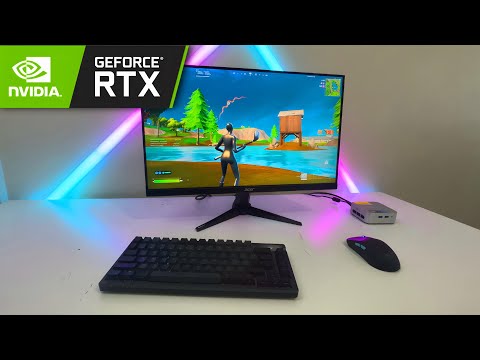
The short answer is: Yes, GeForce NOW can deliver 120 FPS, but with a few important caveats. Whether or not you actually get 120 FPS depends on your subscription tier, the game you’re playing, the device you’re using, and the quality of your internet connection. Let’s dive into the details to help you understand how to maximize your GeForce NOW experience and potentially achieve those buttery-smooth frame rates.
GeForce NOW: A Cloud Gaming Revolution
GeForce NOW has rapidly evolved from a promising concept to a genuinely impressive cloud gaming service. It allows you to stream games directly to your devices without needing a high-end gaming PC, offering accessibility and convenience that traditional gaming setups simply can’t match. The service leverages NVIDIA’s powerful servers to render the games, then streams the video output to your device, while also transmitting your inputs back to the server in real-time. This means you can play demanding titles on a laptop, tablet, or even your smartphone.
Unlocking 120 FPS: The Ultimate Tier Advantage
The key to unlocking 120 FPS on GeForce NOW lies primarily with the Ultimate membership tier. This premium tier boasts the most powerful hardware, enabling up to 240 FPS gaming on select titles, and more consistently delivers the higher frame rates that enthusiasts crave. The RTX 4080 SuperPods power the Ultimate tier, significantly improving performance and reducing latency compared to lower tiers.
Hardware and Software Requirements for 120 FPS
While the Ultimate tier provides the horsepower, your hardware and software also need to be up to the task. Here’s what you need to consider:
- Display Refresh Rate: Your monitor or device screen needs to support a 120Hz refresh rate or higher. A 60Hz display, for example, will be limited to 60 FPS regardless of what GeForce NOW is streaming.
- Device Compatibility: Not all devices are created equal. While GeForce NOW supports a wide range of devices, only some are optimized for 120 FPS streaming. Android devices with 120Hz-capable screens are a popular option, but performance can vary. NVIDIA maintains a list of tested devices known to support 120 FPS streaming.
- GeForce NOW Application Settings: Within the GeForce NOW app, you need to explicitly set the frame rate to 120 FPS. This is usually found in Settings > GeForce NOW > Stream quality > Custom. You may also need to adjust the resolution to match your phone’s display.
- Internet Connection: A stable and fast internet connection is crucial for cloud gaming in general, but it’s even more critical for 120 FPS streaming. You’ll need a robust connection to handle the higher bandwidth requirements.
Optimizing Your Experience for 120 FPS
Even with the right tier and hardware, achieving a consistent 120 FPS experience requires some fine-tuning:
- Minimize Network Traffic: Other devices on your network competing for bandwidth can negatively impact your GeForce NOW stream. Close any unnecessary applications and limit activities like video streaming or large downloads while gaming.
- Wired Connection: Whenever possible, use a wired Ethernet connection to your router for the most stable and reliable connection. Wi-Fi can introduce latency and instability, particularly on the 2.4GHz band. If using Wi-Fi, the 5GHz band is preferable.
- Proximity to Router: If you must use Wi-Fi, ensure you’re as close to your router as possible. Signal strength decreases with distance, leading to connection drops and reduced performance.
- Experiment with Bitrate: Within the GeForce NOW app, you can adjust the maximum bitrate. While a higher bitrate generally leads to better image quality, it also demands more bandwidth. Experiment to find the sweet spot that balances image quality and performance on your connection. “Auto” setting might be a good start.
- Game Settings: Even though the game is being rendered on NVIDIA’s servers, certain in-game settings can still affect your experience. Lowering graphical settings can sometimes help stabilize the frame rate, especially if you’re experiencing dips.
Is 120 FPS Worth It? The Perceived Difference
While 120 FPS is undoubtedly smoother than 60 FPS, the perceived difference isn’t as dramatic as the jump from 30 FPS to 60 FPS. Whether it’s “worth it” depends on your individual sensitivity to frame rates and the type of games you play. Fast-paced action games like first-person shooters and racing games benefit the most from higher frame rates, providing a more responsive and immersive experience. For slower-paced games, the difference might be less noticeable.
The Future of Cloud Gaming and High Refresh Rates
Cloud gaming is constantly evolving, and we can expect further improvements in performance and accessibility in the future. As network infrastructure improves and NVIDIA continues to upgrade its servers, achieving high refresh rates like 120 FPS and even 240 FPS will become more commonplace. This opens up exciting possibilities for gamers who want a high-end gaming experience without the expense and maintenance of a dedicated gaming PC.
For those interested in exploring the educational potential of games and the evolving landscape of game-based learning, be sure to check out the Games Learning Society at GamesLearningSociety.org.
Frequently Asked Questions (FAQs)
1. What is the maximum FPS achievable on GeForce NOW?
The maximum FPS currently achievable on GeForce NOW is 240 FPS, available on the Ultimate tier with compatible games and devices.
2. Do I need a special monitor to get 120 FPS on GeForce NOW?
Yes, your monitor needs to support a 120Hz refresh rate or higher to display 120 FPS. A 60Hz monitor will only display a maximum of 60 frames per second.
3. Can I get 120 FPS on GeForce NOW with a free membership?
No, 120 FPS streaming is generally limited to paid memberships, specifically the Ultimate tier.
4. How do I check my current FPS on GeForce NOW?
GeForce NOW doesn’t have a built-in FPS counter. You might need to rely on the in-game FPS counter (if the game has one) or use third-party software on your device (if possible).
5. Why can’t I select 120 FPS in the GeForce NOW settings?
Ensure you are on a plan like the Ultimate tier that supports 120 FPS. Also, verify that your device’s display is set to 120Hz in its settings.
6. Will upgrading my internet improve my FPS on GeForce NOW?
Potentially. A faster and more stable internet connection is essential for high-quality cloud gaming. If your current connection is struggling, upgrading it can definitely improve your experience and potentially allow you to achieve higher frame rates more consistently.
7. Is GeForce NOW capped at 60 FPS for certain games?
In some cases, NVIDIA might cap the FPS on specific games for technical reasons. Check the GeForce NOW support documentation or community forums for any known limitations.
8. Does GeForce NOW support variable refresh rate (VRR) technologies like G-Sync or FreeSync?
Yes, GeForce NOW supports Adaptive Sync which is essentially VRR. If your device supports VRR and it’s enabled, it can improve smoothness and reduce screen tearing.
9. What is the minimum internet speed required for 120 FPS on GeForce NOW?
NVIDIA recommends at least 50 Mbps for streaming at 1080p/60FPS and even more bandwidth for 120 FPS at higher resolutions.
10. How do I optimize my Android device for 120 FPS streaming on GeForce NOW?
Ensure your device supports a 120Hz refresh rate, set the refresh rate in your device’s settings, and adjust the GeForce NOW app settings to 120 FPS with a custom resolution that matches your device’s screen.
11. Does the resolution affect the FPS on GeForce NOW?
Yes. Higher resolutions require more processing power, which can impact FPS. Lowering the resolution can sometimes improve frame rates, particularly if you’re experiencing performance issues.
12. How long can I play on GeForce NOW with the Ultimate tier?
The Ultimate tier typically offers 8-hour gaming sessions, allowing for extended playtimes.
13. Can I use a VPN with GeForce NOW?
While you can use a VPN, it’s generally not recommended as it can introduce additional latency and negatively impact your gaming experience.
14. Is GeForce NOW worth it in 2024?
GeForce NOW remains a compelling cloud gaming service, especially for those who want to play demanding games without investing in expensive hardware. The Ultimate tier, with its RTX 4080 SuperPods and support for high refresh rates, offers a particularly impressive experience.
15. How does GeForce NOW compare to other cloud gaming services?
GeForce NOW stands out due to its access to your existing game libraries on Steam, Epic Games Store, and other platforms. Its performance, especially on the Ultimate tier, is also highly competitive. However, other services like Xbox Cloud Gaming have their own strengths, such as included game libraries with Game Pass.