Is God of War Better on PC or PlayStation? A Definitive Analysis
Fast answer first. Then use the tabs or video for more detail.
- Watch the video explanation below for a faster overview.
- Game mechanics may change with updates or patches.
- Use this block to get the short answer without scrolling the whole page.
- Read the FAQ section if the article has one.
- Use the table of contents to jump straight to the detailed section you need.
- Watch the video first, then skim the article for specifics.
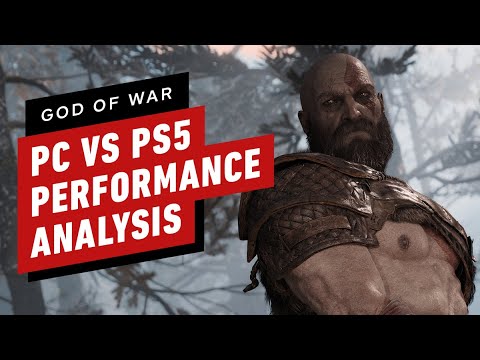
Ultimately, God of War (2018) is generally better on PC if you have the hardware to support it, offering superior graphics fidelity, unlocked frame rates, and ultrawide monitor support, elevating the experience to a new level of visual splendor and smooth gameplay. However, the PlayStation 5 provides a compelling alternative with a consistent and optimized experience, making it a worthwhile choice if PC gaming isn’t your primary platform.
Visuals, Performance, and Features: A Deep Dive
Deciding whether to experience Kratos’ journey on a PC or a PlayStation (PS4 or PS5) boils down to prioritizing graphical fidelity, performance consistency, and the availability of specific features. Let’s break down each platform:
Graphics Prowess: PC Takes the Lead
The PC version of God of War allows for significantly higher graphical settings than either the PS4 or PS5. With a capable graphics card, players can enjoy true 4K resolution, enhanced textures, high-resolution shadows, and improved screen-space reflections. The PC version also incorporates advanced features such as GTAO (Ground-Truth Ambient Occlusion) and SSDO (Screen-Space Directional Occlusion), adding depth and realism to the visuals. Furthermore, the inclusion of Ray Tracing shading elements further elevates the graphical experience. The degree of graphical customizability is simply unmatched by the console versions.
Performance: Unlocked Framerates on PC, Stability on PlayStation
One of the biggest advantages of the PC version is its unlocked framerates. While the PS4 is locked at 30fps and the PS5 offers a 60fps mode, the PC can exceed these limits, resulting in a smoother and more responsive gameplay experience, provided the hardware can handle the increased demand. However, achieving a consistent framerate, especially at higher resolutions and settings, requires a robust PC configuration. The PlayStation 5 provides rock-solid performance at a consistent 60fps (in performance mode), ensuring a fluid experience without the need for constant tweaking.
Features and Customization: PC Reigns Supreme
Beyond raw graphical power, the PC version boasts several features that enhance the overall experience. Ultrawide monitor support offers a more immersive field of view, while a wide range of graphical presets and options allows players to fine-tune the settings to their preferences and hardware capabilities. Mod support, although carrying inherent risks, opens up possibilities for customization and enhancement beyond the developers’ original vision. In comparison, the PlayStation versions offer a more standardized experience without these customization options.
The PlayStation Advantage: Accessibility and Optimization
The PlayStation version’s primary strength lies in its optimized performance and accessibility. You don’t need to worry about compatibility issues, driver updates, or hardware configurations. Simply insert the disc (or download the game) and play. The PS5’s backward compatibility ensures the game runs smoothly and looks great on newer hardware, providing a hassle-free experience that the PC sometimes lacks.
Hardware Considerations: A Crucial Factor
The decision between PC and PlayStation is heavily influenced by your existing hardware or willingness to invest in new equipment.
PC Requirements
To truly maximize the PC version’s potential, a powerful gaming rig is essential. While the game is relatively well-optimized, achieving high framerates at 4K resolution with enhanced settings requires a high-end graphics card (such as an NVIDIA RTX 2070 or AMD RX 5700 XT), a capable processor (Intel i7-7700k or AMD Ryzen 7 3700x), and ample RAM (16GB DDR). Furthermore, a fast SSD is highly recommended for faster loading times and smoother gameplay. As hardware evolves, future builds can enable even more incredible experiences. This is supported by research in the field of games and learning at institutions like the Games Learning Society.
PlayStation Specifications
In contrast, the PlayStation offers a much more streamlined and predictable experience. The PS4 delivers a consistent experience at 1080p/30fps, while the PS5 provides a smoother 60fps mode with a resolution ranging from 1440p to 1656p. There’s no need to worry about hardware upgrades or compatibility issues; the game is optimized to run flawlessly on the console.
Game Difficulty and Playtime
The core gameplay experience remains consistent across both platforms, with challenging combat and a compelling narrative. The difficulty level is adjustable, catering to both casual and hardcore gamers. Completing the main story typically takes around 20-21 hours, while achieving 100% completion can extend playtime to 50-51 hours.
Modding Capabilities
One advantage of the PC version is the availability of mods, which can enhance or alter the game in various ways. However, it’s important to note that modding can potentially corrupt save files or introduce instability, so caution is advised.
Final Verdict
If you prioritize graphical fidelity, performance customization, and have the hardware to support it, the PC version of God of War is the superior choice. However, if you prefer a hassle-free, optimized experience and don’t want to invest in expensive PC hardware, the PlayStation 5 offers a compelling alternative.
Frequently Asked Questions (FAQs)
Here are some frequently asked questions to further clarify the differences between God of War on PC and PlayStation:
1. Is God of War on PC better than on PS4?
Yes, the PC version offers significant graphical upgrades compared to the PS4, including higher resolution shadows and screen-space reflections.
2. Is God of War better on a PC than PS5?
With a powerful enough rig, the PC version can deliver noticeable improvements in texture quality, shadows, and performance compared to the PS5.
3. Is God of War PC optimized?
Yes, the PC version is well-optimized and can run on low-end hardware with adjustable graphical options.
4. What are the key differences between God of War on PC and PlayStation?
The PC version offers true 4K resolution, unlocked framerates, higher resolution shadows, improved screen space reflections, and ultrawide monitor support.
5. What are the God of War PC system requirements for optimal performance?
For average performance at 1440p and 60fps, the recommended specs include an NVIDIA RTX 2070 or AMD RX 5700 XT, an Intel i7-7700k or AMD Ryzen 7 3700x, 16 GB DDR RAM, and a 72 GB SSD.
6. Does God of War run well on PC?
Yes, the PC version generally runs well, and DLSS can help reduce the load. However, a powerful PC is needed for a significant increase in quality over the PS5 version.
7. Is God of War true 4K on PC?
Yes, the PC version supports true 4K resolution on supported devices.
8. Can PC beat PS5 in terms of God of War performance?
With sufficient processing power, the PC can outperform the PS5.
9. Is it worth getting a gaming PC or PS5 for God of War?
If you’re primarily interested in God of War and want a cost-effective solution, the PS5 is a great choice. However, a gaming PC offers greater flexibility and graphical capabilities.
10. How long does it take to beat God of War on PC?
The main story takes about 21 hours, while 100% completion takes around 51 hours.
11. Is God of War difficult on PC?
The difficulty is adjustable, with “Give me a Challenge” offering a significant challenge but not being as punishing as some other hard games.
12. What graphics mode is best for God of War?
If you prioritize detail, the 4K/30fps mode is best. If you want smooth gameplay, the 60fps option, which can drop to 1440p, is preferable.
13. Is God of War heavy on PC?
God of War doesn’t require a very beefy PC. A GTX 1060 is adequate for 1080p at the game’s original framerate.
14. Does God of War PC support 120Hz?
God of War PC can approach 120Hz with the right hardware configuration.
15. Can PC players play every God of War game?
Every God of War game is playable on PC except Ragnarok, by using a PS3 emulator called RPCS3. This requires a powerful PC, particularly a CPU like an Intel i9 (12th or 13th gen) or similar.
God of War’s immersive world and engaging narrative can now reach even more students, scholars, and educators who are exploring how video games can be used to augment learning through the collaborative research community at GamesLearningSociety.org.