Is HDR Good or Bad for Video Quality?
Fast answer first. Then use the tabs or video for more detail.
- Watch the video explanation below for a faster overview.
- Game mechanics may change with updates or patches.
- Use this block to get the short answer without scrolling the whole page.
- Read the FAQ section if the article has one.
- Use the table of contents to jump straight to the detailed section you need.
- Watch the video first, then skim the article for specifics.
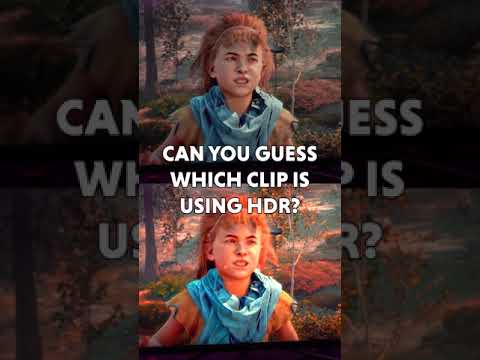
HDR (High Dynamic Range), when implemented correctly, is overwhelmingly good for video quality. It offers a significantly enhanced viewing experience compared to standard dynamic range (SDR) by delivering a broader spectrum of colors, increased contrast, and greater detail in both the brightest and darkest parts of the image. However, the keyword here is “correctly.” A poorly implemented HDR format or viewing on incompatible hardware can result in a washed-out or unnatural picture.
Understanding HDR’s Impact on Video Quality
HDR’s positive impact stems from its ability to capture and display a wider range of luminance levels. This means:
- Brighter Highlights: HDR allows for significantly brighter highlights, making specular reflections (like sunlight glinting off water or metal) appear more realistic and impactful.
- Deeper Blacks: At the other end of the spectrum, HDR provides deeper, more nuanced blacks, resulting in a greater sense of depth and richness in dark scenes.
- Expanded Color Gamut: HDR supports a wider range of colors than SDR, leading to more vibrant and lifelike visuals. Think richer greens in landscapes and more accurate skin tones.
- Increased Detail: The increased dynamic range reveals more subtle details in both bright and dark areas, enriching the overall viewing experience. Details that would be lost in SDR are now visible and contribute to the realism.
These improvements collectively create a more immersive and visually appealing picture that is closer to what the human eye perceives in the real world.
Potential Pitfalls of HDR
While HDR offers substantial benefits, its effectiveness depends on several factors:
- Content Mastering: The quality of the HDR master is crucial. Poorly graded HDR content can appear artificial, overly saturated, or lack the intended dynamic range. A bad HDR master can actually reduce perceived video quality.
- Display Capabilities: Your display needs to be capable of reproducing HDR content accurately. A display with low peak brightness or poor color accuracy will not be able to fully realize the potential of HDR.
- Display Calibration: Even a capable HDR display may need to be calibrated to ensure accurate color reproduction and optimal brightness levels. Improper settings can lead to a suboptimal HDR experience.
- HDR Format Compatibility: Different HDR formats exist (HDR10, Dolby Vision, HLG, HDR10+), and not all displays support all formats. Compatibility issues can result in a fallback to SDR or a less-than-ideal HDR presentation.
- Perceived Brightness: Some viewers initially perceive HDR as dimmer than SDR, especially if they are accustomed to displays that aggressively boost brightness in SDR mode. HDR aims for a more realistic image, not necessarily the brightest possible.
HDR vs. SDR: A Clear Winner (When Done Right)
In summary, HDR provides a superior viewing experience when implemented correctly. It delivers a more realistic, detailed, and visually engaging picture compared to SDR. However, to fully enjoy the benefits of HDR, ensure that your display is capable, calibrated, and compatible with the HDR content you are watching. Always prioritize high-quality HDR masters.
Frequently Asked Questions (FAQs) About HDR
1. What exactly is HDR and how does it differ from SDR?
High Dynamic Range (HDR) expands the range of brightness and color that can be displayed, resulting in a more realistic and detailed image. Standard Dynamic Range (SDR), in contrast, has a limited range of brightness and color, leading to a less vibrant and detailed picture. Think of it as HDR offering a much bigger paint box with many more shades to use.
2. What are the different HDR formats?
The main HDR formats include:
- HDR10: An open standard and the most common format.
- Dolby Vision: A proprietary format that supports dynamic metadata, allowing for scene-by-scene optimization of HDR.
- HLG (Hybrid Log-Gamma): Primarily used for broadcast content and live streaming.
- HDR10+: An extension of HDR10 that also includes dynamic metadata.
3. Is Dolby Vision better than HDR10?
Dolby Vision is generally considered superior to HDR10 due to its dynamic metadata. This allows for more precise control over brightness and color on a scene-by-scene basis. HDR10 uses static metadata, which applies the same settings to the entire video. However, the difference can be subtle and depends heavily on the content and display quality.
4. What display specifications are important for HDR?
Key display specifications for HDR include:
- Peak Brightness: Measured in nits, a higher peak brightness is crucial for bright highlights. A minimum of 500 nits is recommended, but 1000 nits or higher is ideal.
- Contrast Ratio: A high contrast ratio allows for deeper blacks and brighter whites.
- Color Gamut: The display should support a wide color gamut, such as DCI-P3 or Rec. 2020, to reproduce HDR’s expanded color range.
- Bit Depth: 10-bit color depth is essential for HDR to avoid color banding.
5. How do I know if my TV supports HDR?
Check your TV’s specifications or user manual. Look for mentions of HDR10, Dolby Vision, HLG, or HDR10+. If these terms are listed, your TV likely supports HDR. You can also check the TV’s settings for HDR-related options.
6. Will HDR content look better on an older SDR TV?
No, HDR content will not look better on an SDR TV. In fact, it may look worse due to color inaccuracies and a compressed dynamic range. The TV will attempt to map the HDR content to its limited SDR capabilities, which can result in a washed-out or unnatural appearance.
7. Does streaming quality affect HDR?
Yes, streaming quality significantly impacts HDR. A low bitrate can lead to compression artifacts and a reduction in color accuracy and detail, negating many of the benefits of HDR. A higher bitrate is essential for a good HDR streaming experience.
8. How do I calibrate my TV for HDR?
You can calibrate your TV for HDR using:
- Built-in Calibration Tools: Some TVs have built-in calibration tools.
- Calibration Discs: These discs contain test patterns to help you adjust your TV’s settings.
- Professional Calibration: Hiring a professional calibrator will provide the most accurate results.
9. Is HDR always better than SDR, even on a high-end SDR display?
While HDR offers significant advantages, a well-calibrated, high-end SDR display can sometimes provide a more pleasing image than a poorly implemented HDR setup. This is because a good SDR display can deliver excellent contrast and color accuracy within its limited dynamic range. However, a good HDR display will always be superior given the best setup.
10. What are some examples of HDR content?
Many streaming services (Netflix, Amazon Prime Video, Disney+), Ultra HD Blu-ray discs, and video games offer HDR content. Look for the HDR logo or badge when browsing content.
11. How can I tell if I am actually watching HDR content?
Most TVs will display an HDR notification when playing HDR content. You can also check your TV’s picture settings to see if HDR-related options are enabled.
12. Does HDR consume more bandwidth when streaming?
Yes, HDR content typically requires more bandwidth than SDR content due to the increased data required for the wider dynamic range and color gamut.
13. Does HDR affect gaming performance?
Yes, HDR can affect gaming performance, especially on less powerful hardware. Rendering HDR requires more processing power, which can lead to lower frame rates. However, the visual improvements of HDR often outweigh the performance cost.
14. What are some common HDR problems and how can I fix them?
Common HDR problems include:
- Washed-out colors: Check your TV’s HDR settings and ensure the correct HDR mode is selected.
- Dim picture: Increase your TV’s backlight and contrast settings.
- Color banding: Ensure your source device and TV support 10-bit color.
- Incorrect black levels: Adjust your TV’s black level setting.
15. Is it worth upgrading to an HDR TV?
For most viewers, upgrading to an HDR TV is worthwhile due to the significant improvements in picture quality. The increased dynamic range, wider color gamut, and greater detail offered by HDR can transform the viewing experience, especially when watching HDR-mastered content. However, ensure that you choose a TV with good HDR performance and calibrate it properly to enjoy the full benefits.