Downloading vs. Installing Games: What’s the Real Difference?
Fast answer first. Then use the tabs or video for more detail.
- Watch the video explanation below for a faster overview.
- Game mechanics may change with updates or patches.
- Use this block to get the short answer without scrolling the whole page.
- Read the FAQ section if the article has one.
- Use the table of contents to jump straight to the detailed section you need.
- Watch the video first, then skim the article for specifics.
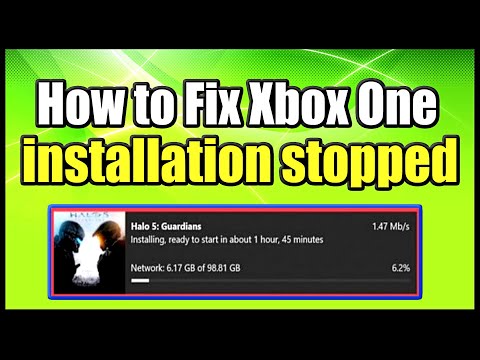
No, installing a game is not the same as downloading it. Downloading is simply the process of transferring the game’s files from a server to your computer or device. Installing, on the other hand, is the process of setting up those downloaded files so that the game can run properly on your system. Think of downloading as getting the ingredients for a cake, and installing as actually baking the cake. You can’t eat the ingredients until they’ve been properly prepared and assembled!
Understanding the Two Processes
Let’s break down each process further:
Downloading: The Acquisition Stage
- What it is: Downloading involves copying the game’s data – its code, assets (like textures, models, and audio), and other necessary files – from a remote server to your local storage (hard drive, SSD, etc.).
- How it works: When you click “download” on a platform like Steam, GOG, the Apple App Store, or Google Play Store, your device initiates a connection to the game’s server. The server then transmits the game files to your device, usually in a compressed format (like a ZIP or RAR archive).
- What you get: After downloading, you’ll have a compressed archive or a set of files on your computer. These files are essentially the raw materials for the game but aren’t yet ready to be played.
Installing: The Preparation Stage
- What it is: Installation involves taking the downloaded files and preparing them for execution. This usually includes decompressing the files, copying them to the correct directories, creating necessary folders, configuring settings, and registering the game with the operating system.
- How it works: You typically initiate the installation process by running an installer program (usually an .exe file on Windows or a .dmg file on macOS, or automatically handled by your operating system on mobile). This installer program unpacks the downloaded files, copies them to their designated locations, updates system files, and creates shortcuts.
- What you get: After installation, the game is ready to be launched and played. All the necessary files are in place, configured correctly, and linked to the operating system.
Why is Installation Necessary?
Installation is crucial for several reasons:
- Decompression: Downloaded game files are often compressed to reduce download times and bandwidth usage. The installation process decompresses these files, restoring them to their full size and enabling them to be used by the game engine.
- File Placement: Games require specific files to be located in specific directories. The installation process ensures that all the files are placed in the correct locations, so the game can find them when it runs.
- Configuration: Installation configures the game to work with your specific hardware and software. This may involve setting up graphics options, audio settings, and input device configurations.
- Operating System Integration: The installation process integrates the game with your operating system. This may involve creating shortcuts on the desktop or start menu, registering the game in the system registry (on Windows), and allowing the game to be launched from the operating system’s user interface.
- Dependency Installation: Many games rely on other software components, like DirectX or Visual C++ Redistributables, to function properly. The installation process often installs these dependencies automatically.
The Interplay Between Download and Install
While distinct, downloading and installing are sequential steps in the process of getting a game onto your system. Downloading always precedes installation (with a few very rare exceptions). After downloading, you must install the game before you can play it.
Frequently Asked Questions (FAQs)
Here are some frequently asked questions related to downloading and installing games:
1. What happens if I download a game but don’t install it?
The downloaded files will simply sit on your hard drive, taking up space. You won’t be able to play the game until you install it.
2. Can I install a game from a downloaded file without an internet connection?
Yes, once the game is fully downloaded, you can usually install it without an internet connection. The installer contains all the necessary files.
3. Is it possible to play a game directly from the downloaded file?
Not usually. The downloaded file is typically a compressed archive or a set of files that need to be unpacked and configured by the installer.
4. Why does installation take so long?
Installation can take a while due to factors like the size of the game, the speed of your storage device, and the complexity of the installation process. Decompressing files, copying them, and configuring settings can all contribute to the installation time.
5. Can I install a game on multiple computers from a single downloaded file?
It depends on the licensing agreement of the game. Some games allow you to install on multiple computers you own, while others restrict installation to a single device.
6. What are the different types of installation?
Several installation methods exist, including:
- Typical Installation: Installs the most common components and settings.
- Custom Installation: Allows you to choose which components to install and customize settings.
- Silent Installation: Installs the game without any user interaction.
- Clean Installation: Removes all traces of a previous installation before installing the new version.
7. How do I uninstall a game?
You can usually uninstall a game through the operating system’s control panel or settings menu. Look for an “Uninstall a program” option (Windows) or go to the Applications folder (macOS) and drag the application to the Trash.
8. What is “pre-loading” a game?
Pre-loading is a feature offered by some platforms (like Steam) that allows you to download the game files before the official release date. However, you won’t be able to play the game until the release date, as the files are encrypted and require a decryption key that is released at launch.
9. What is the difference between installing a game and updating it?
Installing a game is the initial process of setting it up on your system. Updating a game involves downloading and installing patches or new versions of the game to fix bugs, add features, or improve performance.
10. What is a game “launcher”?
A game launcher is a software application that allows you to launch and manage your installed games. Launchers often provide features like game updates, friend lists, achievements, and cloud saves. Examples include Steam, Epic Games Launcher, and GOG Galaxy.
11. Why are some games so large in file size?
Modern games are large due to high-resolution textures, complex 3D models, detailed audio, and extensive game content. These assets require a lot of storage space.
12. Is it safe to download game files from unofficial sources?
Downloading game files from unofficial sources is risky, as these files may contain viruses, malware, or pirated content. It’s always best to download games from official sources like Steam, GOG, the Apple App Store, or the Google Play Store.
13. What is the difference between downloading a game and streaming it?
Downloading a game involves transferring the game files to your local storage and installing them. Streaming a game, on the other hand, involves playing the game remotely on a server, with the video and audio streamed to your device. Streaming requires a fast and stable internet connection.
14. Can I move an installed game to a different drive?
Yes, you can usually move an installed game to a different drive. Some game launchers (like Steam) provide a built-in feature for moving installed games. You can also manually copy the game files to the new drive and update the game launcher’s settings to point to the new location.
15. Where can I learn more about the educational aspects of games?
You can explore the Games Learning Society at https://www.gameslearningsociety.org/ or GamesLearningSociety.org to find insightful research, publications, and resources that investigate the connection between games and learning.
In conclusion, while downloading and installing are both necessary steps to get a game up and running, they are distinct processes. Downloading is about acquiring the game files, while installing is about preparing them for execution. Understanding the difference between these two processes can help you troubleshoot issues and manage your game library more effectively.