Should You Turn HDR On or Off on Your PS4? A Deep Dive for Gamers
Fast answer first. Then use the tabs or video for more detail.
- Watch the video explanation below for a faster overview.
- Game mechanics may change with updates or patches.
- Use this block to get the short answer without scrolling the whole page.
- Read the FAQ section if the article has one.
- Use the table of contents to jump straight to the detailed section you need.
- Watch the video first, then skim the article for specifics.
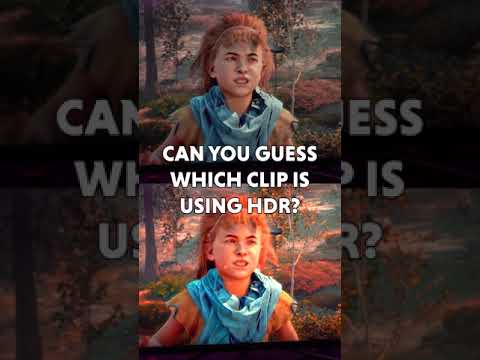
The burning question: Is it better to have HDR on or off on PS4? The answer, as with many things in the world of gaming and visual fidelity, is: it depends. There’s no universally “better” setting. It hinges on a trifecta of factors: your TV’s capabilities, the specific game you’re playing, and your personal preferences. Simply put, enabling HDR can significantly enhance your gaming experience, but only if your hardware is up to the task and the game is well-optimized for HDR. Otherwise, you might be better off disabling it. Let’s break this down and explore all the nuances.
Understanding HDR and Why It Matters
What is HDR?
HDR, or High Dynamic Range, is a technology that expands the range of both contrast and color displayed on your screen. Think of it as adding more shades to the palette. Instead of just black and white, you get incredibly nuanced grays. Instead of just red, you get a spectrum of vibrant crimson, scarlet, and ruby hues. This results in images that appear more realistic, with greater depth and detail, especially in scenes with extreme brightness or darkness. Bright parts of the image can get much brighter, and dark parts can display deeper blacks without losing detail.
How HDR Impacts PS4 Gaming
On a PS4 (including the PS4 Pro), HDR offers the potential for a more immersive and visually stunning gaming experience. Games designed with HDR in mind can take advantage of this expanded range to create more lifelike environments, with richer colors, deeper shadows, and brighter highlights. A sun-drenched landscape will feel more radiant, while a dimly lit dungeon will appear more atmospheric and detailed.
The Caveats: When HDR Falls Short
The biggest hurdle to enjoying HDR is having a compatible TV. Not all HDR TVs are created equal. Some cheaper models might advertise HDR support but lack the necessary brightness and color accuracy to truly deliver the intended experience. These sets may struggle to properly display the expanded range, resulting in a dimmer, washed-out image instead of a vibrant one.
Furthermore, not all games implement HDR equally well. Some titles may suffer from oversaturation, inaccurate color palettes, or poor contrast when HDR is enabled. In these cases, disabling HDR can actually improve the overall image quality. Additionally, on the PS4 Pro, enabling HDR in 4K resolution can sometimes lead to a drop in frame rate, forcing you to choose between visual fidelity and smooth gameplay.
How to Determine the Best HDR Setting for Your PS4
Assessing Your TV’s Capabilities
- Brightness: Your TV should ideally be able to reach a peak brightness of at least 600 nits, and preferably closer to 1000 nits, to properly display HDR content.
- Color Gamut: Look for a TV that supports a wide color gamut, ideally covering a significant portion of the DCI-P3 color space, which is commonly used for HDR content.
- Panel Type: TVs with OLED or high-end LED panels generally offer the best HDR performance, due to their superior contrast ratios and color accuracy.
- Dolby Vision: If your TV supports Dolby Vision, that is a step above HDR 10. Dolby Vision utilizes dynamic metadata, which allows TVs to set up colour and brightness levels frame-by-frame.
Experimenting with Different Games
The best way to determine whether HDR is beneficial for a particular game is to experiment with both settings.
- Enable HDR and play a portion of the game, paying close attention to the colors, contrast, and overall image quality.
- Disable HDR and compare the visuals side-by-side.
- Look for signs of oversaturation, washed-out colors, or a loss of detail in dark or bright areas.
- Consider if the frame rate is noticeably impacted with HDR enabled.
Personal Preference is Key
Ultimately, the decision to use HDR is a matter of personal preference. Some gamers may prioritize visual fidelity above all else, while others may prefer a smoother frame rate or a more accurate color palette. There’s no right or wrong answer. The goal is to find the setting that provides the most enjoyable gaming experience for you.
Configuring HDR Settings on Your PS4
- Go to Settings > Sound and Screen > Video Output Settings.
- Select “Adjust HDR.”
- Follow the on-screen instructions to calibrate the HDR settings for your TV. This will help ensure that the image is displayed correctly.
- Consider adjusting “Deep Colour Output” if you are experiencing any video display issues.
Frequently Asked Questions (FAQs) about HDR on PS4
1. Is HDR worth it on a standard PS4 (not the Pro)?
Yes, all PS4 consoles have HDR capabilities. However, the performance boost is more noticeable on the PS4 Pro, which can also output games in 4K resolution. On the standard PS4, the benefits of HDR will depend heavily on the game and your TV’s HDR capabilities.
2. Does HDR lower FPS on PS4?
On the standard PS4, the impact on frame rate is minimal. However, on the PS4 Pro, enabling HDR, especially in conjunction with 4K resolution, can sometimes lead to a noticeable drop in frame rate. You may need to experiment with different settings to find a balance between visual quality and performance.
3. Why does HDR look washed out on my PS4?
This is a common issue that can be caused by several factors:
- Your TV may not be properly calibrated for HDR. Try adjusting the HDR settings on your TV or using a calibration tool.
- The game may not be well-optimized for HDR. In this case, disabling HDR may improve the image quality.
- Your PS4’s HDMI settings may be incorrect. Ensure that your PS4 is set to use the correct color range (usually “Full” or “Automatic”).
- The TV needs a 10-bit panel for HDR and must support the full HDMI spectrum (0-255).
4. Is HDR better than 4K for gaming?
Ideally, you want both! 4K provides a higher resolution (more pixels), while HDR provides a wider range of colors and contrast. If you have to choose between the two, 4K generally provides a more noticeable improvement in image quality, but HDR can significantly enhance the visual experience as well. 4K HDR is considered a better option.
5. Should I always leave HDR on?
No, it’s generally not recommended to leave HDR on all the time. Only enable it when you’re viewing actual HDR content. Leaving it on for SDR (Standard Dynamic Range) content can result in inaccurate colors and a washed-out image.
6. What is the best HDR setting for gaming?
There is no single “best” setting, as it depends on your TV and personal preferences. However, a good starting point is to set the HDR brightness to the maximum in your TV’s picture settings. Also, make sure that your PS4’s HDR output is properly calibrated.
7. Does HDR affect input lag?
Yes, HDR can introduce a small amount of input lag, which is the time it takes for your TV to process the image. This lag can be noticeable in fast-paced games. If you are sensitive to input lag, you may want to disable HDR for competitive gaming.
8. Why does HDR make games look darker?
This can happen when SDR content converts to HDR. A display interprets an HDR and an SDR signal differently. The brightness of the screen can get darker when you turn on the HDR function on the PC.
9. Should I turn off HDR for competitive gaming?
Potentially, yes. While HDR offers visual enhancements, it can introduce input lag and potentially reduce frame rates. For competitive gaming, prioritizing responsiveness and frame rate stability is crucial. Disabling HDR can help achieve this.
10. Is it better to turn off HDR on PS5?
The answer remains the same: it depends on your TV and your personal preference. Some players prefer the look of HDR off, even on the PS5. For example, with an LG C2 OLED, and when turning on HDR, it washed out all of the colors. Game looked way better when set to off.
11. What’s the difference between HDR10 and Dolby Vision?
Dolby Vision is generally considered superior to HDR10. Dolby Vision utilizes dynamic metadata, which allows TVs to set up colour and brightness levels frame-by-frame, whereas HDR10 uses static metadata. HDR10 aims to produce 1000 nits of peak brightness, whereas HDR 10+ supports up to 4000 nits.
12. Can I improve HDR performance with a better HDMI cable?
While a high-quality HDMI cable is essential for transmitting 4K and HDR signals, it won’t magically improve HDR performance if your TV or game isn’t properly optimized. Ensure you’re using an HDMI 2.0 or 2.1 cable for optimal results.
13. Is HDR always worth it on an OLED TV?
You got yourself an OLED, so no reason to NOT use the HDR. It doesn’t affect performance, but it drastically changes gaming experience.
14. What does HDR do in PS4 games?
HDR means high-dynamic-range, so brighter colours, more contrast, and more detail in dark scenes. The PS4, PS4 Pro, Xbox One S and Xbox Scorpio support HDR, but only if you have an HDR-compatible TV and HDR-compatible games.
15. Where can I learn more about the impact of gaming on learning?
You can explore research and resources on game-based learning at the Games Learning Society website: https://www.gameslearningsociety.org/. Discover how games can be powerful tools for education and skill development through GamesLearningSociety.org.
Final Thoughts
Ultimately, the decision to turn HDR on or off on your PS4 is a personal one. By understanding the technology, assessing your TV’s capabilities, experimenting with different games, and considering your own preferences, you can make an informed choice and optimize your gaming experience. Don’t be afraid to experiment and find what works best for you!