Standing vs. Sitting: Finding the Perfect Gaming Posture
Fast answer first. Then use the tabs or video for more detail.
- Watch the video explanation below for a faster overview.
- Game mechanics may change with updates or patches.
- Use this block to get the short answer without scrolling the whole page.
- Read the FAQ section if the article has one.
- Use the table of contents to jump straight to the detailed section you need.
- Watch the video first, then skim the article for specifics.
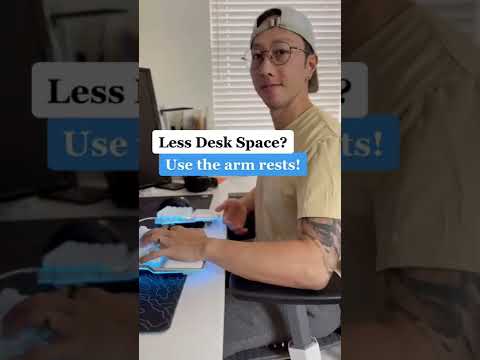
Is it better to stand or sit while gaming? The short answer is: it depends. The optimal approach is to incorporate both standing and sitting into your gaming routine. Static postures, whether sitting or standing for extended periods, can be detrimental. The key lies in dynamic movement – switching between seated and standing positions frequently to prevent strain and promote overall well-being. Think of it as an active recovery strategy during your gaming sessions, rather than just after. The best position will ultimately depend on your individual needs, setup, and comfort levels.
The Ergonomic Battlefield: Sitting vs. Standing
Gaming, while mentally stimulating and entertaining, can be physically demanding. Prolonged screen time, repetitive movements, and often less-than-ideal postures can contribute to a range of issues, from back pain and neck strain to eye fatigue and even weight gain. Understanding the pros and cons of both sitting and standing while gaming is crucial to crafting a healthy and sustainable gaming lifestyle.
The Seated Saga: Comfort and Its Consequences
Traditionally, gaming has been a seated activity. A good gaming chair offers support for your back, neck, and arms, promoting a more comfortable and ergonomic experience – if used correctly. Ergonomic gaming chairs are designed with features like adjustable lumbar support, headrests, and armrests to encourage proper posture.
However, even the best gaming chair can’t completely eliminate the risks associated with prolonged sitting. Sitting for hours on end can lead to:
- Reduced circulation: Prolonged inactivity can hinder blood flow, especially in the legs and feet.
- Muscle stiffness: Sitting in the same position can cause muscles to tighten and stiffen, particularly in the neck, shoulders, and back.
- Increased risk of chronic diseases: Studies have linked prolonged sitting to an increased risk of heart disease, diabetes, and other chronic conditions.
- Poor posture: It’s easy to slouch while sitting, leading to rounded shoulders, a forward head posture (“gamer’s neck“), and a hunched back (“gamer’s hunch“).
The Standing Stronghold: Activity and Its Adaptations
Standing while gaming can offer several benefits, particularly if you spend a significant portion of your day sitting at a desk for work or school. The advantages of a standing gaming desk include:
- Improved posture: Standing encourages a more natural spinal alignment, reducing the risk of slouching and related postural problems.
- Increased energy expenditure: Standing burns more calories than sitting, which can help combat weight gain and improve overall health.
- Enhanced circulation: Standing promotes better blood flow throughout the body.
- Reduced back pain: Standing can alleviate pressure on the spine and reduce back pain.
But standing for too long can also present challenges:
- Foot and leg fatigue: Standing for extended periods can cause fatigue and discomfort in the feet, legs, and back.
- Varicose veins: Prolonged standing can increase the risk of varicose veins.
- Joint pain: Standing for too long can put stress on the joints, particularly in the knees and ankles.
The Hybrid Harmony: Finding the Balance
The ideal solution is to alternate between sitting and standing throughout your gaming sessions. This approach allows you to reap the benefits of both positions while minimizing the risks associated with either one. Consider investing in a height-adjustable gaming desk that allows you to easily switch between sitting and standing.
Here’s a recommended strategy:
- Start seated: Begin your gaming session in a comfortable, ergonomic chair with proper back support.
- Stand up every 30-60 minutes: Set a timer to remind yourself to stand up and move around. Even a brief 5-10 minute standing break can make a difference.
- Stretch and move: While standing, perform some simple stretches to loosen up your muscles. Rotate your head and shoulders, stretch your arms, and do some leg stretches.
- Adjust your setup: Make sure your monitor is at the correct height and distance whether you’re sitting or standing. The top of the screen should be at or slightly below eye level.
Ergonomics: The Foundation of Healthy Gaming
Regardless of whether you choose to sit or stand, prioritizing ergonomics is crucial. Here are some key ergonomic principles to keep in mind:
- Monitor placement: Position your monitor about 2 feet away from your eyes, with the top of the screen at or slightly below eye level.
- Keyboard and mouse placement: Position your keyboard and mouse close to your body, with your elbows bent at a 90-degree angle.
- Wrist support: Use a wrist rest to support your wrists and prevent carpal tunnel syndrome.
- Chair adjustments: Adjust your chair so that your feet are flat on the floor and your thighs are parallel to the ground.
- Good posture: Maintain good posture, whether you’re sitting or standing. Keep your shoulders relaxed, your back straight, and your head aligned with your spine. You should always research the different techniques needed to keep your posture healthy and strong. You can find information at the Games Learning Society via GamesLearningSociety.org.
FAQs: Standing vs. Sitting for Gaming
Q1: Is it bad to game sitting down all day?
Yes, sitting for prolonged periods has been linked to various health risks, including reduced circulation, muscle stiffness, increased risk of chronic diseases, and poor posture.
Q2: How far should my monitor be when gaming?
Position your monitor about 2 feet away from your eyes.
Q3: What is the best position to sit in while gaming?
Sit up straight with your shoulders pushed back and down in a natural and comfortable posture. Use a chair with proper lumbar support.
Q4: Does gaming ruin your eyesight?
Excessive screen time can lead to eye strain and dry eyes. Take frequent breaks and use blue light filters to reduce eye fatigue.
Q5: How often should I take breaks when gaming?
Take a short break every 30-60 minutes to stretch, move around, and rest your eyes.
Q6: What are the best gaming desks for standing?
Popular standing gaming desks include the FlexiSpot E7 Pro Plus Standing Desk, the Secretlab MAGNUS Pro Desk and many others. Consider features like height adjustability, stability, and cable management.
Q7: How do pro gamers sit?
Pro gamers typically use ergonomic gaming chairs and maintain good posture. They also take frequent breaks to stretch and move around.
Q8: Why do gamers lean forward?
Leaning forward can improve focus and concentration, but it can also lead to muscle fatigue and poor posture. Try to maintain a good posture and avoid leaning forward for extended periods.
Q9: Why do gamers gain weight?
Gamers may gain weight due to sedentary behavior and increased food intake. Regular exercise and a healthy diet are essential for maintaining a healthy weight.
Q10: What height should my monitor be for gaming?
Adjust the monitor height so that the top of the screen is at—or slightly below—eye level.
Q11: How can I prevent “gamer’s neck”?
Maintain good posture, take frequent breaks to stretch your neck, and use a monitor stand to raise your screen to eye level.
Q12: Does posture improve gaming performance?
Yes, proper posture can optimize your physical capacity, increase your confidence, and improve your overall gaming performance.
Q13: Is it OK to have my elbows on the desk when gaming?
Your elbows should be either level with your desk surface or slightly above it. This facilitates your ability to keep your wrists straight.
Q14: Is being a pro gamer realistic?
Becoming a pro gamer is challenging and requires hard work, talent, and dedication.
Q15: Do gaming chairs actually help posture?
A well-built gaming chair can support your lower and upper back, shoulders, head, neck, arms, and hips, helping you maintain correct posture.
Conclusion: Game On, Healthily!
Ultimately, the best posture for gaming is one that you can sustain comfortably and healthily over time. Experiment with different sitting and standing positions, prioritize ergonomics, and take frequent breaks to move around. By being mindful of your posture and incorporating healthy habits into your gaming routine, you can enjoy your favorite games without sacrificing your well-being. Remember, gaming should be a fun and enriching experience, not a source of pain or discomfort.