Is it OK to Have the Switch Docked All the Time? The Definitive Guide
Fast answer first. Then use the tabs or video for more detail.
- Watch the video explanation below for a faster overview.
- Game mechanics may change with updates or patches.
- Use this block to get the short answer without scrolling the whole page.
- Read the FAQ section if the article has one.
- Use the table of contents to jump straight to the detailed section you need.
- Watch the video first, then skim the article for specifics.
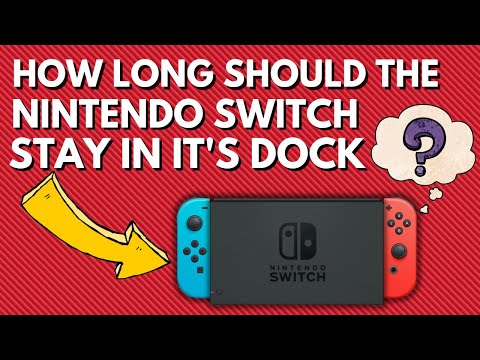
Yes, it is perfectly fine to keep your Nintendo Switch docked all the time. Modern devices like the Switch are designed with battery management systems that prevent overcharging. Once the battery reaches 100%, the console will simply draw power directly from the AC adapter, bypassing the battery and preventing any potential harm.
Understanding the Nintendo Switch’s Battery and Docking System
The Nintendo Switch’s design encourages flexibility. You can seamlessly transition between handheld and docked play. A common concern among Switch owners is whether leaving the console docked for extended periods impacts the battery’s lifespan or performance. Let’s delve into the details and dispel some common myths.
How the Docking System Works
The dock itself is primarily an interface for connecting to your TV and charging the console. When docked, the Switch operates at higher CPU and GPU clock speeds, allowing for better performance and higher resolutions (typically 1080p) on your television. This enhanced performance comes at the cost of increased power consumption, which is why the dock provides a direct power source.
Battery Management
The Nintendo Switch uses a lithium-ion battery, which is designed to be charged and discharged multiple times. However, like all batteries, it has a finite lifespan measured in charge cycles. A charge cycle refers to charging the battery from 0% to 100%. Draining and fully recharging the battery repeatedly can degrade it over time.
Overcharge Protection
Fortunately, the Nintendo Switch incorporates circuitry to prevent overcharging. Once the battery reaches full capacity, the console stops charging and instead runs directly off the AC adapter. This means you can safely leave your Switch docked without worrying about damaging the battery due to continuous charging.
Addressing Overheating Concerns
While the Nintendo Switch is designed to manage heat efficiently, there are scenarios where it can overheat while docked. Here’s what you need to know:
Causes of Overheating
- Dust Buildup: Dust can accumulate inside the console and dock, blocking air vents and reducing cooling efficiency.
- Poor Ventilation: Enclosing the dock in a confined space can trap hot air and prevent proper heat dissipation.
- Ambient Temperature: High room temperatures can exacerbate overheating issues.
Prevention and Solutions
- Regular Cleaning: Clean the vents on the console and dock regularly using compressed air.
- Adequate Ventilation: Ensure the dock is placed in a well-ventilated area.
- Monitor Temperature: If you notice the console getting excessively hot, consider taking breaks or using an alternative charging dock that promotes better airflow.
- Cooling Fan: Consider using a small USB fan to provide extra cooling.
Performance Differences: Docked vs. Undocked
The Switch offers different performance levels depending on whether it’s docked or undocked.
Docked Mode
- Higher Resolution: Games typically run at 1080p when docked.
- Increased Clock Speeds: The CPU and GPU operate at higher frequencies, resulting in smoother performance.
- Enhanced Graphics: Some games feature improved graphical details and effects when docked.
Handheld Mode
- Lower Resolution: Games typically run at 720p in handheld mode.
- Reduced Clock Speeds: The CPU and GPU operate at lower frequencies to conserve battery life.
While the OLED Switch doesn’t offer a performance boost over the original when docked, its improved screen provides a better visual experience in handheld mode. You can find additional research and insights on gaming and learning at the Games Learning Society website: https://www.gameslearningsociety.org/.
Frequently Asked Questions (FAQs)
1. Will leaving my Switch docked constantly degrade the battery?
No. The Nintendo Switch has an overcharge protection system. Once the battery is fully charged, it stops charging and runs directly from the AC adapter, preventing battery degradation due to continuous charging.
2. Is it better to play Switch docked or undocked?
It depends on your preference. Docked mode offers better performance and higher resolution, making it ideal for playing on a TV. Undocked mode provides portability and convenience for gaming on the go.
3. Does the Switch overheat while docked?
It can overheat if the vents are blocked by dust or if the dock is in a poorly ventilated area. Regular cleaning and proper ventilation can prevent overheating.
4. How long can you play the Switch docked?
You can play the Switch docked for unlimited hours without damaging the battery. The console will draw power from the AC adapter once the battery is fully charged.
5. Is it okay to leave the Nintendo Switch on its dock for a long period while the charger is plugged in?
Yes, it is perfectly okay. The Switch is designed to be left on the dock for extended periods without causing harm.
6. Is the Switch better docked or undocked in terms of performance?
The Switch generally performs better when docked due to higher CPU and GPU clock speeds. This results in higher resolutions and smoother gameplay.
7. Does Switch battery degrade over time even when docked?
Yes, all lithium-ion batteries degrade over time, regardless of usage patterns. However, keeping the Switch docked won’t accelerate the degradation process.
8. How do I keep my Switch cool in the dock?
Ensure the dock is in a well-ventilated area, clean the vents regularly, and consider using an alternative dock or cooling fan for additional airflow.
9. How do I stop my Nintendo Switch from overheating in the dock?
- Place the dock in a cool, well-ventilated area.
- Clean the vents on the console and dock regularly.
- Take breaks during long gaming sessions.
- Unplug the dock from the power source when not in use for extended periods.
10. Is the Switch 1080p when docked?
Yes, most games run at 1080p when docked, although some may be lower depending on the game’s optimization.
11. Does Switch OLED run better than the standard Switch when docked?
No, the performance is the same between the standard Switch and the OLED Switch when docked. The OLED model’s main advantage is its improved screen for handheld play.
12. How many hours should a Nintendo Switch battery last?
The original Nintendo Switch battery lasts approximately 4.5 to 9 hours, while the Nintendo Switch Lite lasts approximately 3 to 7 hours.
13. Can you overcharge a Switch?
No, the Switch has circuitry that prevents overcharging. Once the battery reaches 100%, the console will run directly off the AC adapter.
14. Does Switch dock need cooling?
The Switch dock doesn’t necessarily need cooling, but ensuring proper ventilation can help prevent overheating during extended gaming sessions.
15. What can damage a Switch battery?
- Using the wrong charging cable.
- Rapid temperature changes.
- Storing the Switch with a completely empty battery for extended periods.
Conclusion
Leaving your Nintendo Switch docked all the time is perfectly safe and won’t harm the battery thanks to its built-in overcharge protection. By understanding how the docking system works and taking steps to prevent overheating, you can enjoy seamless transitions between docked and handheld play without worrying about damaging your console. Remember to consult the GamesLearningSociety.org for more information on the intersection of games and learning.