Is It Worth Installing iOS 16? A Comprehensive Guide
Fast answer first. Then use the tabs or video for more detail.
- Watch the video explanation below for a faster overview.
- Game mechanics may change with updates or patches.
- Use this block to get the short answer without scrolling the whole page.
- Read the FAQ section if the article has one.
- Use the table of contents to jump straight to the detailed section you need.
- Watch the video first, then skim the article for specifics.
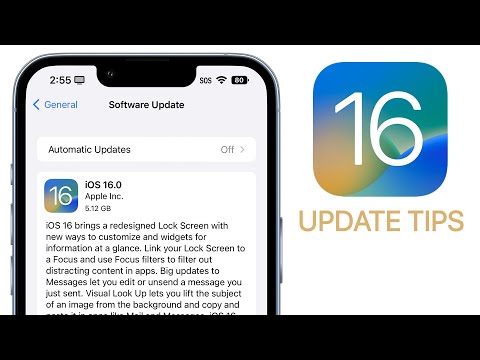
Absolutely! While iOS 16 is no longer the most current operating system (that title belongs to iOS 17), it’s still worth considering, especially if you’re using an older iPhone that can’t upgrade to the latest version, or if you prefer to stick with a more mature, bug-fixed OS. It brought a plethora of significant improvements and features to the iPhone experience. From dramatically enhanced Lock Screen customization to crucial security updates, and powerful productivity tools, iOS 16 offered a compelling upgrade. This article dives deep into the pros and cons, helping you decide if installing (or continuing to use) iOS 16 is the right choice for you.
Diving Deep into the iOS 16 Experience
iOS 16 was a substantial leap forward for the iPhone operating system. Let’s unpack the key reasons why it made waves and why it might still be relevant for you today.
Lock Screen Revolution
The single most prominent feature was the revamped Lock Screen. Users gained unprecedented control over its appearance. You can add widgets for glanceable information, such as weather, activity progress, or upcoming calendar events. Crucially, you can create multiple Lock Screens linked to different Focus modes, tailoring your iPhone experience to your current activity. This means a work Lock Screen with your calendar and to-do list, and a personal one with photos of loved ones and your fitness stats.
Live Text Enhanced
Live Text received a significant boost, expanding its capabilities beyond just extracting text from photos. It now works in videos, allowing you to pause any video and copy text directly from the frame. This feature drastically improves productivity and eliminates the need for manual transcription in many situations.
Security First: Physical Security Keys
iOS 16 introduced support for physical security keys for added account protection. By using a physical key, you could bolster your two-factor authentication, making it significantly harder for attackers to compromise your Apple ID. This layer of security is particularly valuable for individuals who are concerned about their online security.
Messaging Matters
The Messages app received welcome updates, including the ability to edit or unsend recently sent messages. While there were some limitations (a time window to make changes and the recipient needed to be on iOS 16 or later), it provided a much-needed safety net for those embarrassing typos or misdirected texts. Shared With You became more integrated, making it easier to find content shared with you in Messages across various apps.
Focus Mode Gets Smarter
Focus Mode became more intelligent and customizable. You could filter content within apps based on your active Focus, allowing you to minimize distractions further. It was possible to create customized Home Screen pages that only appear when a specific Focus is enabled.
Battery Percentage is Back!
One of the most requested features finally made its return: the ability to display the battery percentage in the status bar. No more guessing or swiping down to the Control Center – you can see the exact percentage at a glance.
Weighing the Concerns: Potential Drawbacks
While iOS 16 offered many advantages, it’s crucial to consider potential downsides:
Battery Drain
As noted in the original document, some users reported increased battery drain after updating to iOS 16, particularly with initial releases like iOS 16.5 and iOS 16.6. While Apple released subsequent updates to address these issues, battery performance can vary depending on your iPhone model and usage patterns.
Performance Issues
Older iPhones may experience performance slowdowns after updating to a newer operating system. This is because newer OS versions often demand more processing power and memory. If you have an older device, you may notice that apps take longer to open or that animations are less smooth.
App Compatibility
There’s always a chance that some of your favorite apps may not be fully compatible with a new operating system immediately after its release. While most developers quickly update their apps, there might be a temporary period where certain features don’t work as expected.
Downgrading Difficulties
Downgrading from iOS 16 to iOS 15 is possible but can be complex and may result in data loss. Apple doesn’t officially support downgrading, and while third-party tools exist, they often come with risks.
Current Considerations
Keep in mind that Apple is focusing on supporting the newer iOS versions, especially iOS 17. While iOS 16 received security updates for a time, it’s no longer the primary focus.
Making the Decision
Ultimately, the decision of whether or not to install (or continue using) iOS 16 depends on your individual needs and priorities. If you value enhanced customization, improved productivity features, and security updates, iOS 16 delivered a solid upgrade. If you’re concerned about battery life or performance on an older device, consider waiting for more feedback or sticking with your current operating system, as long as it still receives security updates.
Exploring how learning and game design can transform education? Visit the Games Learning Society at https://www.gameslearningsociety.org/ to discover the potential of games for deeper understanding and engagement. This organization is dedicated to researching how games can be used in the classroom. Check out GamesLearningSociety.org.
Frequently Asked Questions (FAQs) About iOS 16
Here are 15 common questions and answers about iOS 16:
-
Does iOS 16 drain battery? Yes, some users initially experienced battery drain issues after updating to iOS 16, especially early versions like iOS 16.5 and 16.6. Apple released updates to address these concerns. However, battery life can vary depending on your iPhone model and usage.
-
Does iOS 16 slow down iPhone 13? Some iPhone 13 users reported experiencing lag or slowdowns after upgrading to iOS 16. The impact varied, with some experiencing minimal issues and others noticing a more significant difference.
-
What iPhones get iOS 16 battery percentage? With iOS 16, the battery percentage indicator was available on the iPhone XS series, iPhone 11 Pro, iPhone 11 Pro Max, iPhone 12 series, iPhone 13 series, and all iPhone 14 variants.
-
Should I upgrade to iOS 16 or stay on 15? If you’re not concerned about the new features in iOS 16 and are happy with iOS 15’s performance, staying on iOS 15 (as long as it receives security updates) is a valid option. However, upgrading to iOS 16 provided significant security enhancements and new functionalities.
-
Is it okay to downgrade iOS 16 to 15? Downgrading is possible but not officially supported by Apple. It can be complex and may result in data loss. Use caution and back up your data before attempting a downgrade.
-
What is the best thing on iOS 16? The most popular features of iOS 16 included the customizable Lock Screen, enhanced Live Text capabilities, and the ability to edit or unsend iMessages.
-
Does iOS 16.6 have bugs? All software can have bugs. While Apple addressed many known issues with updates to iOS 16, there were always potential for new or undiscovered bugs.
-
Should I update to iOS 16.6 or wait? Updating to iOS 16.6 was generally recommended because it included important security fixes. Delaying updates can leave your device vulnerable to exploits.
-
Is iOS 17 out? Yes, iOS 17 was released on September 18, 2023. It is now the current iOS version.
-
Can I go back to iOS 16 from 17 beta? Yes, it was possible to revert from the iOS 17 beta back to iOS 16, but it typically involves wiping your device.
-
Should I upgrade to iOS 16 or 15.7 Reddit? Reddit users’ opinions varied. Some preferred the new features of iOS 16, while others prioritized battery life and stability on iOS 15.7. The best choice depended on individual preferences.
-
Do I need iOS 15.7 before 16? No, you didn’t need to install iOS 15.7 before upgrading to iOS 16. The security fixes in iOS 15.7 were also included in iOS 16.
-
How many users have iOS 16? At one point, Apple reported that iOS 16 was installed on a significant percentage of iPhones. However, that number is constantly shifting as users upgrade to newer versions like iOS 17.
-
How long has iOS 16 been out? iOS 16 was released on September 12, 2022, and was succeeded by iOS 17 on September 18, 2023.
-
Is iOS 16.7 safe? iOS 16.7 included important security updates, so upgrading provided protection from potential vulnerabilities, especially if you weren’t ready to move to iOS 17. Staying up-to-date on security is extremely important.