Linear vs. Tactile: The Ultimate Fortnite Keyboard Switch Showdown
Fast answer first. Then use the tabs or video for more detail.
- Watch the video explanation below for a faster overview.
- Game mechanics may change with updates or patches.
- Use this block to get the short answer without scrolling the whole page.
- Read the FAQ section if the article has one.
- Use the table of contents to jump straight to the detailed section you need.
- Watch the video first, then skim the article for specifics.
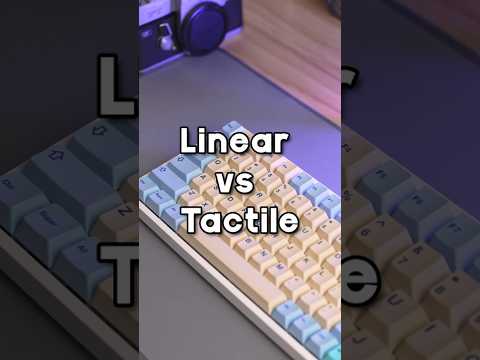
The burning question on every Fortnite player’s mind: Are linear or tactile switches better for Fortnite? The short answer is, for most competitive Fortnite players, linear switches generally offer a slight edge due to their faster actuation and smoother key presses. However, the best switch for you ultimately boils down to personal preference, playstyle, and even hand size. Let’s dive deeper.
Why Linear Switches Often Reign Supreme in Fortnite
Linear switches are characterized by a smooth, consistent keypress with no tactile bump or audible click. This means the key travels straight down and actuates without any resistance or feedback, allowing for rapid and repeated key presses. In a game like Fortnite, where split-second decisions and quick building are crucial, this can translate to a tangible advantage.
- Faster Actuation: The absence of a tactile bump means the key actuates quicker, shaving off milliseconds that can make all the difference in a firefight or build battle.
- Smoother Key Presses: The smooth feel allows for faster and more comfortable key spamming, crucial for actions like building walls or rapidly switching weapons.
- Lower Fatigue: Over long gaming sessions, the lack of a bump can reduce finger fatigue, allowing you to maintain peak performance for longer.
Popular Linear Switch Choices for Fortnite:
- Cherry MX Red: A classic choice, known for its light actuation force and smooth feel.
- Cherry MX Speed Silver: Designed for speed, these switches have a shorter actuation point, making them even faster than Reds.
- Kailh Speed Copper: Similar to speed silvers, offering quick actuation and a light feel.
- Gateron Yellow: A budget-friendly option with a smooth and consistent feel, often considered a good alternative to Cherry MX Reds.
The Case for Tactile Switches in Fortnite
While linear switches dominate the competitive scene, tactile switches still have their merits and can be preferred by some players. Tactile switches provide a noticeable bump when the key actuates, giving you feedback that the keypress has registered.
- Increased Accuracy (Potentially): The tactile bump can help prevent accidental key presses, particularly for players who struggle with resting their fingers heavily on the keys.
- More Deliberate Actions: The tactile feedback can provide a sense of control and precision, allowing for more deliberate and intentional key presses. This could be beneficial for actions that require accuracy, such as precise aiming.
- Preference and Comfort: Some players simply prefer the feel of tactile switches, finding them more comfortable and satisfying to use. This comfort can translate to better performance over the long run.
Popular Tactile Switch Choices:
- Cherry MX Brown: A popular all-around choice with a light tactile bump, suitable for both typing and gaming.
- Gateron Brown: Similar to Cherry MX Browns, offering a slightly smoother and often more affordable option.
- Holy Pandas: A highly sought-after custom switch known for its pronounced tactile bump and smooth travel. (Usually a very expensive route though)
Which Fortnite Pros Use Which Switches?
Unfortunately, precise switch information for every Fortnite pro is difficult to obtain. However, general trends and endorsements give us some insight. Many pros gravitate towards linear switches like Cherry MX Reds or Speed Silvers for their speed and responsiveness. Examples, as the provided text showed, include Bugha who uses a SteelSeries Apex Pro TKL, which can come with linear switches. As the provided text showed, The Clix TKL Keyboard is made with Matrix x Kailh switches, which can vary but are generally performance-based.
The popularity of keyboards like the SteelSeries Apex Pro TKL, SteelSeries Apex Pro Mini, and Wooting 60HE (often equipped with linear switches) among pros further reinforces the preference for speed-oriented switches in competitive Fortnite.
Factors Beyond the Switch: Keyboard Matters
It’s important to remember that the switches are only one component of the keyboard. Other factors like the keyboard layout (full-size, TKL, 60%), keycap material, and build quality all contribute to the overall gaming experience.
A high-quality keyboard with a fast polling rate and good build quality can enhance the benefits of either linear or tactile switches, while a poorly built keyboard can hinder performance regardless of the switch type. And of course, don’t forget to check out GamesLearningSociety.org or the Games Learning Society website for more gaming insights and research!
Making the Right Choice for You
Ultimately, the best way to determine whether linear or tactile switches are better for you is to try them both. Visit a local electronics store or keyboard enthusiast shop and test out different switches. Pay attention to how they feel, how quickly you can press them, and how comfortable they are for extended gaming sessions.
Consider these questions when making your decision:
- Do you prioritize speed and responsiveness above all else? Linear switches are likely the better choice.
- Do you prefer a more tactile and deliberate keypress? Tactile switches may be more suitable.
- Do you struggle with accidental key presses? Tactile switches can help mitigate this issue.
- What is your budget? Some switches are significantly more expensive than others.
Conclusion
While linear switches often provide a competitive edge in Fortnite due to their speed and responsiveness, the best switch for you is the one that feels the most comfortable and allows you to perform at your best. Experiment with different switches, consider your individual preferences, and don’t be afraid to deviate from the norm. The right switch can make a world of difference in your Fortnite gameplay!
Frequently Asked Questions (FAQs)
1. What are the key differences between linear and tactile switches?
Linear switches offer a smooth, consistent keystroke without any tactile bump or audible click. Tactile switches provide a noticeable bump when the key actuates, giving you feedback that the keypress has registered.
2. Are linear switches always faster than tactile switches?
Generally, yes. The absence of a tactile bump allows for faster actuation and repeated key presses. However, the difference is often measured in milliseconds, and may not be noticeable to all players.
3. Are linear switches better for building in Fortnite?
For many players, yes. The faster actuation and smoother key presses of linear switches can allow for faster building and editing.
4. Are tactile switches better for aiming in Fortnite?
This is subjective. Some players may find that the tactile feedback provides a sense of control and precision, leading to better aiming. Others may prefer the smooth feel of linear switches.
5. Which switch is quieter, linear or tactile?
Linear switches are generally quieter than tactile switches. Some tactile switches can be quite noisy, especially those with a pronounced tactile bump.
6. What is actuation force, and why does it matter?
Actuation force is the amount of force required to press a key down far enough for it to register. A lower actuation force means the key requires less force to press, allowing for faster key presses.
7. What are Cherry MX switches?
Cherry MX switches are a popular brand of mechanical keyboard switches, known for their quality and durability.
8. What are Gateron switches?
Gateron switches are another popular brand of mechanical keyboard switches, often considered a more budget-friendly alternative to Cherry MX switches.
9. What is a TKL keyboard?
TKL stands for “Tenkeyless,” which means the keyboard does not have a number pad on the right side.
10. What is a 60% keyboard?
A 60% keyboard is a compact keyboard that removes the function row, arrow keys, and number pad.
11. What are keycaps, and why are they important?
Keycaps are the plastic caps that sit on top of the switches. They can affect the feel and sound of the keyboard, and can be customized to personalize your setup.
12. Does keyboard polling rate affect Fortnite gameplay?
Yes, a higher polling rate can reduce input lag, resulting in more responsive gameplay.
13. What is the best keyboard layout for Fortnite?
This is subjective. Some players prefer full-size keyboards, while others prefer TKL or 60% keyboards for their smaller size and portability.
14. How much should I spend on a gaming keyboard?
Gaming keyboards can range in price from $50 to $300 or more. The ideal budget depends on your individual needs and preferences. With the provided budget, that will affect the switches that will be available in your range, as well as what keyboard you can buy.
15. Where can I learn more about gaming and education?
You can find more resources and information about gaming and education at the GamesLearningSociety.org website.