Is Minecraft Split-Screen? A Comprehensive Guide to Local Multiplayer
Fast answer first. Then use the tabs or video for more detail.
- Watch the video explanation below for a faster overview.
- Game mechanics may change with updates or patches.
- Use this block to get the short answer without scrolling the whole page.
- Read the FAQ section if the article has one.
- Use the table of contents to jump straight to the detailed section you need.
- Watch the video first, then skim the article for specifics.
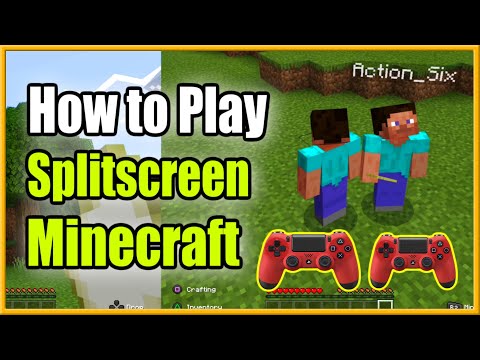
The short answer is: Yes, Minecraft supports split-screen gameplay, but with a few key limitations. Split-screen functionality is primarily available on console editions of the game, meaning you can enjoy local co-op on Xbox, PlayStation, and Nintendo Switch. If you’re looking to share the crafting, building, and adventuring fun with friends and family in the same room, Minecraft’s split-screen mode is a fantastic option for players of all ages. This article provides all you need to know about how to set it up, what to expect, and answers the most frequently asked questions about split-screen Minecraft.
Understanding Minecraft Split-Screen
How Split-Screen Works
Minecraft’s split-screen feature allows up to four players to share the same screen, each controlling their own character. This provides a convenient and engaging way to play together without needing multiple devices or internet connections for a local area network. It’s a great alternative to online play when you want a more intimate and immediate gaming experience.
Supported Platforms
As mentioned, split-screen Minecraft is exclusive to console versions. This includes:
- Xbox: Xbox One, Xbox Series X/S
- PlayStation: PlayStation 4, PlayStation 5
- Nintendo Switch
Keep in mind that the PC version (Java Edition and Bedrock Edition) does not support split-screen. Local multiplayer on PC requires multiple devices connected to the same network.
Setting Up Split-Screen
The process is generally straightforward:
- Start Minecraft: Launch the game on your chosen console.
- Connect Controllers: Ensure that all controllers for each player are connected and turned on.
- Join the Game: During gameplay, additional players can join the game by pressing the designated button on their controllers (usually the + button on Nintendo Switch, the Options button on PlayStation, or the Start button on Xbox).
- User Profiles: Depending on your console, players may need to be associated with user profiles on your device, not necessarily linked to PSN accounts or similar online gaming memberships unless playing in online worlds. Offline worlds typically only require local profiles.
Once connected, the screen will automatically divide, usually into two, three, or four sections, depending on how many players are participating. Each player will then have their own view of the game, allowing for independent movement and interactions within the same game world.
Frequently Asked Questions (FAQs)
Here are 15 common questions regarding Minecraft and its multiplayer features, to provide all the details you need:
1. Can two players play Minecraft on the same account?
No, you can’t play together on the same account. Each player requires their own separate Minecraft account for multiplayer functionality. While a player can create their own single-player world on another account, they need separate licenses to participate in multiplayer sessions together.
2. Is it illegal to use third-party launchers like Tlauncher?
Yes, using third-party launchers like Tlauncher to play Minecraft without paying for it is illegal. It constitutes using a pirated copy of the game, which is a form of copyright infringement.
3. Can I have Minecraft on two computers using the same account?
Yes, you can install Minecraft: Java Edition on multiple computers using the same account. Your Minecraft purchase is tied to your account (email address), not a specific device. You can log in using your credentials.
4. Can you play split-screen on PS4?
Yes, the PS4 supports split-screen play for Minecraft, and many other games. You will need an active game, controllers, and local user profiles for other players.
5. How do I set up two-player split-screen on Minecraft Switch?
Simply launch the game on the Switch, attach additional controllers, and have the other player press the + button to join in-game. The screen will automatically split to accommodate the players.
6. Can I play Minecraft for free?
Yes, you can play a classic version of Minecraft for free on classic.minecraft.net. This is a basic version and does not offer all the features of the full paid game.
7. Why can’t I play Minecraft multiplayer?
Several factors can prevent multiplayer gameplay. Ensure you have enabled multiplayer settings within the game and the necessary console features for joining online games. If attempting to connect to a friend’s world, be sure both of you have proper connectivity and settings.
8. Do I need two PSN accounts to play split-screen Minecraft on PlayStation?
No, you do not need separate PSN accounts for split-screen play in offline worlds. While PSN accounts may be required to play in an online session, local split-screen only requires the use of local console user profiles.
9. Does PS5 have split-screen functionality for games?
Yes, the PlayStation 5 has split-screen functionality, though it’s not a universal feature for every game. Many games on the PS5 offer this type of local co-op gameplay, including Minecraft.
10. Is Minecraft Switch split-screen limited to two players?
Minecraft on the Nintendo Switch supports up to four players in split-screen mode. Each additional player will divide the screen further to accommodate them.
11. Can you play two-player with one switch controller?
While the Nintendo Switch can support up to eight connected controllers simultaneously, the ability to play with one controller split into two varies by the title. Minecraft typically uses a dedicated controller for each player.
12. How do you play local area network (LAN) multiplayer on Minecraft?
To play over a LAN, launch the game on the host computer, create or open a world, then press the Escape key and click “Open to LAN.” Other players on the same network can then join this world. Note: split screen will not work with LAN or online play for the PC version.
13. Can you play Fortnite split-screen?
Yes, Fortnite does support split-screen gameplay, but it’s limited to Duos and Squads on PlayStation and Xbox consoles only.
14. Is there split-screen in Far Cry 6?
No, Far Cry 6 does not support split-screen play. It only offers online co-op, where each player needs their own console and game copy.
15. Do I have to buy Minecraft for each child?
Yes, each player needs their own Minecraft account and license. If you want multiple children to play simultaneously, you will need to purchase a separate copy of the game for each of them.
Conclusion
Minecraft’s split-screen mode provides a seamless way to enjoy the game with friends and family on consoles. While not available on PC, its accessibility and user-friendly setup make it a perfect option for local multiplayer fun. By understanding the basic setup and limitations, you can easily dive into shared adventures and creative builds with your loved ones. Always be sure to use legal copies of the game, ensure each player has their appropriate accounts, and most importantly, have fun building together!