Is N64 16:9? Unveiling the Truth About Nintendo 64 and Widescreen
Fast answer first. Then use the tabs or video for more detail.
- Watch the video explanation below for a faster overview.
- Game mechanics may change with updates or patches.
- Use this block to get the short answer without scrolling the whole page.
- Read the FAQ section if the article has one.
- Use the table of contents to jump straight to the detailed section you need.
- Watch the video first, then skim the article for specifics.
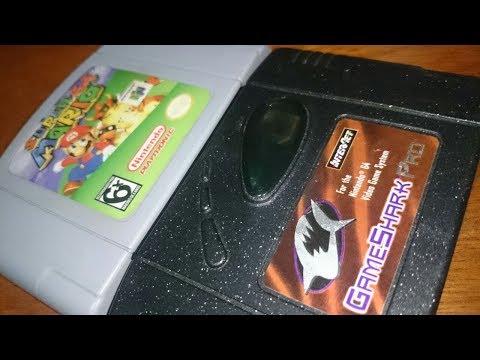
The simple answer is: officially, no, the Nintendo 64 (N64) was not designed to natively output a 16:9 widescreen aspect ratio. Its standard output was 4:3, the prevalent aspect ratio for televisions at the time of its release. However, some games cleverly implemented methods to simulate or approximate widescreen, primarily through letterboxing or anamorphic widescreen. Let’s delve into the intricacies of the N64’s video output and how widescreen was achieved, or rather, cleverly faked.
Understanding Aspect Ratios: 4:3 vs. 16:9
Before we proceed, it’s crucial to understand what aspect ratio represents. It’s simply the ratio of the width of an image to its height. 4:3 means that for every 4 units of width, there are 3 units of height. This was the standard for older TVs and monitors. 16:9, on the other hand, is a wider format, meaning for every 16 units of width, there are 9 units of height. This is the standard for most modern TVs, Blu-ray discs, and online video content.
N64’s Native Output: The 4:3 Realm
The N64’s hardware was primarily designed with a 4:3 aspect ratio in mind. The majority of games rendered their graphics within this frame. Consequently, when played on a modern widescreen TV, the image appears stretched horizontally or, more commonly, with black bars on either side (pillarboxing) to maintain the correct proportions. The actual resolution the N64 outputted was typically 320×240 or 640×480, both adhering to the 4:3 ratio.
Widescreen Workarounds: Letterboxing and Anamorphic Techniques
While the N64 wasn’t inherently widescreen, some developers found ways to approximate a 16:9 experience. Two primary methods were employed:
Letterboxing
This is the simplest approach. The game renders its image in the standard 4:3 aspect ratio, but black bars are added to the top and bottom of the screen, effectively cropping the viewable area to a wider format. The image itself isn’t truly widescreen; it’s just framed within a wider container. It’s akin to watching a 4:3 movie on a 16:9 TV with black bars above and below.
Anamorphic Widescreen
This method is more sophisticated. The game renders the image horizontally compressed within the 4:3 frame. When displayed on a 16:9 screen, the image is stretched horizontally to fill the screen, effectively revealing more of the game world on the sides. This technique, however, requires the display device (TV or emulator) to correctly interpret and stretch the image. GoldenEye 007 on the N64 is a notable example of a game that offered an anamorphic widescreen option. The game actually rendered more of the level horizontally but compressed it to fit within the 4:3 image. Selecting the 16:9 option in the game’s menu simply signaled the TV (if capable) to stretch the image back out.
Modern Emulation and Widescreen Patches
Modern N64 emulators offer enhanced capabilities, including the ability to force widescreen output even in games that didn’t originally support it. These emulators often use “widescreen hacks” or patches to modify the game’s rendering to display a true 16:9 image. While these patches can be visually impressive, they sometimes introduce graphical glitches or distortions, as they’re essentially forcing the game to do something it wasn’t originally designed to do. The popularity of these patches speaks to the community’s desire to experience these classic games in a more modern aspect ratio.
The Visual Impact on Modern TVs
The N64’s low resolution and its intended 4:3 aspect ratio can make it look less than stellar on modern 4K or Smart TVs. The pixels are stretched significantly, which can result in a blurry or blocky image. Using a high-quality upscaler or emulator with resolution enhancement features can help improve the visual fidelity, but it’s important to manage expectations. The N64 was designed for the CRT TVs of its time, and recreating that experience perfectly on modern displays is a challenge.
Frequently Asked Questions (FAQs) About N64 and Aspect Ratio
1. What is the native aspect ratio of the Nintendo 64?
The native aspect ratio of the N64 is 4:3.
2. Did any N64 games support 16:9 widescreen?
Yes, a few games, like GoldenEye 007, offered a 16:9 option through anamorphic widescreen or letterboxing.
3. How did N64 games achieve widescreen effects?
Through letterboxing (adding black bars) or anamorphic widescreen (compressing the image horizontally and then stretching it on a 16:9 display).
4. What is anamorphic widescreen?
A technique where an image is horizontally compressed to fit a standard aspect ratio (like 4:3) and then stretched during playback to fill a wider screen (like 16:9).
5. Will N64 games look stretched on a modern widescreen TV?
Yes, if displayed in 4:3 without proper scaling or adjustments, the image will appear stretched horizontally.
6. Can I play N64 games in true 16:9 widescreen?
Not natively, unless the game offered an anamorphic option. However, emulators can often force widescreen output.
7. What resolution did most N64 games run at?
Most games used the 320×240 or 640×480 resolution.
8. How do N64 emulators handle aspect ratios?
Emulators often offer options to maintain the original 4:3 aspect ratio, stretch the image to fill the screen, or force a 16:9 aspect ratio using hacks or patches.
9. What is the best way to play N64 games on a modern TV?
Using a high-quality upscaler, an emulator with resolution enhancement, or a modern console that offers N64 games online.
10. Are there any downsides to using widescreen patches in N64 emulators?
Yes, widescreen patches can sometimes introduce graphical glitches or distortions.
11. Is the N64 a 16-bit or 64-bit console?
The N64 is a 64-bit console, using a 64-bit NEC VR4300 CPU.
12. What are ROM files in the context of N64?
ROM files are digital copies of N64 game cartridges, containing the game’s code, graphics, and audio.
13. Where can I learn more about video game design and technology?
You can find valuable resources and information on the Games Learning Society website at https://www.gameslearningsociety.org/. The GamesLearningSociety.org is a great resource to learn more about the technology behind games.
14. What aspect ratio is 21:9?
21:9 is an ultrawide aspect ratio, technically 64:27 (approximately 2.37:1), often used for cinematic content.
15. Why were N64 ROMs relatively small in size?
Due to the high cost of cartridge data space, developers prioritized efficiency, using lower detail textures and optimized audio files.
In conclusion, while the N64 didn’t natively embrace the 16:9 widescreen format across the board, its legacy lives on through emulation and the ingenuity of developers who found ways to push the boundaries of its capabilities. Understanding the nuances of aspect ratios and display technologies helps appreciate the challenges and innovations of early 3D gaming.