Is Pointer Speed Good for Gaming?
Fast answer first. Then use the tabs or video for more detail.
- Watch the video explanation below for a faster overview.
- Game mechanics may change with updates or patches.
- Use this block to get the short answer without scrolling the whole page.
- Read the FAQ section if the article has one.
- Use the table of contents to jump straight to the detailed section you need.
- Watch the video first, then skim the article for specifics.
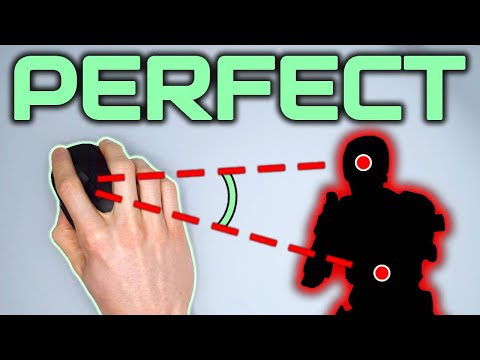
The short answer to whether pointer speed is “good” for gaming is: it’s complicated. While the term “pointer speed” might seem straightforward, it encompasses various settings and concepts that significantly impact your gaming experience. Ultimately, it’s not about whether pointer speed itself is good or bad, but rather how different settings related to mouse sensitivity, DPI (Dots Per Inch), and acceleration work together, and how you configure them to match your personal preference and game requirements. For most games, the Windows pointer speed setting will not affect gameplay, but this is not always the case. This article delves deep into the intricacies of pointer speed in gaming, providing a comprehensive understanding to help you optimize your setup.
Understanding the Basics: DPI, Pointer Speed, and Sensitivity
Before exploring the impact of pointer speed on gaming, it’s important to clarify the terms involved. DPI is a hardware setting on your mouse that determines how many “dots” the cursor moves for every inch your mouse travels physically. Higher DPI means more dots per inch, resulting in faster cursor movement on screen for the same physical movement of your mouse. Pointer speed, typically found in your operating system’s mouse settings, is a software-based multiplier that affects the overall speed of your cursor. Essentially, it further amplifies the movement registered by the mouse’s DPI. Sensitivity is a more general term that often refers to how quickly your cursor moves in a game. It can be adjusted via in-game settings or by manipulating the aforementioned DPI and pointer speed.
The Role of Raw Input
A significant factor that impacts the usefulness of Windows pointer speed is whether a game uses raw input. Games that use raw input, directly read the input data from the mouse sensor, bypassing the operating system’s mouse settings (including pointer speed). This means any change to your Windows pointer speed will only affect menus, not the in-game cursor movement. Most modern games use raw input for precision and consistency. In these cases, the DPI setting on your mouse becomes the primary driver of your cursor’s sensitivity.
Why High DPI Might Not Be the Answer
The idea of having a higher DPI for faster cursor movements can be tempting, especially in fast-paced games. However, high DPI often introduces issues. At excessively high DPI settings, even a small twitch of your hand can cause large, uncontrolled movements on screen. This can lead to a lack of precision. Many professional players and serious gamers find that lower DPI settings offer more control and accuracy, particularly when it comes to aiming in first-person shooters. A common suggestion is to start by matching your DPI to your monitor’s vertical resolution, so that one inch of mouse movement translates to moving from the top to the bottom of the screen. This approach helps to determine a good baseline sensitivity from which to work up or down based on personal preference.
The Importance of Consistency and Muscle Memory
Achieving accuracy in gaming often depends on muscle memory. You learn how much physical mouse movement correlates to a specific amount of movement in the game, and eventually, this becomes second nature. If your cursor speed is inconsistent, whether due to erratic software settings or fluctuating DPI, this process can be severely hindered. This is where a consistent setup, with a fixed DPI setting, and mouse acceleration turned off is essential.
Mouse Acceleration: A Detriment to Precision
Mouse acceleration is a feature that changes the speed of your cursor based on how quickly you move your mouse, rather than just how far you move it. While this might seem useful, it wreaks havoc on building muscle memory because there is no consistency. Gamers looking to build accurate aiming skills find mouse acceleration detrimental to performance. Most serious players opt to disable mouse acceleration in both their OS settings and in games. If a gaming mouse has built in acceleration that cannot be turned off, it is generally seen as being unsuitable for competitive gaming.
Finding Your Ideal Sensitivity
There isn’t a single “perfect” sensitivity for everyone. The ideal setting is subjective and is best determined through experimentation and practice. Most players start by choosing a DPI setting in the range of 400 to 3600. Higher DPI settings are commonly used by players with less desk space or those who prefer to flick their mouse rather than make broad movements, while lower DPIs are preferred by those who need extreme precision or have a larger range of motion. It’s recommended that you adjust your in-game sensitivity to your preferred level of movement, rather than just relying on a very high DPI.
Conclusion
In conclusion, pointer speed, as understood through operating system settings, generally does not have a significant impact on most modern games that use raw input. The real factors that determine the feel and control of your cursor are the mouse’s DPI setting, your in-game sensitivity settings, and the consistency of those settings. Focusing on finding a comfortable DPI, turning off mouse acceleration, and honing your muscle memory will lead to far more improvement than just tinkering with Windows pointer speed settings. Experiment, practice, and you’ll find your sweet spot that maximizes your gaming potential.
Frequently Asked Questions (FAQs)
1. Does Windows pointer speed affect FPS games?
No, for games that use raw input, the Windows pointer speed setting will not affect the cursor movement in the game. It primarily affects cursor movement in menus or other applications outside of the game.
2. What is the ideal DPI range for gaming?
A DPI setting between 400 to 3600 covers the majority of gamers’ preferences. Some may go higher, particularly for genres that involve very quick reactions, but this is often done at the cost of precision.
3. Is mouse acceleration good for gaming?
Generally, no. Mouse acceleration can make your cursor movement unpredictable and makes it difficult to develop muscle memory. Most professional and competitive gamers will disable this feature.
4. How does DPI affect cursor movement?
DPI (Dots Per Inch) determines how much the cursor moves on screen for every inch of physical mouse movement. Higher DPI means a larger cursor movement for the same physical mouse movement.
5. Is it better to have a high or low DPI for gaming?
There is no definitively “better” setting. It depends on personal preference and the game you are playing. Lower DPI can offer more precision for aiming, while higher DPI might be more suitable for faster, less precise movements and low desk space. However, most professional players opt for lower DPI in FPS games.
6. Does turning off mouse acceleration improve aim?
Yes, turning off mouse acceleration will allow your cursor to move a fixed amount based on physical mouse movement alone. This results in more control and consistency, and therefore more reliable and accurate aiming.
7. Should I adjust my in-game sensitivity?
Yes. While DPI determines how many “dots” are registered, in-game settings allow you to further adjust your sensitivity to suit your personal preference. After setting your DPI, you can then fine-tune the in-game sensitivity to your desired responsiveness.
8. What is the difference between DPI and sensitivity?
DPI is a hardware setting on your mouse that affects the physical translation of mouse movement to on-screen cursor movement. Sensitivity is a software setting either in your operating system or in the game itself that multiplies the movement that is registered.
9. Why do professional gamers use lower DPI?
Lower DPI provides more control over the cursor, which is essential for precision aiming in FPS games and similar genres. Large, exaggerated mouse movements allow for micro corrections in aiming by minimizing the risk of over-correcting.
10. How do I find the right mouse sensitivity for me?
The best way to find your optimal sensitivity is through experimentation. Start with a mid-range DPI setting, and adjust in-game sensitivity until you find a level that feels both comfortable and accurate.
11. Is 1000 DPI good for gaming?
1000 DPI is okay for FPS games, but might be too high for some players who prefer slower movements. Players with a large play area might want to try a lower DPI such as 400 or 800, while players with a small area may need higher.
12. What is raw input in games?
Raw input refers to games reading the input directly from your mouse hardware, bypassing the operating system’s settings, including pointer speed. This ensures a more direct and consistent reading of your mouse movements.
13. Why is it important to build muscle memory in gaming?
Muscle memory allows you to perform movements consistently and without conscious effort. Consistent mouse settings and habits will allow you to improve your gaming abilities significantly.
14. Can a faulty mouse sensor affect my FPS?
Potentially. While not directly related to FPS, a faulty or low-quality mouse sensor could cause lag and stuttering that make the game feel less smooth. It is also possible for a malfunctioning mouse or driver issue to cause severe FPS drops during cursor movement, although this is rare.
15. Is mouse smoothing good for gaming?
No. In gaming, mouse smoothing introduces delays and inconsistencies, interfering with precise and reactive movements. It should be turned off for the most accurate experience.