Is the PS3 Slim Still a Good Blu-ray Player? A Retro Review
Fast answer first. Then use the tabs or video for more detail.
- Watch the video explanation below for a faster overview.
- Game mechanics may change with updates or patches.
- Use this block to get the short answer without scrolling the whole page.
- Read the FAQ section if the article has one.
- Use the table of contents to jump straight to the detailed section you need.
- Watch the video first, then skim the article for specifics.
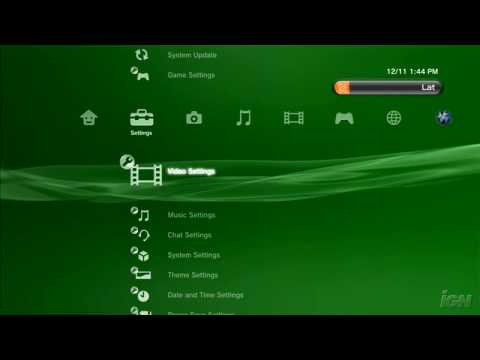
Yes, the PS3 Slim is still a good Blu-ray player, even years after its release. While it might not have all the bells and whistles of modern players, it delivers excellent 1080p Blu-ray playback and DVD upscaling capabilities at a potentially very affordable price on the used market. Its robust performance, combined with its gaming functionality, makes it a compelling option for retro gamers and budget-conscious home theater enthusiasts alike.
A Legacy of High-Definition Excellence
When the PS3 launched, it wasn’t just a game console; it was a statement. Sony doubled down on the then-nascent Blu-ray format, including a Blu-ray drive in every unit. This bold move was a significant factor in Blu-ray winning the format war against HD DVD. The original PS3 was a premium device, but the PS3 Slim, released later, brought that Blu-ray playback excellence to a more accessible price point.
The PS3 Slim provided a streamlined design and reduced power consumption, but crucially, it retained the high-quality Blu-ray playback capabilities of its predecessor. It quickly became recognized as an excellent Blu-ray player, even rivaling dedicated units on the market. This was a significant selling point, as it offered users a two-in-one device: a gaming console and a high-definition media player.
Strengths of the PS3 Slim as a Blu-ray Player
Several factors contribute to the PS3 Slim’s enduring appeal as a Blu-ray player:
-
Excellent Image Quality: The PS3 Slim delivers superb 1080p Blu-ray playback. Its processing capabilities allow for sharp, clear images with vibrant colors. It also upscales standard DVDs to near-1080p quality, breathing new life into your existing DVD collection.
-
Audio Prowess: The PS3 Slim supports high-resolution audio formats, including Dolby TrueHD and DTS-HD Master Audio, allowing you to enjoy immersive, cinematic sound when paired with a capable audio system.
-
HDMI Connectivity: With an HDMI output, the PS3 Slim ensures a clean and reliable connection to your TV or AV receiver. This is crucial for transmitting both high-definition video and audio signals.
-
User-Friendly Interface: The PS3’s XrossMediaBar (XMB) interface is intuitive and easy to navigate. Accessing and playing Blu-rays and DVDs is straightforward, even for those unfamiliar with the system.
-
Affordability: On the used market, PS3 Slims can be acquired for a relatively low price, making them a budget-friendly option for Blu-ray playback.
-
Gaming Bonus: Of course, its primary function is as a game console, giving you a huge library of PS3 games to explore in addition to media playback.
Limitations to Consider
Despite its strengths, the PS3 Slim isn’t without its drawbacks:
-
No 4K Support: The PS3 Slim cannot play 4K Ultra HD Blu-rays. If you’re looking for 4K Blu-ray playback, you’ll need to consider a newer player, such as the PS5 or a dedicated 4K Blu-ray player.
-
Region Locking: The PS3 Slim is region-locked for Blu-ray and DVD playback. This means that it can only play discs from the same region as the console. While PS3 games themselves are region-free, this restriction can be a significant inconvenience for some users.
-
Older Technology: Being an older device, the PS3 Slim lacks some of the modern features found in newer Blu-ray players, such as built-in streaming apps (though some apps may still be available) and Wi-Fi 6 support.
-
Potential Reliability Issues: Used consoles may be prone to hardware issues due to their age. It’s essential to thoroughly test a used PS3 Slim before purchasing it.
Optimizing Your PS3 Slim for Blu-ray Playback
To get the best possible Blu-ray playback experience from your PS3 Slim, consider these tips:
-
Connect via HDMI: Ensure that you’re using an HDMI cable to connect the PS3 Slim to your TV or AV receiver. This is the optimal connection method for transmitting high-definition video and audio.
-
Adjust Video Settings: In the PS3’s settings menu, adjust the video output settings to match your TV’s capabilities. Make sure that 1080p output is enabled if your TV supports it.
-
Enable 24p Output: If your TV supports 24p playback, enable this option in the PS3’s settings. This will ensure that movies are displayed at their native frame rate, resulting in a smoother and more cinematic viewing experience.
-
Update Firmware: Make sure that your PS3 Slim is running the latest firmware. Firmware updates often include performance improvements and bug fixes that can enhance Blu-ray playback.
Is a PS3 Slim Worth It in Today’s Market?
For budget-conscious consumers and retro gaming enthusiasts, the PS3 Slim remains a viable option as a Blu-ray player. Its excellent 1080p playback capabilities, combined with its gaming functionality, make it a versatile and affordable device. However, if you prioritize 4K playback or the latest streaming features, you’ll need to look elsewhere.
Ultimately, the decision of whether or not to buy a PS3 Slim as a Blu-ray player depends on your individual needs and priorities. If you’re looking for a cheap and reliable way to enjoy your Blu-ray and DVD collection, and you’re not concerned about 4K support, the PS3 Slim is definitely worth considering. Also, don’t forget that the field of game-based learning is expanding. If you are interested in learning more about using games for educational purposes, visit the Games Learning Society at GamesLearningSociety.org.
Frequently Asked Questions (FAQs)
Here are 15 frequently asked questions about the PS3 Slim as a Blu-ray player:
-
Can the PS3 Slim play Blu-ray discs? Yes, the PS3 Slim is fully capable of playing Blu-ray discs at 1080p resolution.
-
Can the PS3 Slim play DVDs? Absolutely! The PS3 Slim can play DVDs and even upscale them to near-1080p quality.
-
Does the PS3 Slim support 4K Blu-ray? No, the PS3 Slim does not support 4K Blu-ray playback.
-
Is the PS3 Slim region-locked for Blu-ray movies? Yes, the PS3 Slim is region-locked for Blu-ray and DVD playback. Make sure the region code matches your location.
-
What audio formats does the PS3 Slim support? The PS3 Slim supports Dolby TrueHD, DTS-HD Master Audio, and other high-resolution audio formats.
-
How do I connect the PS3 Slim to my TV for Blu-ray playback? The best way to connect the PS3 Slim to your TV is using an HDMI cable.
-
How do I optimize the PS3 Slim for Blu-ray playback? Enable 1080p output and 24p playback in the PS3’s settings menu, and ensure you have the latest firmware installed.
-
Can the PS3 Slim stream movies from services like Netflix or Hulu? Yes, the PS3 Slim can stream from some services, but the available apps might be outdated.
-
Is the PS3 Slim a good option for playing Blu-ray movies compared to dedicated Blu-ray players? It’s a decent option, especially if you also want to play PS3 games. However, dedicated players might offer more advanced features.
-
Where can I find a PS3 Slim for sale? You can typically find used PS3 Slims for sale on websites like eBay, Facebook Marketplace, and Craigslist.
-
How much does a used PS3 Slim typically cost? The price of a used PS3 Slim can vary depending on its condition and included accessories, but it typically ranges from $50 to $100.
-
What are some common problems with the PS3 Slim that I should be aware of before buying? Common problems include disc drive failures, overheating, and issues with the HDMI port.
-
Can I use a universal remote control with the PS3 Slim to control Blu-ray playback? Yes, you can use a universal remote control with the PS3 Slim, but you may need an IR adapter for full compatibility.
-
Does the PS3 Slim support Blu-ray Profile 2.0 (BD-Live)? Yes, the PS3 Slim supports Blu-ray Profile 2.0 (BD-Live), allowing you to access online content related to Blu-ray movies.
-
Is it worth buying a PS3 Slim just for Blu-ray playback in 2024? If you are on a very tight budget and you also want to play games, then yes. Otherwise, a newer dedicated Blu-ray player might be a better option.