Is RAID 1 a Good Idea? A Deep Dive into Mirroring
Fast answer first. Then use the tabs or video for more detail.
- Watch the video explanation below for a faster overview.
- Game mechanics may change with updates or patches.
- Use this block to get the short answer without scrolling the whole page.
- Read the FAQ section if the article has one.
- Use the table of contents to jump straight to the detailed section you need.
- Watch the video first, then skim the article for specifics.
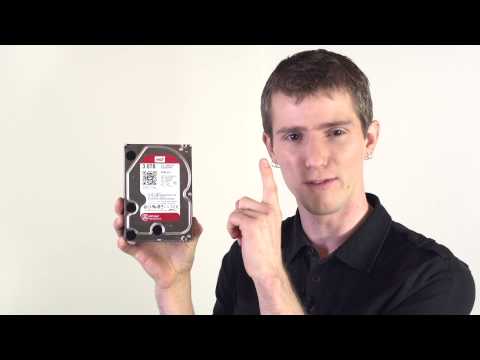
The short answer? It depends! RAID 1, or mirroring, is an excellent solution when data redundancy and high availability are paramount. However, its significant capacity overhead makes it less appealing when storage space is at a premium. So, let’s unpack this a bit and explore when RAID 1 shines and when other options might be a better fit.
Understanding RAID 1: The Basics of Mirroring
RAID 1, at its core, is simple: it duplicates your data across two or more hard drives. Every piece of information written to one drive is simultaneously written to the other(s), creating an exact copy, a “mirror,” in real-time. This redundancy is what makes RAID 1 so attractive for certain applications.
Advantages of RAID 1
-
Data Protection: This is the primary advantage. If one drive fails, the other instantly takes over, preventing data loss and minimizing downtime.
-
Read Performance: In many implementations, RAID 1 can offer improved read speeds. Because the controller can read data from either drive, it can often optimize read operations, resulting in faster access times compared to a single drive.
-
Ease of Implementation: RAID 1 is relatively straightforward to set up and manage, making it accessible to both novice and experienced users.
Disadvantages of RAID 1
-
Capacity Overhead: The most significant drawback. You only get to use half of your total drive capacity. If you have two 4TB drives in a RAID 1 configuration, you only have 4TB of usable storage. The other 4TB is used for the mirror.
-
Write Performance: While read performance can be good, write performance is often slower than a single drive. This is because data must be written to both drives simultaneously.
-
Cost: Doubling the number of drives effectively doubles the cost of storage, which can be a significant factor for large-capacity requirements.
When Does RAID 1 Make Sense?
RAID 1 is a strong contender in situations where data integrity and uptime are critical:
-
Operating Systems and Boot Drives: Ensuring the OS is always available is essential for server stability. RAID 1 provides redundancy in case of drive failure.
-
Transactional Databases: Applications that rely on consistent data, such as databases, benefit from the immediate failover capabilities of RAID 1.
-
Email Servers: Keeping email services running smoothly is vital for business communication. RAID 1 ensures minimal disruption in case of hardware failure.
-
Small Business Servers: For small businesses that cannot afford downtime, RAID 1 provides a cost-effective way to improve reliability.
RAID 1: Alternatives to Consider
While RAID 1 is valuable, other RAID levels and storage solutions exist, each with its own strengths:
-
RAID 0: For pure performance, sacrificing redundancy. Data is striped across multiple drives, increasing speed but providing no data protection.
-
RAID 5: A good compromise between performance, capacity, and redundancy. Requires at least three drives and can withstand one drive failure.
-
RAID 6: Similar to RAID 5, but with dual parity, allowing it to survive two drive failures.
-
RAID 10 (RAID 1+0): Combines the mirroring of RAID 1 with the striping of RAID 0, offering both high performance and redundancy.
-
Cloud Storage: Offers scalability, accessibility, and often built-in redundancy, but relies on an internet connection.
RAID 1 and SSDs: A Powerful Combination?
While RAID 1 can be used with SSDs, it’s important to consider the inherent reliability of solid-state drives. SSDs generally have a much higher mean time between failures (MTBF) than traditional hard drives. Therefore, the added cost of doubling the SSDs for RAID 1 may not be as beneficial as it once was with HDDs. However, for extremely critical applications requiring the absolute lowest risk of downtime, RAID 1 with SSDs can provide an extra layer of security.
Is RAID 1 a Backup? Emphatically No!
It’s crucial to understand that RAID is not a backup solution. RAID protects against hardware failure, but it doesn’t protect against:
-
Software Corruption: Viruses, malware, or operating system errors can corrupt data on the RAID array, which will then be mirrored across all drives.
-
User Error: Accidental file deletion or overwriting will be replicated across the array.
-
Theft or Physical Disaster: A fire, flood, or theft can destroy the entire RAID array, leading to complete data loss.
A proper backup solution involves creating separate copies of your data, ideally stored offsite or in the cloud. Consider the 3-2-1 backup rule: three copies of your data, on two different media, with one copy stored offsite.
The Bottom Line
RAID 1 is a valuable tool for improving data availability and protecting against drive failure. However, its capacity limitations make it less attractive for scenarios where storage space is paramount. Carefully consider your specific needs and weigh the advantages and disadvantages before implementing RAID 1. Remember that RAID is not a substitute for a comprehensive backup strategy.
Frequently Asked Questions (FAQs) about RAID 1
1. What happens when a drive fails in a RAID 1 array?
When a drive fails, the system continues to operate using the remaining drive in the mirror. You will typically receive an alert indicating the failure, and you should replace the failed drive as soon as possible. Once the new drive is installed, the RAID controller will automatically rebuild the mirror, copying data from the healthy drive to the new one.
2. Can I hot-swap a failed drive in RAID 1?
Hot-swapping, the ability to replace a drive without powering down the system, depends on your RAID controller and the physical configuration of your server or NAS device. Many modern systems support hot-swapping for RAID 1, but it’s crucial to consult your hardware documentation to confirm.
3. How much usable space do I get with RAID 1?
You get half the total capacity of all the drives combined. For example, with two 4TB drives, you get 4TB of usable storage.
4. Is RAID 1 suitable for home NAS (Network Attached Storage)?
For a home NAS with only two drives, RAID 1 is a viable option if data protection is a priority. However, for NAS devices with more than two drives, RAID 5 or RAID 6 might offer a better balance of capacity and redundancy. If the NAS only has one drive, then RAID is not an option.
5. Does RAID 1 improve write performance?
No, RAID 1 generally reduces write performance compared to a single drive because data must be written to all drives in the mirror simultaneously.
6. Is RAID 1 expensive?
Yes, RAID 1 is relatively expensive because it requires twice the storage capacity to achieve redundancy.
7. Can I use different sized drives in RAID 1?
While technically possible in some implementations, it’s highly discouraged. The RAID array will only use the capacity of the smallest drive. For example, if you use a 2TB drive and a 4TB drive, the usable capacity will be 2TB.
8. What’s better than RAID 1?
That depends on your needs! RAID 6 offers better redundancy (surviving two drive failures). RAID 10 offers a combination of speed and redundancy. Cloud storage provides scalability and accessibility.
9. Is RAID 1 fault-tolerant?
Yes, RAID 1 is fault-tolerant. It can withstand the failure of one drive without data loss.
10. Does RAID 1 slow down performance?
RAID 1 slows down write performance, but read performance can be as good as or better than a single drive in some configurations.
11. Why would anyone use RAID 1?
People use RAID 1 primarily for its simplicity and data redundancy, especially in scenarios where downtime is unacceptable.
12. Should I use RAID 1 or SHR (Synology Hybrid RAID)?
If using a Synology NAS, SHR offers more flexibility, particularly when expanding storage capacity later on. It functions similarly to RAID 1 with two drives.
13. What RAID level is best for NAS?
RAID 5 and RAID 6 are popular choices for NAS devices with three or more drives, offering a good balance of capacity, performance, and redundancy.
14. How does RAID 1 compare to RAID 0?
RAID 0 is all about speed and capacity, sacrificing redundancy entirely. RAID 1 is the opposite, prioritizing redundancy over capacity and, to some extent, speed.
15. How can I learn more about RAID and storage technologies?
Explore resources at professional organizations and educational institutions that offer technology insights. One example includes the Games Learning Society (GamesLearningSociety.org), which explores how games and simulations can be applied to learning complex systems, potentially encompassing elements of data management and system resilience. You can visit their website at https://www.gameslearningsociety.org/.