Is Roblox Allowed for 3 Year Olds? A Parent’s Definitive Guide
Fast answer first. Then use the tabs or video for more detail.
- Watch the video explanation below for a faster overview.
- Game mechanics may change with updates or patches.
- Use this block to get the short answer without scrolling the whole page.
- Read the FAQ section if the article has one.
- Use the table of contents to jump straight to the detailed section you need.
- Watch the video first, then skim the article for specifics.
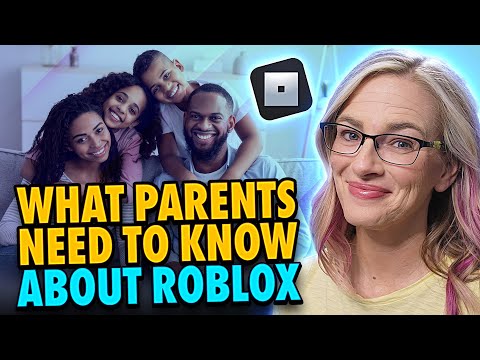
The short answer is: Generally, no, Roblox is not recommended or ideally suited for 3-year-olds. While there isn’t a hard “Roblox age limit,” many factors make the platform less than ideal for very young children. These include content appropriateness concerns, complex navigation, and potential online safety risks. Let’s dive deeper into why, exploring the platform’s features, potential benefits, and how to make informed decisions about when and how your child engages with it.
Why Roblox May Not Be the Best Choice for 3-Year-Olds
Roblox is a massive online platform where users can create and play games. The sheer volume of user-generated content, while exciting, presents challenges for parental oversight. Here’s a breakdown of the key reasons why Roblox might not be the right fit for your toddler:
- Developmental Appropriateness: Most Roblox games are designed for older children and teens. The gameplay mechanics, social interactions, and narrative complexity can be overwhelming and frustrating for a 3-year-old. Their fine motor skills, cognitive abilities, and attention spans are simply not yet developed enough to fully enjoy or even understand many of the games.
- Content Moderation Concerns: Although Roblox employs moderation systems, inappropriate content can still slip through the cracks. With millions of games being created and shared, it’s simply impossible to monitor everything perfectly. A 3-year-old is particularly vulnerable to exposure to inappropriate language, violence, or sexually suggestive themes.
- Navigation and Interface Complexity: The Roblox interface can be confusing for even adults. The menus, search functions, and game selection processes are not intuitive for young children. They would likely need constant assistance, negating the potential for independent play and exploration.
- Social Interaction Risks: Roblox is a social platform, and while this can be a positive aspect for older children, it also presents risks for younger ones. Cyberbullying, grooming, and exposure to inappropriate interactions with strangers are all potential dangers that parents need to be aware of.
- In-App Purchases: Roblox utilizes a virtual currency called Robux, which can be purchased with real money. Young children are not equipped to understand the concept of virtual currency or the potential for overspending. Accidental or intentional purchases can lead to financial headaches for parents.
Potential Benefits (With Caveats)
Despite these concerns, Roblox does offer some potential benefits, even for younger children, if used carefully and with constant supervision:
- Creativity and Imagination: The platform allows users to create their own games and experiences, fostering creativity and imagination. However, a 3-year-old would need significant help to utilize these tools effectively.
- Learning Opportunities: Some Roblox games are educational, teaching basic math, science, or problem-solving skills. Finding and vetting these games is crucial.
- Social Interaction (Controlled): Supervised interaction with friends or family members within a safe and controlled environment can be beneficial.
However, these benefits are outweighed by the risks for 3-year-olds. Constant parental supervision is non-negotiable if you choose to allow your child to play Roblox.
Alternatives for Younger Children
Instead of Roblox, consider these safer and more developmentally appropriate alternatives for your 3-year-old:
- Educational Apps: Many apps are designed specifically for toddlers, focusing on early learning skills such as letters, numbers, and shapes.
- Interactive Storybooks: These books combine storytelling with interactive elements, engaging children’s imaginations and promoting literacy.
- Offline Activities: Don’t underestimate the power of traditional play. Blocks, puzzles, art supplies, and outdoor activities are all excellent choices for young children.
Remember that screen time should be limited and balanced with other activities that promote physical, cognitive, and social-emotional development.
Mitigating Risks if You Choose to Allow Roblox
If, despite the risks, you decide to allow your 3-year-old to play Roblox, here are essential steps to mitigate the potential harm:
- Create an Account with the Correct Age: This triggers Roblox’s built-in safety features for younger users, including stricter chat filters and parental controls.
- Enable Parental Controls: Roblox offers a comprehensive suite of parental controls, allowing you to restrict chat access, limit spending, and block certain games or users.
- Monitor Activity: Regularly check your child’s activity log, chat history, and friend requests.
- Play Together: The best way to ensure your child’s safety is to play Roblox with them. This allows you to monitor their interactions, guide their gameplay, and address any concerns that arise.
- Teach Online Safety: Even at a young age, you can begin teaching your child basic online safety principles, such as not sharing personal information with strangers and reporting inappropriate behavior.
- Research Games Thoroughly: Before allowing your child to play a game, research it online and read reviews from other parents.
Ultimately, the decision of whether or not to allow your 3-year-old to play Roblox is a personal one. Carefully weigh the risks and benefits, and prioritize your child’s safety and well-being.
Games Learning Society
The Games Learning Society, at GamesLearningSociety.org, provides resources for understanding the intersection of games and education, offering insights into how games can be used effectively and safely for learning.
Frequently Asked Questions (FAQs)
1. What is the official Roblox age rating?
While the Roblox app has a rating of “Everyone 10+” on the Google Play Store and 12+ on the Apple App Store, Common Sense Media recommends it for ages 13+. The platform’s Terms of Use state that users under 18 require parental consent.
2. Are there specific Roblox games suitable for very young children?
While some games might appear simple, the underlying mechanics and potential for exposure to other players make them risky for unsupervised play by 3-year-olds. Adopt Me! and similar role-playing games are often cited, but even these require parental oversight.
3. How can I turn off chat in Roblox?
Log into the account, go to Account Settings (gear icon -> Settings), click on the Privacy tab, and under “Who can chat with me in app?”, select “No one.”
4. What are the main risks of my child playing Roblox?
The primary risks include exposure to inappropriate content, interactions with strangers, cyberbullying, and the potential for accidental in-app purchases.
5. How do I report inappropriate content or behavior on Roblox?
Roblox has a reporting system in place. You can report users, games, or content directly through the platform. Look for the “Report Abuse” button or link.
6. Can I see what my child is doing on Roblox?
Yes. You can view their direct and small group chat history, private message history, friends and followers list, and virtual item purchase history through their account settings.
7. What is the “Age Visibility” feature on Roblox?
The Age Visibility feature helps determine appropriate settings based on a user’s age. By setting the correct age, Roblox will automatically enable certain safety features.
8. What are Robux and how can I control my child’s spending?
Robux is the virtual currency used on Roblox. You can control spending by setting spending limits in the parental control settings and requiring a PIN for all purchases.
9. What should I do if my child is being cyberbullied on Roblox?
Report the bully to Roblox immediately. Block the user and save any evidence of the bullying. Talk to your child about what happened and reassure them that it’s not their fault.
10. Is Roblox banning accounts under 13?
No, Roblox isn’t banning accounts under 13, but they are placing them on a restricted chat system automatically to enhance safety.
11. What is the difference between Roblox and Minecraft?
While both are sandbox games, Minecraft is typically better for solo play, while Roblox offers a wider range of mini-games and multiplayer options. Minecraft is generally considered safer for younger children due to its less social-oriented gameplay.
12. Are there parental controls on Roblox?
Yes, Roblox offers a central dashboard to limit chat functions, add a parental PIN, and restrict access to curated content.
13. How do I delete my child’s Roblox account?
Contact Roblox support directly to request account deletion.
14. What are some signs that my child is spending too much time on Roblox?
Signs include neglecting schoolwork or hobbies, social isolation, irritability, and difficulty sleeping.
15. Is it okay for a 15 year old to play roblox?
Yes, Roblox can be appropriate for a 15-year-old, particularly with parental guidance to ensure safe interactions and content choices. Roblox is a platform for all ages where no matter how old people are, they can connect with friends and discover a wide range of relevant, engaging, and age-appropriate experiences.