Is Steam Always Online? A Comprehensive Guide to Steam’s Online and Offline Functionality
Fast answer first. Then use the tabs or video for more detail.
- Watch the video explanation below for a faster overview.
- Game mechanics may change with updates or patches.
- Use this block to get the short answer without scrolling the whole page.
- Read the FAQ section if the article has one.
- Use the table of contents to jump straight to the detailed section you need.
- Watch the video first, then skim the article for specifics.
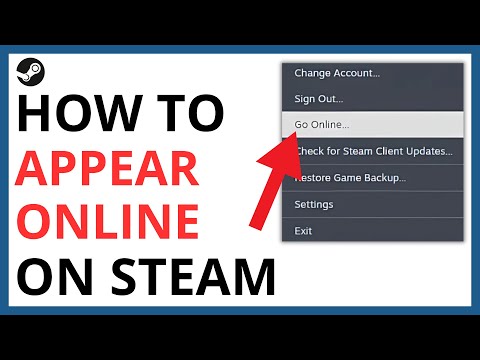
The short answer is no, Steam is not always online. While Steam thrives as a digital distribution platform heavily reliant on internet connectivity, it offers a robust Offline Mode that allows you to enjoy many of your games even without an active internet connection. Let’s dive deeper into understanding Steam’s online and offline capabilities.
Understanding Steam’s Online Core
Steam, at its heart, is an online service. This means many of its core functionalities are designed to leverage the power of the internet. These include:
- Purchasing and Downloading Games: This is perhaps Steam’s most well-known function. You browse the Steam store, purchase games digitally, and download them directly to your computer. This obviously requires an internet connection.
- Multiplayer Gaming: Many games on Steam offer multiplayer capabilities, allowing you to connect and play with friends and strangers around the world. This is entirely dependent on an active internet connection.
- Social Features: Steam’s social features, such as friend lists, chat, groups, and activity feeds, all require you to be online. These features enhance the community aspect of gaming.
- Cloud Saves: Steam automatically saves your game progress to the cloud, allowing you to pick up where you left off on different computers. This feature also relies on an internet connection to synchronize your saves.
- Game Updates: Steam automatically downloads and installs updates for your games, ensuring you have the latest versions with bug fixes and new content. This process necessitates internet access.
- Achievement Synchronization: Your in-game achievements are synchronized with Steam’s servers, showcasing your accomplishments to your friends and the Steam community. This synchronization also requires an internet connection.
However, recognizing that not everyone has consistent or reliable internet access, Steam offers a crucial alternative: Offline Mode.
Embracing Offline Mode: Gaming Without the Web
Offline Mode is a feature that allows you to play games through Steam without an active internet connection. This is incredibly useful in various situations:
- Travel: If you’re traveling and don’t have reliable internet access, Offline Mode lets you continue playing your favorite games.
- Internet Outages: During internet outages or service disruptions, Offline Mode ensures you can still enjoy your single-player games.
- Limited Data: If you have a limited data plan, Offline Mode helps you avoid excessive data usage while gaming.
How to Enable Offline Mode:
- First, ensure you are logged into Steam while connected to the internet.
- Launch the games you want to play offline at least once to ensure they are fully updated and the necessary files are cached.
- Select “Steam” in the upper left corner of the Steam client.
- Choose “Go Offline…”
- Steam will restart in Offline Mode.
Important Considerations for Offline Mode:
- Initial Setup Required: You must log into Steam and launch your games at least once while online to enable Offline Mode. This allows Steam to verify your account and cache the necessary files.
- Single-Player Focus: Offline Mode is primarily designed for single-player games. Multiplayer games will not be playable without an internet connection.
- No Updates or Cloud Saves: While in Offline Mode, you will not receive game updates or synchronize your cloud saves. Your progress will be stored locally on your computer.
- Periodic Online Connection Recommended: It’s advisable to reconnect to the internet periodically to receive game updates, synchronize your achievements, and ensure your games are up-to-date.
- Steam needs to save your login details: In order to use Offline mode you need to have Steam set up to save your login details.
Offline Mode provides a valuable way to enjoy your Steam library even when you’re not connected to the internet, making Steam a versatile gaming platform for all situations. The researchers at GamesLearningSociety.org understand the importance of accessible gaming, and Steam’s offline mode contributes to that accessibility.
Frequently Asked Questions (FAQs) about Steam’s Online/Offline Status
Here are some frequently asked questions about Steam’s online and offline functionality:
1. Can I appear offline on Steam while still being connected to the internet?
Yes! Steam offers an “Invisible” status. To use it, click the dropdown arrow next to your username at the top of the Steam client and select “Invisible.” This allows you to remain connected to Steam and chat with friends while appearing offline to others.
2. Does Steam stay in Offline Mode permanently?
While you can stay in Offline Mode indefinitely, it’s recommended to go online periodically. This allows you to receive game updates, synchronize your achievements, and download new games.
3. Are all Steam games playable offline?
No. Multiplayer games typically require an internet connection. However, most single-player games can be played offline if you have already downloaded and installed them.
4. How often does Steam need to go online?
There is no mandatory frequency for going online. You can stay in Offline Mode for as long as you like. However, periodically connecting to the internet is recommended for updates, synchronization, and new content.
5. Can I play Cyberpunk 2077 offline on Steam?
Yes, you can play the single-player content of Cyberpunk 2077 offline on Steam after downloading and installing the game. You will, however, need to connect to the internet to download updates.
6. What is the difference between “Offline” and “Invisible” on Steam?
Offline Mode completely disconnects you from the Steam network. You won’t receive messages or notifications. Invisible mode allows you to remain connected and chat with friends while appearing offline to others.
7. How can I tell if someone is faking being offline on Steam?
If someone is set to invisible you can try to check their account page, which sometimes reveals if they’re currently in a game, suggesting they are online despite their status.
8. Can I play Hogwarts Legacy offline on Steam?
Hogwarts Legacy is primarily a single-player game and can be played offline. However, if you purchased a physical copy, you will need an internet connection to download the Day 1 patch.
9. If I start Steam without an internet connection, will it automatically go into Offline Mode?
Yes, if Steam is already installed on your computer, opening Steam when you have no connection will automatically open it in Offline Mode.
10. How long does it take for my Steam status to change to “Away”?
Your Steam status will change to “Away” after 5 minutes of inactivity. It will change to “Snooze” after 2 hours of inactivity.
11. Can I play Steam games without using the Steam client?
No, you cannot launch a Steam game without the Steam client running. However, you can launch the game’s .exe file directly, which will run Steam in the background without opening the main window.
12. Will I need a credit card to play free-to-play games on Steam?
No, free-to-play games on Steam are available to download and play for free without a subscription or credit card. You may have the option to purchase in-game items using your Steam Wallet.
13. Is Steam safe from hackers?
Valve has been working hard to improve Steam security. It is advised to have 2FA enabled to have another layer of protection.
14. What does the “ZZZ” mean on Steam?
The “ZZZ” icon on Steam typically indicates that a player is AFK (Away From Keyboard), or inactive for a period of time.
15. Can someone tell if I’m watching them play a game on Steam?
Yes, you’ll receive a notification when a friend either requests to watch or starts watching your game.
Steam’s blend of online and offline functionalities offers the best of both worlds, providing a flexible and comprehensive gaming experience for all players.