Is a Steam Refund Abuse Warning Something to Worry About?
Fast answer first. Then use the tabs or video for more detail.
- Watch the video explanation below for a faster overview.
- Game mechanics may change with updates or patches.
- Use this block to get the short answer without scrolling the whole page.
- Read the FAQ section if the article has one.
- Use the table of contents to jump straight to the detailed section you need.
- Watch the video first, then skim the article for specifics.
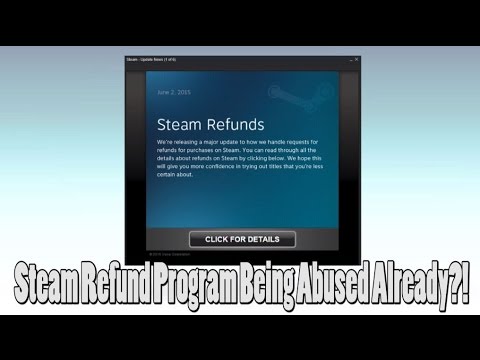
Yes, a Steam refund abuse warning is something to worry about. It’s a clear sign that Valve, the platform holder, believes your refunding habits are crossing a line and could lead to restrictions on your account. Getting this warning is akin to a yellow card in a soccer match – you haven’t been kicked out yet, but you’re close. It’s time to adjust your behavior before you face more serious consequences, such as losing your ability to get refunds altogether. Think of it as a friendly, albeit serious, reminder from Steam to respect the refund system and its intended purpose: to remove the risk from purchasing games, not to allow you to demo every title on the platform for free.
Understanding Steam’s Refund Policy
Steam’s refund policy is remarkably generous. You can request a refund for almost any game purchased on Steam within two weeks of purchase and with less than two hours of playtime. This policy allows players to try out games and ensure they run properly on their system, that they enjoy the gameplay, or that they are as advertised. However, this system is based on trust, and like any system built on trust, it can be abused. That’s where the refund abuse warning comes in.
What Constitutes Steam Refund Abuse?
While Steam doesn’t provide a definitive, numerical threshold for what constitutes abuse, here are several behaviors that can trigger a warning:
- Frequent Refunds: Regularly buying and refunding a large number of games within a short period.
- Refunding the Same Game Multiple Times: Purchasing, playing slightly, refunding, and then repeating the process with the same title.
- Using Refunds as Free Demos: Intentionally purchasing games with the sole purpose of playing them briefly and refunding them, effectively treating the refund system as a free demo service.
- Circumventing the System: Attempting to bypass the two-hour/two-week limit by creating multiple accounts or using other deceptive tactics.
- Consistent “Near the Limit” Playtime: Regularly playing games for just under two hours before requesting a refund. Steam likely monitors playtime patterns.
- High Refund Rate: Having a consistently high refund rate compared to your total purchases. Even if you aren’t hitting the two-hour limit regularly, if most of your purchases end in refunds, it raises a flag.
The Consequences of Refund Abuse
The immediate consequence of being flagged for refund abuse is the warning itself. However, continued abuse can lead to more severe penalties, including:
- Loss of Refund Privileges: Steam may revoke your access to the refund system entirely, meaning you’ll be stuck with any game you purchase, regardless of its quality or your enjoyment.
- Account Restrictions: In extreme cases, Steam might place restrictions on your account, such as limitations on purchasing new games or trading items.
- Account Termination: Although rare, repeated and egregious abuse could potentially lead to the termination of your Steam account.
How to Avoid a Steam Refund Abuse Warning
The easiest way to avoid a warning is simply to use the refund system responsibly. Here are some practical tips:
- Research Before You Buy: Read reviews, watch gameplay videos, and check system requirements before purchasing a game. Utilize free demos when available.
- Be Realistic About Your Playtime: If you’re unsure about a game, consider waiting for a sale. If you’re going to exceed the two-hour limit, be reasonably sure you want to keep the game.
- Don’t Treat Refunds as Demos: The refund system is not intended to be a free demo service. Purchase games you genuinely intend to play and keep.
- Limit Frequent Refunds: Avoid making a habit of buying and refunding games frequently. Consider carefully if you’re likely to want a game before clicking “purchase.”
- If You Receive a Warning, Change Your Behavior: Take the warning seriously and adjust your refunding habits accordingly.
The Games Learning Society emphasizes the importance of responsible gaming practices, and respecting the systems that allow us to enjoy games is part of that.
Frequently Asked Questions (FAQs)
1. Will my playtime and achievements be removed from my Steam Community Profile if I refund a game?
No, your playtime and achievements will not be removed from your Steam Community Profile when you refund a game. However, it’s worth noting that if you re-purchase the game, the playtime will continue from where it left off.
2. Is it illegal to abuse the Steam refund system?
While not typically prosecuted as a criminal offense, refund fraud is a form of theft by deception. It’s a violation of Steam’s terms of service and can lead to account penalties.
3. Can I get banned from Steam for refunding too many games?
Yes, you can be banned or have your refund privileges revoked for abusing the refund system. Steam closely monitors refund patterns and will take action if they detect abuse.
4. How many Steam refunds is too many?
There’s no specific number. It depends on the context of your purchasing habits. Consistently refunding a large proportion of your purchases will likely raise red flags.
5. Is Steam generous with refunds?
Yes, Steam’s refund policy is considered relatively generous compared to many other digital storefronts. However, that generosity relies on users respecting the system.
6. What happens to a Steam game after I refund it?
The game is removed from your Steam library. You can no longer play it, although the files may remain on your computer. The store will show the option to “purchase” the game again.
7. Can I refund a game twice on Steam?
Yes, technically. As long as your total playtime across all instances of owning the game is less than two hours and the refund is requested within two weeks of the original purchase, it’s possible. However, repeatedly buying and refunding the same game is a major red flag.
8. What should I do if my refund request is denied?
If your refund request is denied and you believe it was in error, you can appeal the decision. Provide a clear and concise explanation of why you believe you’re entitled to a refund, even if you exceeded the playtime or time limit slightly.
9. Does Steam keep track of my refund history?
Yes, Steam definitely keeps track of your refund history. They use this data to identify potential instances of abuse.
10. What happens if I gift a game and the recipient refunds it?
If the recipient declines the gift, you will receive a refund. If the recipient accepts the gift and then requests a refund, the refund will typically be issued to the original purchaser (you), provided the game meets the refund eligibility criteria.
11. Will disputing a Steam purchase through my bank affect my Steam account?
Yes, initiating a chargeback with your bank instead of going through the Steam refund process can negatively impact your account. Steam may suspend or terminate your account due to the chargeback. It’s always best to try resolving issues directly with Steam first.
12. How long does it take for a Steam refund to be processed?
Steam states that refunds are typically processed within a week of approval. Refunds to your Steam Wallet are usually faster than refunds to your original payment method.
13. If I’m a game developer, what’s a typical refund rate I should expect on Steam?
The average refund rate for indie games on Steam is around 10-12%. Expect a slightly higher rate (around 15-18%) for your first game. Factors like game quality, performance issues, and marketing can influence the refund rate.
14. Can I avoid refunds by offering a free demo of my game on Steam?
Yes, offering a free demo is a great way to allow players to try your game before they buy, potentially reducing refund requests due to mismatched expectations.
15. What resources are available for game developers to learn more about Steam and the games industry?
Numerous online resources exist, including the Games Learning Society, which is dedicated to promoting game-based learning and research. Check out GamesLearningSociety.org for valuable insights and community engagement.
Conclusion
A Steam refund abuse warning is a signal to re-evaluate your refunding habits. By understanding what constitutes abuse and taking steps to avoid it, you can continue to enjoy Steam’s generous refund policy without risking your account. Remember, the system is in place to protect consumers from genuine issues, not to provide endless free trials. Respect the system, and it will continue to serve you well.