Is a Switch SD Card Worth It? Absolutely! Here’s Why
Fast answer first. Then use the tabs or video for more detail.
- Watch the video explanation below for a faster overview.
- Game mechanics may change with updates or patches.
- Use this block to get the short answer without scrolling the whole page.
- Read the FAQ section if the article has one.
- Use the table of contents to jump straight to the detailed section you need.
- Watch the video first, then skim the article for specifics.
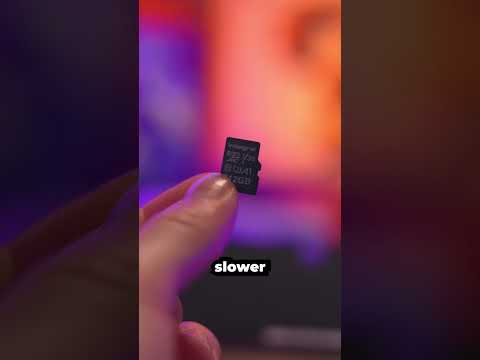
Yes, an SD card for your Nintendo Switch is absolutely worth it, and in many cases, it’s an essential purchase. While the Switch offers some internal storage, it’s woefully inadequate for most gamers, especially those planning to download games digitally. An SD card provides the much-needed space to store your growing game library, downloadable content, and game updates, significantly enhancing your overall gaming experience. It’s a small investment that unlocks the full potential of your Nintendo Switch.
Understanding the Need for External Storage
The Nintendo Switch and Switch OLED come with a limited amount of internal storage. The original Switch has 32GB of internal storage, while the Switch OLED boasts 64GB. However, a significant portion of this space is occupied by the system software, leaving you with considerably less usable space for your games. Consider that some AAA titles like The Legend of Zelda: Breath of the Wild can take up 13.4GB, and suddenly that internal storage shrinks very quickly.
If you primarily buy physical game cartridges, a smaller SD card might suffice to store game updates, DLC, and smaller digital-only titles. However, if you plan to download a significant portion of your games from the Nintendo eShop, a larger SD card is crucial. Without one, you’ll be constantly juggling games, deleting and re-downloading them as needed – a frustrating and time-consuming process.
Choosing the Right SD Card: Size, Speed, and Compatibility
Selecting the right SD card involves considering several factors, including storage capacity, speed, and compatibility with the Nintendo Switch.
Storage Capacity: How Much Do You Really Need?
This is arguably the most important factor. Consider your gaming habits and future plans.
-
Light Users (Primarily Physical Games): A 64GB or 128GB SD card may be sufficient for storing updates, DLC, and a few digital-only titles.
-
Moderate Users (Mix of Physical and Digital Games): A 256GB SD card offers a good balance between storage and cost, allowing you to download a decent number of games without constantly worrying about space.
-
Heavy Users (Primarily Digital Games): A 512GB or 1TB SD card is ideal for gamers who prefer to download most of their games. This provides ample space for a large library and ensures you won’t run out of storage anytime soon.
The Nintendo Switch supports microSD cards up to 2TB in size. While 2TB cards are still relatively expensive, 1TB cards are becoming increasingly affordable and offer excellent value for serious gamers. Keep in mind the article also mentioned: “Of course, very few Ninty fans need that much space.”
Speed: UHS-I is the Way to Go
The speed of your SD card affects game loading times and overall performance. The Nintendo Switch supports UHS-I (Ultra High Speed Phase I) microSD cards. Look for cards with a transfer speed of 60-95 MB/s or higher. While faster cards exist, the Switch’s hardware limits the maximum achievable speed, making UHS-I the sweet spot.
While the internal storage is slightly faster, the difference is often negligible, especially with a high-quality UHS-I SD card. Focus on capacity and reliability over chasing marginal speed gains.
Compatibility: Ensuring Seamless Integration
Ensure the SD card you choose is a microSD card. The Nintendo Switch doesn’t support full-size SD cards. Also, it’s advisable to purchase SD cards from reputable brands like SanDisk, Samsung, and Lexar to ensure reliability and avoid counterfeit products. The article states: “Most A1 capable cards will work fine in a switch.”
Benefits of Using an SD Card
-
Expanded Storage: The most obvious benefit is the ability to store a much larger game library.
-
Convenience: No need to constantly delete and re-download games.
-
Portability: Carry your entire game collection with you wherever you go.
-
Flexibility: Easily transfer game data between your Switch and the SD card.
-
Enhanced Gaming Experience: Faster loading times with a high-speed SD card.
Transferring Data: Moving Games to Your SD Card
Moving game data to your SD card is a straightforward process.
-
Insert the SD card into your Nintendo Switch.
-
Go to System Settings on the HOME Menu.
-
Select Data Management.
-
Choose Move Data Between System/microSD Card.
-
Select Move to microSD Card to transfer data from the system memory to the SD card.
The process is simple and intuitive. Remember, you can choose which games to move, allowing you to prioritize those you play most frequently.
Potential Drawbacks: Considerations to Keep in Mind
-
Cost: SD cards can be an additional expense, especially larger capacity cards.
-
Durability: SD cards are relatively fragile and can be damaged easily. Protect your card from physical damage and extreme temperatures.
-
Limited Read/Write Cycles: SD cards have a limited number of read/write cycles. However, this is unlikely to be an issue for most users.
Conclusion: The Verdict is Clear
Investing in an SD card for your Nintendo Switch is a no-brainer. It significantly expands your storage capacity, enhances your gaming experience, and provides the flexibility to enjoy a vast library of games on the go. Choose a reputable brand, consider your storage needs, and select a UHS-I compatible card for optimal performance. Don’t let limited storage hold you back from fully enjoying your Nintendo Switch!
For more information on gaming and its educational impact, consider exploring the resources available at Games Learning Society at https://www.gameslearningsociety.org/. The GamesLearningSociety.org provides valuable insights into the intersection of gaming and learning.
Frequently Asked Questions (FAQs)
1. What’s the largest microSD card I can use in my Nintendo Switch?
The Nintendo Switch supports microSD cards up to 2TB in size. While 2TB cards are not widely available, 1TB cards are readily accessible and offer ample storage for most gamers.
2. Is 128GB enough for Switch if I mostly buy physical games?
A 128GB SD card is generally sufficient if you primarily buy physical games. It provides enough space for game updates, DLC, and a selection of digital-only titles.
3. Will an SD card make my Switch games run faster?
While the Switch’s internal storage is slightly faster, a high-speed UHS-I SD card will provide a noticeable improvement in loading times compared to the internal storage, especially for larger games.
4. Can I have multiple SD cards for my Switch?
Yes, you can use multiple SD cards with your Nintendo Switch. However, you’ll need to keep track of which games are stored on each card. The Switch menu will display all games, regardless of which card they’re on.
5. How do I transfer games from my Switch to an SD card?
Go to System Settings → Data Management → Move Data Between System/microSD Card. Select Move to microSD Card to transfer data from the system memory to the SD card.
6. Is it better to store games on the Switch or the SD card?
The Switch’s internal storage is marginally faster, but the difference is often negligible. Prioritize storing games you play frequently on the internal storage if you’re concerned about speed. Otherwise, the SD card is a perfectly viable option.
7. Will using an SD card drain my Switch’s battery faster?
The impact on battery life is minimal. A high-quality, energy-efficient SD card should not significantly affect battery performance.
8. Is 512GB too much for Switch?
Not necessarily. If you plan to download a lot of games, a 512GB card offers plenty of space. However, if you primarily buy physical games, it might be overkill. The article stated, “you probably won’t need more than a 512Gb card.”
9. What does UHS-I mean for SD cards?
UHS-I (Ultra High Speed Phase I) refers to the speed class of the SD card. It indicates a minimum write speed of 10MB/s and supports faster transfer rates, which is crucial for smooth gameplay on the Nintendo Switch.
10. How many games can a 256GB SD card hold on Switch?
A 256GB SD card can hold approximately 35 full-sized games, based on an average game size of 6.7GB. However, the actual number will vary depending on the size of each game.
11. Can I use any microSD card with my Switch?
While most microSD cards will work, it’s recommended to use a UHS-I compatible card from a reputable brand for optimal performance and reliability.
12. How much storage does Mario Kart 8 Deluxe take up on Switch?
Mario Kart 8 Deluxe requires at least 6.8GB of storage space.
13. Are Nintendo-branded SD cards better than other brands?
Nintendo-branded SD cards are often more expensive due to licensing fees. While they’re reliable, you can often find equally good or better performance from other reputable brands like SanDisk or Samsung at a lower price.
14. What are the disadvantages of using an SD card?
SD cards are relatively fragile and can be easily damaged. They also have limited read/write cycles, although this is unlikely to be a concern for most users.
15. Is it cheaper to download games on Switch than buying physical copies?
Digital and physical copies of Nintendo games generally cost the same. The key difference is that digital games require storage space, while physical copies do not (beyond updates and DLC). Buying physical is recommended by some in case of loss of account.