Is the Xbox Elite Controller 2 the Best Controller on the Market? A Deep Dive
Fast answer first. Then use the tabs or video for more detail.
- Watch the video explanation below for a faster overview.
- Game mechanics may change with updates or patches.
- Use this block to get the short answer without scrolling the whole page.
- Read the FAQ section if the article has one.
- Use the table of contents to jump straight to the detailed section you need.
- Watch the video first, then skim the article for specifics.
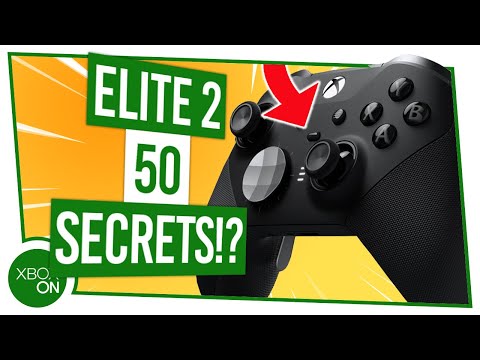
In the ever-evolving world of gaming, the quest for the perfect controller is a never-ending pursuit. Among the contenders, the Xbox Elite Wireless Controller Series 2 frequently emerges as a frontrunner. But is it truly the “best”? The answer, like most things in the gaming world, is complex and depends heavily on individual needs and preferences. While it boasts unparalleled customization and premium features, its high price point and some reported quality control issues mean it isn’t a universally perfect choice. For the gamer who demands top-tier performance and is willing to invest in a highly adaptable gamepad, the Elite Series 2 certainly earns its place among the best. However, cheaper and potentially more durable options exist for those prioritizing budget or simplicity.
The Allure of the Elite: What Makes it Special?
The Xbox Elite Series 2 isn’t just a controller; it’s a statement. It’s Microsoft’s vision of a premium gaming experience, meticulously crafted for the competitive gamer and the discerning enthusiast. What sets it apart?
- Unrivaled Customization: This is perhaps the Elite Series 2’s greatest strength. Adjustable-tension thumbsticks allow fine-tuning for aiming precision. Hair trigger locks drastically reduce trigger pull distance for faster firing. Interchangeable thumbsticks and D-pads cater to different playstyles. The button mapping is extensive, letting you remap any button to any function, even enabling advanced macros. All of this combines to allow deep personalization.
- Premium Build Quality: The moment you hold the Elite Series 2, you’ll notice the difference. The heft and feel of the controller exude quality. Rubberized grips provide a comfortable and secure hold, even during extended gaming sessions. The materials feel durable and well-assembled.
- Paddle Power: The four included rear paddles offer additional input options without requiring you to take your thumbs off the thumbsticks. This is invaluable for complex maneuvers and competitive play.
- Software Integration: The Xbox Accessories app allows you to create and save multiple profiles for different games or playstyles. You can adjust button mappings, trigger sensitivity, thumbstick curves, and more.
- Long Battery Life: With up to 40 hours of rechargeable battery life, you can game for days without worrying about running out of power.
The Competition: Alternatives to Consider
While the Elite Series 2 is a formidable contender, it doesn’t exist in a vacuum. Several alternatives offer compelling features and price points:
- Sony DualSense Edge: Sony’s answer to the Elite Series 2, the DualSense Edge, brings the revolutionary haptic feedback and adaptive triggers of the DualSense controller to the high-end market. If you value immersion and realistic sensations, the DualSense Edge might be a better fit. The unique haptic feedback and adaptive triggers provide a realistic experience for gaming and can be replicated with the Xbox Elite Series 2 controller.
- Razer Wolverine V2 Chroma: The Razer Wolverine V2 Chroma is another top-tier option focusing on performance and customization. Its mechanical switches offer tactile feedback and fast actuation, while the Chroma RGB lighting adds a touch of flair.
- Thrustmaster eSwap X Pro: The Thrustmaster eSwap X Pro boasts a modular design that allows you to swap out and replace individual components, extending the controller’s lifespan and enabling even more customization.
- Xbox Core Controller: The standard Xbox Core Controller remains a solid and reliable option, offering a comfortable design and essential features at a significantly lower price.
- Scuf Gaming Controllers: Favored by many professional gamers, Scuf controllers offer a wide range of customization options and performance enhancements.
The Drawbacks: Potential Pitfalls to Watch Out For
Despite its many strengths, the Xbox Elite Series 2 isn’t without its flaws:
- High Price: The Elite Series 2 commands a premium price, making it a significant investment for many gamers.
- Durability Concerns: Reports of stick drift, button failures, and other hardware issues have plagued the Elite Series 2. While Microsoft has addressed some of these concerns, the controller’s long-term reliability remains a question mark.
- Weight: The Elite Series 2 is heavier than the standard Xbox Core Controller, which may be a concern for some users.
- Software Quirks: The Xbox Accessories app can sometimes be finicky, and customizing the controller can be a bit overwhelming for novice users.
Is it Worth the Upgrade?
Ultimately, the decision of whether or not to purchase the Xbox Elite Series 2 comes down to your individual needs and priorities.
Consider the Elite Series 2 if:
- You’re a competitive gamer seeking every possible advantage.
- You value deep customization and the ability to fine-tune your controller to your exact preferences.
- You’re willing to invest in a premium product and accept the potential for durability issues.
- You utilize paddle buttons.
Consider alternatives if:
- You’re on a budget.
- You prioritize durability and reliability.
- You prefer a lighter controller.
- You don’t need or want advanced customization options.
- You’re interested in the unique immersion provided by haptic feedback.
Conclusion
The Xbox Elite Series 2 is undeniably a top-tier controller, offering unparalleled customization and a premium gaming experience. However, its high price and potential durability issues mean it’s not the perfect choice for everyone. Weigh your priorities carefully, consider the alternatives, and make an informed decision based on your individual needs and preferences.
Frequently Asked Questions (FAQs)
1. Is the Xbox Elite Series 2 worth the money?
Whether the Xbox Elite Series 2 is worth the money depends on your gaming habits and budget. If you’re a serious gamer who values customization and performance, then it might be a worthwhile investment. However, if you’re a casual gamer, there are more affordable options available that will still provide a great gaming experience.
2. What is stick drift, and does the Elite Series 2 suffer from it?
Stick drift is a common issue where the analog stick registers movement even when the player isn’t touching it. Unfortunately, the Xbox Elite Series 2 has been known to suffer from stick drift. This is a known problem.
3. Is the Elite Series 2 better than the standard Xbox Core Controller?
Yes, the Elite Series 2 offers a more premium experience with customizable features, better materials, and added functionality like paddle buttons compared to the standard Xbox Core Controller.
4. Does the Elite Series 2 work on PC?
Yes, the Xbox Elite Series 2 is compatible with PC via Bluetooth or USB.
5. How do I customize the Elite Series 2?
You can customize the Elite Series 2 using the Xbox Accessories app on your Xbox console or PC. This app allows you to remap buttons, adjust trigger sensitivity, and create custom profiles.
6. How long does the Elite Series 2 battery last?
The Elite Series 2 battery can last up to 40 hours on a single charge.
7. What is the difference between the Elite Series 2 and the Elite Series 2 Core?
The Xbox Elite Wireless Controller Series 2 – Core is the same as the Xbox Elite Wireless Controller Series 2, but doesn’t come with all accessories. The more expensive Xbox Elite Series 2 ships with a carrying case and a variety of accessories. This includes four optional rear paddles, alternative thumbsticks, an alternative D-Pad, a thumbstick tension adjustment tool, a charging dock, and a USB-C cable.
8. Are the thumbsticks adjustable on the Elite Series 2?
Yes, the thumbsticks on the Elite Series 2 are adjustable for tension, allowing you to fine-tune the feel of the controller.
9. Can I use the Elite Series 2 on other consoles besides Xbox?
While primarily designed for Xbox consoles and PC, some users have found ways to use the Elite Series 2 on other platforms using adapters or third-party software. However, official support is limited to Xbox and PC.
10. What are hair trigger locks?
Hair trigger locks are physical switches that shorten the travel distance of the triggers, allowing for faster actuation and quicker response times in games.
11. Is the Elite Series 2 durable?
Durability can be a concern with the Elite Series 2, as some users have reported hardware issues like stick drift and button failures.
12. Are there cheaper alternatives to the Elite Series 2?
Yes, several cheaper alternatives offer great value and performance, including the standard Xbox Core Controller, the PowerA Enhanced Wired Controller, and controllers from brands like 8Bitdo.
13. Does the Elite Series 2 make you a better gamer?
While the Elite Series 2 offers customization options that can enhance your gameplay, it won’t magically make you a better gamer. Skill and practice are still the most important factors.
14. What is the most popular controller?
The Xbox Core Controller is currently regarded as the most popular controller.
15. Where can I learn more about the science of gaming and learning?
You can find a wealth of resources and information on the intersection of gaming and learning at the Games Learning Society website: https://www.gameslearningsociety.org/ or GamesLearningSociety.org.