Is There Another Way to Charge My Nintendo Switch?
Fast answer first. Then use the tabs or video for more detail.
- Watch the video explanation below for a faster overview.
- Game mechanics may change with updates or patches.
- Use this block to get the short answer without scrolling the whole page.
- Read the FAQ section if the article has one.
- Use the table of contents to jump straight to the detailed section you need.
- Watch the video first, then skim the article for specifics.
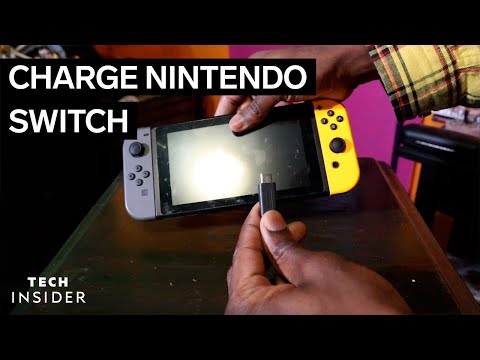
Absolutely! While the official Nintendo Switch dock and AC adapter are the recommended method, the versatile nature of USB-C technology opens up a plethora of alternative charging solutions. Understanding these options and their nuances is key to keeping your Switch powered up wherever you go. Let’s dive into the world of Switch charging beyond the box.
Understanding Your Charging Options
The Nintendo Switch leverages the USB-C standard for its charging needs, offering flexibility that older consoles lacked. This means you’re not entirely tied to the official Nintendo charger. The key is understanding the power requirements and ensuring compatibility to avoid damage or slow charging.
The Official Route: Nintendo AC Adapter
The official Nintendo AC adapter (model No. HAC-002) is designed to provide the optimal charging experience for the Switch. It delivers the necessary power to charge the console quickly, whether docked or in handheld mode. This adapter is a safe and reliable choice, but it’s not the only one.
USB-C Chargers: A World of Possibilities
The magic of USB-C lies in its universality. You can use other USB-C chargers, such as those designed for phones, tablets, and even laptops, to power up your Switch. However, it’s crucial to pay attention to the power output.
-
Power Delivery (PD): The ideal charger should support Power Delivery (PD) and offer a profile of 15V/2.6A, translating to 15 volts and 2.6 amps. This provides the Switch with the necessary power for optimal charging, especially when playing demanding games.
-
Wattage Matters: A charger with 18W or more is generally recommended for fast charging the Nintendo Switch in handheld mode. Lower wattage chargers may still work, but they will charge the console more slowly, particularly while in use.
Power Banks: On-the-Go Power
Portable power banks are a fantastic option for charging your Switch while traveling. Look for power banks that support USB-C PD and offer a sufficient capacity to fully charge your Switch multiple times.
- Capacity: Aim for a power bank with at least 10,000mAh to provide a meaningful boost to your Switch’s battery life.
Car Chargers: Road Trip Ready
USB-C car chargers allow you to charge your Switch while on the road. Ensure the charger supports PD and delivers enough power to charge the Switch effectively.
USB-A to USB-C Cables: Use with Caution
While you can use a USB-A to USB-C cable with a compatible wall adapter, it’s not the ideal solution. These cables typically deliver less power than USB-C to USB-C cables, resulting in slower charging.
- 56k Ohm Resistor: If you opt for a USB-A to USB-C cable, ensure it includes a 56k Ohm resistor. This resistor is essential for safe charging and prevents the cable from drawing too much power, which could potentially damage the Switch.
Potential Risks and Precautions
Using non-official chargers carries some risks if you are not aware of the recommended charging settings.
-
Damage: Using a charger with the wrong voltage or amperage could potentially damage the Switch’s battery or USB-C port.
-
Slow Charging: Underpowered chargers will result in significantly slower charging times, especially while playing games.
-
Overheating: Low-quality chargers can overheat, posing a safety hazard.
To mitigate these risks, always choose reputable brands and thoroughly check the power output specifications of any charger you intend to use.
Nintendo’s Stance
Nintendo officially recommends using their official AC adapter for the best and safest charging experience. However, they also acknowledge that third-party USB-C chargers can be used, provided they meet the necessary power output requirements.
Is the Switch 2 on the Horizon?
While this article focuses on charging your current Nintendo Switch, rumors of a Nintendo Switch 2 continue to circulate. What new features might it bring? What about enhanced charging capabilities? For insights into the broader gaming landscape and the educational benefits of gaming, be sure to visit the Games Learning Society website at https://www.gameslearningsociety.org/ or GamesLearningSociety.org.
FAQs: Your Burning Switch Charging Questions Answered
Here are 15 frequently asked questions about charging your Nintendo Switch to provide more useful information.
1. Can I use my phone charger to charge my Nintendo Switch?
Yes, you can, but it’s not always ideal. Most phone chargers deliver less power than the official Nintendo Switch charger. It may take considerably more time to charge. Also, double check the voltage and amperage of the charger and the voltage and amperage that the Nintendo Switch can handle to ensure you won’t cause any permanent damage to your console.
2. Is it safe to use a non-Nintendo Switch charger?
Yes, but with caveats. Ensure the charger is USB-C compliant, supports Power Delivery (PD), and provides at least 18W of power. Avoid low-quality or unbranded chargers, as they may not meet safety standards.
3. Can I charge my Nintendo Switch with a USB-A to USB-C cable?
Yes, but it will charge slower than with a USB-C to USB-C cable. Make sure the cable has a 56k Ohm resistor for safe charging.
4. How long does it take to charge a Nintendo Switch from completely dead?
It takes approximately 3 hours to fully charge a Nintendo Switch when it’s powered off or in sleep mode using the official AC adapter.
5. Can I use a power bank to charge my Nintendo Switch?
Yes, a USB-C PD power bank is an excellent option for on-the-go charging. Choose one with at least 10,000mAh capacity.
6. Can I charge my Nintendo Switch in my car?
Yes, using a USB-C car charger that supports Power Delivery (PD).
7. Will charging my Nintendo Switch with a non-official charger damage it?
Potentially, yes. If the charger doesn’t meet the required power output or is of low quality, it could damage the battery or USB-C port.
8. Can I use my laptop charger to charge my Nintendo Switch?
Yes, as long as it’s a USB-C charger that supports Power Delivery (PD) and delivers sufficient power (at least 18W).
9. Does the Nintendo Switch dock require the official AC adapter?
Yes, the dock requires the official Nintendo AC adapter to function properly. It does not support USB-C charging.
10. Can I use an iPad charger to charge my Nintendo Switch?
Yes, a 10 or 12 watt iPad charger will work, but it will charge slower than the official Switch charger. You’ll need a USB-A to USB-C cable.
11. What happens if I don’t charge my Nintendo Switch for a long time?
The battery may lose its ability to retain charge if left uncharged for an extended period. Nintendo recommends charging the device at least once every six months.
12. Can I charge my Nintendo Switch without the dock?
Yes, you can charge it directly using a USB-C charger or a USB-A to USB-C cable.
13. Why won’t my Nintendo Switch charge with USB-C?
Ensure the cable and adapter are securely connected, the adapter is working, and the charger meets the required power output specifications.
14. Can I charge my Nintendo Switch with my MacBook Pro charger?
Potentially, but proceed with caution. Make sure the voltage is appropriate for the Switch, as laptop chargers typically deliver higher voltage.
15. What is the fastest way to charge a Nintendo Switch?
Use a USB-C charger offering 18W or more that supports Power Delivery (PD) while the Switch is in handheld mode.
Conclusion
Charging your Nintendo Switch extends beyond the included dock and adapter, offering a range of alternatives powered by the flexibility of USB-C technology. By understanding the power requirements and adhering to safety precautions, you can keep your Switch powered up and ready for gaming, wherever you go. So explore your charging options with confidence and enjoy the freedom that USB-C provides.