Is Unreal Engine 5 for Beginners? A Comprehensive Guide
Fast answer first. Then use the tabs or video for more detail.
- Watch the video explanation below for a faster overview.
- Game mechanics may change with updates or patches.
- Use this block to get the short answer without scrolling the whole page.
- Read the FAQ section if the article has one.
- Use the table of contents to jump straight to the detailed section you need.
- Watch the video first, then skim the article for specifics.
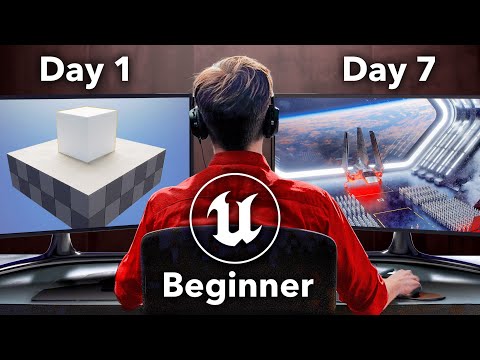
Unreal Engine 5 (UE5) is a powerhouse. It’s the engine behind stunning visuals and immersive experiences in modern gaming. But can a newbie truly dive into this seemingly complex world and build something awesome? The short answer is yes, absolutely, but with a few important caveats. UE5 is accessible to beginners, primarily through its Blueprint Visual Scripting system, allowing you to create games and interactive experiences without writing a single line of traditional code initially. However, be prepared for a learning curve and the need to embrace new concepts. UE5 is packed with tons of tools and features.
Understanding the Beginner’s Journey in UE5
Unreal Engine 5 presents a dual reality for beginners. On one hand, the Blueprint system offers an incredibly intuitive way to learn core game development concepts. You visually connect nodes, representing functions and logic, to create gameplay mechanics, interactions, and even complex AI behaviors. This removes the intimidation factor of coding, allowing you to focus on design and experimentation.
On the other hand, UE5 is a professional-grade engine with a vast ecosystem of features. These advanced tools can feel overwhelming if you try to absorb everything at once. The key is to start small, focus on fundamental concepts, and gradually expand your knowledge as you gain confidence. Think of it like learning a musical instrument – you wouldn’t start with complex classical pieces; you’d begin with basic chords and scales.
Key Features Making UE5 Beginner-Friendly
Several aspects of Unreal Engine 5 contribute to its accessibility for newcomers:
- Blueprint Visual Scripting: This is the cornerstone for beginners. It lets you create game logic visually, making it much easier to understand than traditional code.
- User-Friendly Interface: UE5’s interface has been refined to be more intuitive and accessible, making navigation and asset management simpler.
- Extensive Documentation and Tutorials: Epic Games provides a wealth of documentation and tutorials, both official and community-created, covering a wide range of topics.
- Active Community: The Unreal Engine community is vast and supportive. You can find help, share knowledge, and learn from experienced developers through forums, Discord servers, and online communities.
- Starter Content: UE5 includes a range of starter content, such as pre-made assets, materials, and blueprints, that you can use to jumpstart your projects and learn by example.
- Quixel Bridge Integration: The seamless integration with Quixel Bridge gives you access to a massive library of high-quality, photorealistic assets, allowing you to create visually impressive environments without needing advanced modeling skills.
Setting Realistic Expectations and Managing the Learning Curve
While UE5 is beginner-friendly, it’s crucial to have realistic expectations. Don’t expect to create a AAA-quality game overnight. Learning any new skill takes time and effort, and game development is no exception.
Here are a few tips for managing the learning curve:
- Start with Small Projects: Focus on creating simple games or interactive experiences to learn the basics.
- Follow Tutorials: Utilize the abundant tutorials available online to guide you through specific tasks and workflows.
- Break Down Complex Tasks: Deconstruct larger projects into smaller, more manageable steps.
- Don’t Be Afraid to Experiment: Experiment with different features and techniques to discover what works best for you.
- Ask for Help: Don’t hesitate to ask for help from the Unreal Engine community when you get stuck.
Beyond Blueprints: Stepping into the World of C++
While Blueprint scripting is fantastic for beginners, you might eventually want to delve into C++, the language that underlies Unreal Engine. Learning C++ allows you to create more complex and optimized game systems, access lower-level engine features, and customize the engine to your specific needs.
However, C++ is not essential for all beginners. You can create a wide range of games and interactive experiences using only Blueprints. When you feel comfortable with the engine and want to push your skills further, then consider learning C++.
Is Unreal Engine 5 the Right Choice for You?
Whether UE5 is the right choice for you depends on your goals, interests, and learning style. If you’re interested in creating visually stunning games with advanced features, and you’re willing to invest the time and effort to learn, then Unreal Engine 5 is an excellent option.
Alternatively, you might find that Unity is a better starting point. Unity is known for its ease of use and its vibrant community, making it a popular choice for beginners.
If you are interested in learning more about game development and its role in education, you might find the Games Learning Society a valuable resource. Visit their website at https://www.gameslearningsociety.org/ to explore their work in this area.
Frequently Asked Questions (FAQs) about Unreal Engine 5 for Beginners
1. Is Unreal Engine 5 or Unity better for beginners?
Unity might be slightly more accessible initially due to its simpler interface and the use of C#, a more beginner-friendly programming language. However, UE5’s Blueprint Visual Scripting system is an excellent alternative for those who prefer to avoid traditional coding at first.
2. Should I start with Unreal Engine 5 or 4?
If you’re completely new to game development, Unreal Engine 4 is a good starting point. It has a mature ecosystem, ample documentation, and a large community. However, UE5’s improvements and forward-thinking design make it a worthwhile choice if you’re comfortable with a slightly steeper initial learning curve.
3. Can anyone use Unreal Engine 5?
Yes! Unreal Engine 5 is free to use for learning, developing internal projects, and even for many commercial projects. This accessibility makes it a great platform for anyone interested in game development, regardless of their background or experience.
4. Do I need a powerful computer for Unreal Engine 5?
Yes, Unreal Engine 5 is a demanding program and requires a reasonably powerful computer. A good CPU (6+ cores, 3+ GHz), a dedicated GPU, and at least 16 GB of RAM are recommended for smooth performance.
5. Is Unreal Engine 5 difficult?
It can be challenging, but the Blueprint system makes it much easier to get started. The key is to break down the learning process into smaller, manageable steps and utilize the available resources.
6. What should I learn before Unreal Engine 5?
No specific prerequisites are absolutely necessary. However, a basic understanding of programming concepts or 3D modeling can be helpful.
7. Should I learn Unreal Engine 5 or Blender?
They serve different purposes. Unreal Engine is a game engine for creating interactive experiences, while Blender is a 3D modeling and animation software. Consider learning both, as they complement each other in game development.
8. Which Unreal Engine is best for beginners?
Unreal Engine 4 is a great choice because of the extensive documentation, tutorials, and community support, but UE5’s advancements and accessibility make it a compelling alternative.
9. Is Unreal Engine easy for beginners?
Relatively yes, the Blueprint Visual Scripting system allows users to create games without coding experience and the user interface is beginner-friendly.
10. Should I learn Unity or Unreal in 2024?
It depends on your goals. If you prefer a more user-friendly interface and C#, Unity might be a better choice. If you want to create visually stunning games with advanced features and don’t mind learning Blueprints or C++, Unreal Engine is a great option.
11. What coding language does Unreal Engine use?
C++ is the primary coding language for Unreal Engine. However, you can also use Blueprint Visual Scripting to create games without writing code initially.
12. Can I learn Unreal Engine 5 without coding?
Yes, initially. You can create entire games using the Blueprint Visual Scripting system. However, understanding basic programming concepts is helpful, and learning C++ will unlock even more possibilities.
13. Is Unreal Engine 5 harder than Unity?
The main Unreal Engine vs Unity difference is the language they are written in. For Unity it’s C#, for Unreal it’s C++. C# is easier to learn, its hierarchy is simple and clear. C++, in turn, often includes features that are quite difficult to understand.
14. What skills do you need for Unreal Engine?
Experience working with the Unreal Editor, which is used to create levels, place assets, and control other aspects of a game or experience. Understanding of the engine’s rendering pipeline, which is used to create realistic lighting, shadows, and other visual effects.
15. How much does Unreal Engine 5 cost?
Unreal Engine 5 is free to download and use, including all features and full source code access. Epic Games charges royalties on commercial projects that generate over $1 million in gross revenue.
In conclusion, Unreal Engine 5 is definitely a viable option for beginners, especially those who are drawn to its visually stunning capabilities and are willing to embrace the learning process. The key is to start small, focus on the fundamentals, and leverage the abundant resources available to you. Happy developing!