Is Wii Data Saved to Disc or Console? A Deep Dive into Wii Storage
Fast answer first. Then use the tabs or video for more detail.
- Watch the video explanation below for a faster overview.
- Game mechanics may change with updates or patches.
- Use this block to get the short answer without scrolling the whole page.
- Read the FAQ section if the article has one.
- Use the table of contents to jump straight to the detailed section you need.
- Watch the video first, then skim the article for specifics.
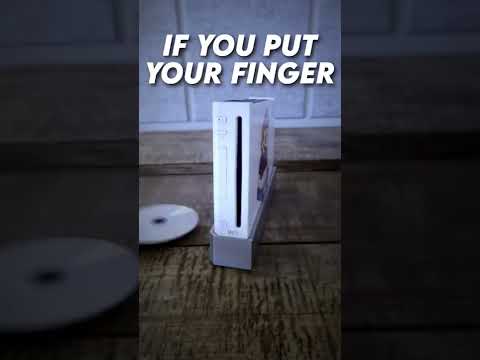
The definitive answer is: Wii game data, including save files, is predominantly saved to the Wii console’s internal flash memory. While the game itself is read from the disc, any progress you make, high scores you achieve, or custom settings you configure are stored separately on the console. This applies to most Wii games, although a few exceptions and nuances exist, which we’ll explore.
Understanding Wii Storage Architecture
The Wii boasts a 512 MB internal flash memory. This space is dedicated to storing game save data, downloaded content from the Wii Shop Channel (now defunct), and Wii system settings. Think of it as the Wii’s internal hard drive. The game disc, on the other hand, is a read-only medium. The Wii optical disc, created by Panasonic, is a DVD-based disc with a capacity of 4.7/8.54 GB, depending on whether it’s a single or double-layer disc. This disc serves as a vessel for the game’s core code, assets, and instructions, but it cannot be written to, meaning saves cannot reside on it.
The Wii also supports SD card expansion. Inserting an SD card allows you to move save data from the Wii’s internal memory to the SD card, effectively creating backups or freeing up space on the console itself. However, the Wii can only handle SD cards up to 32GB. This is a handy feature, especially when you have numerous games and limited internal storage.
Why Save to Console, Not Disc?
There are several reasons why Nintendo opted to save data to the console instead of the disc:
- Read-Only Nature of Discs: As mentioned, Wii game discs are read-only. They’re designed to deliver the game’s content, not to be written to and modified.
- Durability and Reliability: Writing data to a disc requires a specific writing mechanism, which the Wii’s disc drive lacks. Furthermore, even if it were possible, writing to discs carries a risk of data corruption or disc failure. Saving to the console’s internal flash memory offers a more reliable and stable storage solution.
- Flexibility and User Experience: Storing saves on the console allows for a more seamless user experience. Players can easily access and manage their saved games, transfer them to SD cards, and continue their progress across multiple gaming sessions without having to worry about the disc’s integrity.
- Combating Piracy: While not the primary reason, storing saves on the console helps to deter piracy to some extent. If save data were stored on the disc, it would be easier for pirates to modify or duplicate the game and its associated save data.
Exceptions and Nuances
While most Wii games adhere to the “save to console” rule, some games may utilize the SD card for additional storage, especially for custom content or user-generated levels. Also, there are instances where third-party peripherals (like the Guitar Hero guitars) may have onboard storage that interacts with the game save data.
Additionally, the Wii mini does not support SD cards, therefore all save data must be stored on the system itself.
Frequently Asked Questions (FAQs)
1. Can I transfer my Wii save data to another Wii console?
While there isn’t a direct self-service option to transfer digital content between two Wii consoles, you can transfer content from a Wii to a Wii U console using Nintendo’s provided process. For transferring between two Wii consoles, it’s best to contact Nintendo support for assistance.
2. Is there a way to back up my Wii save data?
Yes! You can back up your Wii save data to an SD card. Go to the Wii Data Management screen, select “Save Data,” then “Wii,” and choose the data you want to move. Select “Move” to copy the data to the SD card.
3. What type of SD card does the Wii use?
The Wii accepts standard-sized SD cards. It’s compatible with SD cards up to 2 GB and SDHC cards (High Capacity SD cards) up to 32 GB. MicroSD and MiniSD cards can also be used if you have the respective adapters.
4. Can I use a 64 GB SD card in my Wii?
No, SD cards with a capacity higher than 32 GB are not compatible with the Wii console. The system is designed to work with SD cards up to a maximum of 32 GB (SDHC).
5. Why can’t I copy certain Wii save data?
Some games prevent the copying of save data to prevent cheating or to protect sensitive information. If a game doesn’t offer an alternative save data method, the save file cannot be copied.
6. Does Mario Kart Wii save to the disc?
No, Mario Kart Wii saves directly to the Wii console’s internal memory. Like all Wii games, save data is not written to the disc.
7. Can I burn Wii games to a disc?
While it’s technically possible to burn Wii games to a disc, it requires a modded Wii with a USB Loader program to play the burned discs. Furthermore, downloading and distributing copyrighted games is illegal.
8. How much data does a Wii disc hold?
A standard Wii disc holds either 4.7 GB (single-layer) or 8.54 GB (double-layer) of data. These are the standard capacities for DVD-ROM discs.
9. How much memory is on a Wii console?
The Wii has 512 MB of internal flash memory for storing save data and downloaded content. It also has an SD card slot for external storage.
10. Is it safe to leave a disc in the Wii console when it’s turned off?
Yes, it’s generally safe to leave a disc in the Wii while it’s off. However, avoid moving the console while a disc is spinning, as this can potentially damage the disc reader lens or scratch the disc.
11. Is it legal to rip Wii games?
Ripping a Wii game for personal use is generally considered permissible if you own the original game. However, downloading ROMs from the internet is illegal because it involves acquiring copyrighted material without permission.
12. Why was the Wii discontinued?
The Wii was discontinued as Nintendo shifted its focus to the next generation of consoles, namely the Wii U. The Wii had a successful run, and Nintendo wanted to innovate and move on to new technologies.
13. Where is Wii save data stored physically?
Wii save data is stored in the 512 MB of internal flash memory located within the Wii console itself. This is essentially the “hard drive” of the Wii.
14. My Wii is running out of memory. What can I do?
The best solution is to move save data to an SD card to free up space on the Wii’s internal memory. You can move save data to the SD card using the Wii Data Management menu. You could also delete save data from games that you no longer play.
15. Is Wii data stored on the cloud?
No, Wii save data is not automatically stored in the cloud. The Wii predates widespread adoption of cloud gaming services. You must manually back up your save data to an SD card if you want to protect it from data loss.
The Enduring Legacy of the Wii
The Wii’s innovative approach to gaming and its unique storage architecture left a lasting impact on the industry. While its internal storage may seem limited by today’s standards, it was perfectly adequate for the vast majority of Wii games and players. And, by the usage of SD cards, it allowed for much-needed expansion.
For more information on gaming and its impact on learning, be sure to visit the Games Learning Society at GamesLearningSociety.org.