Is the Xbox One S Truly a 4K Console? Unpacking the Resolution Reality
Fast answer first. Then use the tabs or video for more detail.
- Watch the video explanation below for a faster overview.
- Game mechanics may change with updates or patches.
- Use this block to get the short answer without scrolling the whole page.
- Read the FAQ section if the article has one.
- Use the table of contents to jump straight to the detailed section you need.
- Watch the video first, then skim the article for specifics.
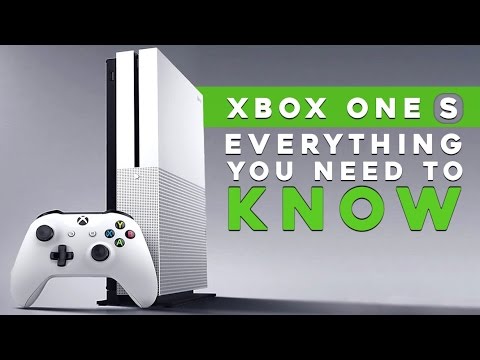
The Xbox One S: a sleek, affordable, and arguably iconic console from Microsoft’s gaming stable. But does it truly deliver on the promise of 4K gaming and entertainment? The answer is both yes and no, and understanding the nuances is key to appreciating what this console brings to the table. Officially, yes, the Xbox One S supports 4K. However, the way it achieves this resolution differs significantly from its more powerful sibling, the Xbox One X, and the subsequent Xbox Series X|S consoles.
The Xbox One S excels primarily as a 4K media player. It can stream 4K content from services like Netflix and Amazon Prime Video, and it can play 4K Ultra HD Blu-ray discs natively. This means you can enjoy movies and TV shows in stunning clarity, provided you have a 4K UHD TV.
However, when it comes to gaming, the Xbox One S employs a technique called upscaling. While the console doesn’t render games natively at 4K resolution (3840 x 2160 pixels), it can take a lower-resolution image, such as 1080p, and stretch it to fit a 4K display. This upscaling process aims to improve the visual fidelity, resulting in a sharper and more detailed picture compared to playing the same game on a 1080p TV.
It’s crucial to understand that upscaled 4K is not the same as native 4K. Native 4K means the game is rendered and displayed at 3840 x 2160 pixels from the start, offering a much crisper and more detailed image. The Xbox One X and Xbox Series X are designed to handle native 4K gaming, delivering a significantly more visually impressive experience.
So, while the Xbox One S can indeed output a 4K signal, it’s important to differentiate between its ability to stream and play media in native 4K and its upscaling capabilities for games. It enhances the visual experience, but it doesn’t provide the same level of detail as a console designed for native 4K gaming. Understanding these distinctions is crucial to appreciating the Xbox One S’s capabilities within the broader context of the Xbox ecosystem.
Diving Deeper: The Xbox One S and Its Capabilities
To truly grasp what the Xbox One S offers, we need to explore its features and limitations in more detail.
Media Playback in 4K
As mentioned earlier, the Xbox One S truly shines as a 4K media player. This aspect sets it apart from the original Xbox One, which lacked 4K capabilities. It supports:
- 4K Ultra HD Blu-ray playback: Enjoy your 4K Blu-ray movies in their full glory.
- 4K streaming: Stream content from Netflix, Amazon Prime Video, Disney+, and other supported services in 4K resolution, provided you have a sufficient internet connection.
- HDR (High Dynamic Range) support: This feature provides a wider range of colors and greater contrast, making the picture more vibrant and lifelike. You’ll need a 4K TV that supports HDR10 to take advantage of this.
Gaming and Upscaling
While the Xbox One S cannot play games in native 4K, its upscaling capabilities still offer a visual improvement over 1080p. The console employs algorithms to analyze the lower-resolution image and intelligently add detail to make it appear sharper on a 4K TV. This can result in a noticeably better picture, but it’s not a substitute for native 4K.
Refresh Rates and Resolution
The Xbox One S can output at different refresh rates and resolutions, with the maximum being 4K at 60Hz. This means it can display 4K images up to 60 frames per second, which is important for smooth motion in video content. The console also supports 1080p at 60Hz and other lower resolutions.
HDR Performance
The Xbox One S supports HDR10, a standard HDR format. HDR enhances the color and contrast of the image, making games and videos look more vibrant and realistic. You’ll need a 4K TV that supports HDR10 to experience the full benefits.
Frequently Asked Questions (FAQs)
Here are some frequently asked questions to further clarify the 4K capabilities of the Xbox One S:
-
Does the Xbox One S support 4K gaming?
- Yes, through upscaling. It takes games rendered at lower resolutions (like 1080p) and stretches them to fit a 4K display. It cannot play games in native 4K.
-
Is upscaled 4K as good as native 4K?
- No. Native 4K is rendered and displayed at 3840 x 2160 pixels from the start, offering a much sharper and more detailed image. Upscaled 4K is an approximation, improving the picture but not matching the quality of native 4K.
-
Can the Xbox One S play 4K Blu-ray discs?
- Yes. It has a built-in 4K Ultra HD Blu-ray player.
-
Does the Xbox One S support HDR?
- Yes, it supports HDR10. You’ll need a 4K TV that supports HDR10 to see the enhanced colors and contrast.
-
What resolution does the Xbox One S output?
- It can output at various resolutions, including 4K (upscaled for games), 1080p, and 720p.
-
Does the Xbox One S support 120Hz refresh rates?
- While the Xbox One S supports 4K UHD resolution, it primarily supports a 60Hz refresh rate. Higher refresh rates are typically associated with the Xbox Series X|S consoles.
-
How do I enable 4K on my Xbox One S?
- Go to Profile & system > Settings > General > TV & display options and choose 4K TV details.
-
Can I stream Netflix in 4K on the Xbox One S?
- Yes, as long as you have a 4K TV and an internet connection that supports at least 15 megabits per second.
-
Does the Xbox One S support Dolby Vision?
- Initially, the Xbox One S supported HDR10. A later update added Dolby Vision support for streaming video.
-
What HDMI cable should I use with my Xbox One S?
- A High Speed HDMI cable is sufficient for the Xbox One S.
-
Why can’t I change the resolution on my Xbox One S?
- Make sure your TV connection is set to Auto-detect in the TV & display options settings.
-
Is the Xbox One S discontinued?
- Yes, Microsoft has stopped manufacturing all Xbox One consoles, including the Xbox One S.
-
What replaced the Xbox One S?
- The Xbox Series S and Xbox Series X replaced the Xbox One S.
-
Is the Xbox One S better than the PS4?
- The PS4 generally has a slight edge in terms of graphical power, often running cross-platform games at a slightly higher resolution than the Xbox One S.
-
Does the Xbox One S support 144Hz monitors?
- While it can connect to a 144Hz monitor, you won’t get the full benefit because Xbox One games are typically capped at 60 FPS.
The Educational Side of Gaming
Gaming isn’t just about entertainment; it can also be a powerful tool for learning and development. Organizations like the Games Learning Society explore how games can be used to teach valuable skills and concepts. For more information on this fascinating intersection of gaming and education, visit https://www.gameslearningsociety.org/. Understanding the technical capabilities of consoles like the Xbox One S allows us to better appreciate the potential of gaming as both an entertainment medium and an educational resource.