Should Your Gaming Wi-Fi Be 2.4 GHz or 5 GHz? The Ultimate Guide
Fast answer first. Then use the tabs or video for more detail.
- Watch the video explanation below for a faster overview.
- Game mechanics may change with updates or patches.
- Use this block to get the short answer without scrolling the whole page.
- Read the FAQ section if the article has one.
- Use the table of contents to jump straight to the detailed section you need.
- Watch the video first, then skim the article for specifics.
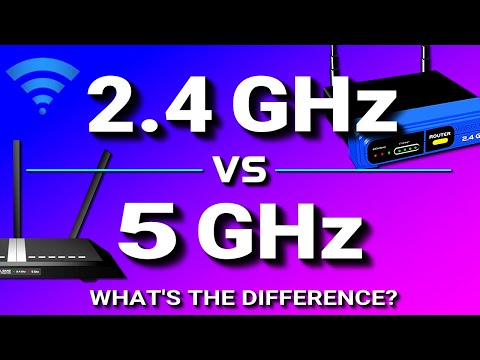
The age-old question for gamers: 2.4 GHz or 5 GHz for Wi-Fi? The short answer is almost always 5 GHz, especially if you prioritize speed, low latency, and a stable connection. However, like any good gaming strategy, the right choice depends on your specific situation. Understanding the nuances of each frequency is key to optimizing your online gaming experience. Let’s dive into the details and explore the best option for you.
Understanding the Basics: 2.4 GHz vs. 5 GHz
Before making a decision, it’s important to understand the fundamental differences between these two Wi-Fi frequency bands.
-
2.4 GHz: This is the older and more common frequency. It offers a longer range and better penetration through walls and obstacles. However, it’s also more prone to interference from other devices operating on the same frequency, such as microwaves, Bluetooth devices, and other Wi-Fi networks.
-
5 GHz: This newer frequency offers faster speeds and less interference. It is the preferred choice for bandwidth-intensive activities, like streaming high-definition video and, of course, online gaming. However, the range is shorter, and the signal is more easily attenuated by walls and other obstructions.
Why 5 GHz is Usually the Winner for Gaming
For gamers, speed and latency are paramount. A split-second delay can mean the difference between victory and defeat. Here’s why 5 GHz typically comes out on top:
-
Higher Bandwidth: The 5 GHz band offers significantly more bandwidth than the 2.4 GHz band. This means your connection can handle more data at once, resulting in faster download speeds and smoother gameplay.
-
Less Congestion: The 5 GHz band is less crowded than the 2.4 GHz band. This means there’s less interference from other devices, leading to a more stable and reliable connection.
-
Lower Latency (Ping): Lower latency, often referred to as ping, is crucial for online gaming. 5 GHz generally provides lower latency than 2.4 GHz, resulting in more responsive gameplay.
When 2.4 GHz Might Be a Better Choice
Despite the clear advantages of 5 GHz for gaming, there are scenarios where 2.4 GHz might be a more suitable option:
-
Distance from Router: If your gaming setup is located far from your router, the 2.4 GHz band might provide a more stable connection due to its longer range.
-
Obstructions: Thick walls or other obstructions can weaken the 5 GHz signal significantly. In such cases, 2.4 GHz might offer a more consistent connection, even if it’s slower.
-
Older Devices: Some older gaming consoles or devices might only support the 2.4 GHz band.
Optimizing Your Gaming Wi-Fi
Regardless of whether you choose 2.4 GHz or 5 GHz, there are several steps you can take to optimize your gaming Wi-Fi:
-
Use a Good Quality Router: Invest in a modern router that supports the latest Wi-Fi standards (e.g., Wi-Fi 6 or Wi-Fi 6E) and has advanced features like Quality of Service (QoS).
-
Prioritize Gaming Traffic with QoS: QoS allows you to prioritize gaming traffic over other types of traffic, such as streaming or browsing. This ensures that your game gets the bandwidth it needs for optimal performance.
-
Reduce Interference: Minimize interference by keeping your router away from other electronic devices, such as microwaves and cordless phones.
-
Consider a Wi-Fi Extender or Mesh System: If you’re struggling with range or signal strength, a Wi-Fi extender or mesh system can help improve coverage throughout your home.
-
Hardwire When Possible: The absolute best option for gaming is to use a wired Ethernet connection. This eliminates wireless interference and provides the most stable and reliable connection possible.
FAQ: Gaming Wi-Fi Deep Dive
Here are some frequently asked questions related to gaming Wi-Fi to help you fine-tune your setup:
-
Is 5G mobile internet the same as 5 GHz Wi-Fi? No, 5G mobile internet is a cellular technology that provides internet access through mobile networks, while 5 GHz is a Wi-Fi frequency band used for local wireless networks. While both offer faster speeds than their predecessors, they are fundamentally different technologies. The article also states that “5G home Internet lacks reliability”.
-
My router supports both 2.4 GHz and 5 GHz. Should I use both at the same time? Yes, most modern routers are dual-band and can operate on both frequencies simultaneously. This allows you to connect different devices to the appropriate band based on their needs. Connect devices that require high bandwidth, like your gaming console, to the 5 GHz band and other less demanding devices to the 2.4 GHz band.
-
How do I switch between 2.4 GHz and 5 GHz on my devices? The process varies depending on the device. On most devices, you can select the desired Wi-Fi network from the list of available networks in your device’s Wi-Fi settings. Make sure your router is broadcasting separate network names (SSIDs) for each band.
-
What is Wi-Fi 6 and how does it affect gaming? Wi-Fi 6 (802.11ax) is the latest Wi-Fi standard. It offers faster speeds, lower latency, and improved efficiency compared to previous generations. These improvements can significantly enhance your gaming experience, especially in environments with many connected devices.
-
Is a 2.4 GHz wireless mouse good for gaming? While 2.4 GHz wireless mice have improved significantly, a wired mouse generally offers lower latency. If you prefer a wireless mouse, look for one with a low-latency 2.4 GHz connection or consider a newer technology.
-
Does the number of antennas on my router affect gaming performance? Yes, routers with multiple antennas can improve signal strength and stability, which can benefit gaming performance. Multiple antennas allow the router to use technologies like beamforming to focus the Wi-Fi signal on your gaming device.
-
What is the best Wi-Fi channel to use for gaming? The best Wi-Fi channel depends on your environment. Use a Wi-Fi analyzer app to identify the least congested channel in your area.
-
How can I reduce Wi-Fi interference while gaming? Move your router away from other electronic devices, use a Wi-Fi analyzer to find the least congested channel, and consider using a Wi-Fi extender or mesh system to improve coverage.
-
Is Ethernet always better than Wi-Fi for gaming? Yes, a wired Ethernet connection is almost always better than Wi-Fi for gaming. Ethernet provides a more stable and reliable connection with lower latency.
-
Can using a VPN improve my gaming experience? In some cases, a VPN can improve your gaming experience by routing your traffic through a less congested server or bypassing geographic restrictions. However, VPNs can also increase latency, so it’s important to test the VPN’s performance before using it for gaming.
-
What is packet loss and how does it affect gaming? Packet loss occurs when data packets fail to reach their destination. This can result in lag, stuttering, and disconnections during online gaming.
-
How can I monitor my ping while gaming? Most games have an in-game option to display your ping. You can also use network monitoring tools to track your ping and other network metrics.
-
Does my internet speed affect my gaming experience? Yes, a faster internet connection can improve your gaming experience by reducing lag and allowing you to download games faster. However, latency is often more important than raw speed for online gaming.
-
Can cloud gaming work well on 2.4 GHz? Cloud gaming relies heavily on a stable and fast internet connection. Although possible, 2.4 GHz is not recommended for cloud gaming.
-
Where can I learn more about gaming and its impact on education? You can find valuable resources and research about the intersection of games and learning at the Games Learning Society website: GamesLearningSociety.org.
Final Thoughts
Choosing between 2.4 GHz and 5 GHz for gaming Wi-Fi requires careful consideration of your specific needs and circumstances. While 5 GHz is generally the better choice due to its faster speeds and lower latency, 2.4 GHz may be more suitable in situations where range or obstructions are a concern. By understanding the strengths and weaknesses of each frequency, you can optimize your gaming setup for the best possible performance.