Should I Buy Minecraft for My Child? A Parent’s Guide to Navigating the Blocky World
Fast answer first. Then use the tabs or video for more detail.
- Watch the video explanation below for a faster overview.
- Game mechanics may change with updates or patches.
- Use this block to get the short answer without scrolling the whole page.
- Read the FAQ section if the article has one.
- Use the table of contents to jump straight to the detailed section you need.
- Watch the video first, then skim the article for specifics.
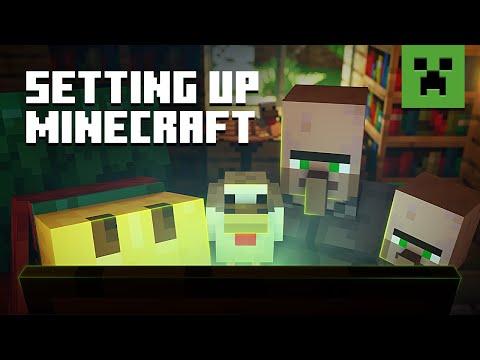
The question of whether or not to buy Minecraft for your child is one that many parents grapple with. The short answer? It depends! Minecraft offers incredible creative potential and learning opportunities, but it also comes with potential risks. Ultimately, the decision hinges on your child’s age, maturity level, and your comfort level with the game’s features and potential drawbacks. Consider this article your comprehensive guide, helping you make an informed choice that aligns with your family’s values and your child’s developmental needs.
Understanding Minecraft: More Than Just Blocks
Minecraft, at its core, is a sandbox game where players can build anything they imagine using blocks. This open-ended gameplay fosters creativity, problem-solving, and collaboration. There are two primary versions:
- Minecraft: Java Edition: This version is the original and offers the most extensive modding capabilities. It’s typically played on computers.
- Minecraft: Bedrock Edition: This version is cross-platform compatible, meaning it can be played on computers, consoles (Xbox, PlayStation, Nintendo Switch), and mobile devices.
The game features two main modes:
- Creative Mode: Players have unlimited resources and can fly around the world, focusing solely on building and creating. This mode is ideal for younger children and those who enjoy artistic expression.
- Survival Mode: Players must gather resources, build shelters, and defend themselves against hostile creatures like zombies and skeletons. This mode introduces elements of challenge and strategy.
Key Considerations Before Buying Minecraft
Before clicking “purchase,” consider these crucial factors:
- Age Appropriateness: The ESRB rating of E10+ (Everyone 10+) indicates that the game is suitable for most children aged 10 and older. However, some younger children with strong problem-solving skills and parental guidance might enjoy the game.
- Fantasy Violence: While Minecraft isn’t overly graphic, it does contain fantasy violence. Players can fight monsters with swords, bows, and arrows. The violence is cartoonish and doesn’t depict blood or gore, but it’s still important to consider your child’s sensitivity.
- Online Interaction: Minecraft allows players to interact with each other online through multiplayer servers. This opens up opportunities for collaboration and socialization, but also potential risks like exposure to inappropriate content or online bullying.
- In-Game Purchases: Minecraft offers optional in-game purchases for cosmetic items like skins and texture packs. While not necessary to enjoy the game, it’s important to be aware of this feature and set boundaries with your child.
- Addictive Potential: Minecraft’s engaging gameplay can be addictive for some players. It’s crucial to establish healthy screen time limits and encourage other activities.
Making the Right Choice: Is Minecraft Right for Your Child?
Ultimately, the decision rests on your individual assessment of your child’s maturity, understanding of online safety, and ability to manage screen time. If you’re unsure, consider these steps:
- Watch gameplay videos together: Observe how the game is played and discuss any concerns you might have.
- Try a demo version (if available): This allows your child to experience the game firsthand before committing to a purchase.
- Play alongside your child: This allows you to monitor their gameplay and address any issues that arise.
- Set clear rules and expectations: Establish screen time limits, discuss online safety, and monitor in-game purchases.
- Consider alternative versions or modes: For younger children, the Creative Mode might be a more suitable starting point.
Minecraft: A Powerful Tool for Learning and Development
Despite the potential risks, Minecraft offers numerous benefits:
- Boosts Creativity: Minecraft is a blank canvas that allows children to express their creativity and imagination.
- Enhances Problem-Solving Skills: Players must solve problems and overcome challenges to build structures and survive in the game.
- Develops Spatial Reasoning: Building in a 3D environment helps children develop spatial reasoning skills.
- Promotes Collaboration and Teamwork: Multiplayer mode encourages players to work together to achieve common goals.
- Introduces Coding Concepts: Minecraft allows players to learn basic coding principles through mods and command blocks.
- Offers Educational Opportunities: The game can be used to teach history, math, and other subjects in an engaging way. The Games Learning Society at GamesLearningSociety.org explores exactly these types of educational games.
Minecraft Alternatives for Younger Children
If you’re not quite ready for Minecraft, consider these alternatives:
- Lego Worlds: A similar building game with a focus on exploration and adventure.
- Terraria: A 2D sandbox game with a stronger emphasis on combat and exploration.
- Block Craft 3D: A mobile game with simple building mechanics and a focus on creativity.
Frequently Asked Questions (FAQs) About Minecraft
Here are answers to some common questions parents have about Minecraft:
1. What is the right age to start playing Minecraft?
While the ESRB rating is E10+, some children as young as 8 may be ready with parental guidance. Consider your child’s maturity and understanding of online safety.
2. Do I need to buy Minecraft for each child?
Yes, each player needs their own Minecraft account. This applies to both the Java and Bedrock editions.
3. Is Minecraft safe for 3 year olds?
No. Minecraft is not recommended for children under the age of 8. The game’s complexity, potential for mild violence, and online community are not appropriate for this age group.
4. Is it safe to buy Minecraft?
Yes, if you purchase it from the official website: minecraft.net. Avoid downloading the game from unofficial sources, as they may contain viruses or malware.
5. Should I let my 7 year old play Minecraft?
It depends on the child. If you decide to allow it, strongly consider playing together and setting ground rules.
6. What are the potential risks of Minecraft for kids?
Risks include exposure to inappropriate content online, cyberbullying, addictive gameplay, and potential in-game purchases.
7. Which is safer, Roblox or Minecraft?
Minecraft is generally considered safer due to its greater moderation. Roblox, while offering more creation options, can have less effectively moderated user-generated content.
8. Can I turn off the chat in Minecraft?
Yes, you can disable the chat feature in the game settings to prevent your child from communicating with other players online.
9. Does Minecraft have inappropriate content?
The base game is safe and family-friendly. The issues arise with user-created content or online servers, hence the need for supervision.
10. Is Minecraft good for my child’s brain?
Yes, Minecraft can enhance creativity, problem-solving skills, spatial reasoning, and even introduce basic coding concepts.
11. How addictive is Minecraft?
Minecraft can be addictive due to its engaging gameplay and open-ended nature. Set time limits and encourage other activities.
12. Does Minecraft cost a monthly fee?
No. You only need to purchase the game once. However, there are optional in-game purchases available.
13. Can my child play Minecraft with friends online?
Yes, Minecraft allows players to connect and play with friends online through multiplayer servers.
14. Is there a parental control on Minecraft?
Minecraft offers some parental control options, such as disabling chat and restricting multiplayer access. However, third-party parental control software may provide more comprehensive features.
15. What if my child wants to play Minecraft but is too young?
Consider age-appropriate alternatives like Lego Worlds or Block Craft 3D, or play Creative mode together with them and provide significant assistance and supervision.
Final Thoughts: Making an Informed Decision
Deciding whether to buy Minecraft for your child is a personal one. By carefully considering the game’s features, potential risks, and benefits, and by assessing your child’s maturity level, you can make an informed decision that aligns with your family’s values and promotes your child’s healthy development. Remember that open communication and ongoing supervision are key to ensuring a safe and positive Minecraft experience.