Should I Keep HDR Off? A Deep Dive into High Dynamic Range
Fast answer first. Then use the tabs or video for more detail.
- Watch the video explanation below for a faster overview.
- Game mechanics may change with updates or patches.
- Use this block to get the short answer without scrolling the whole page.
- Read the FAQ section if the article has one.
- Use the table of contents to jump straight to the detailed section you need.
- Watch the video first, then skim the article for specifics.
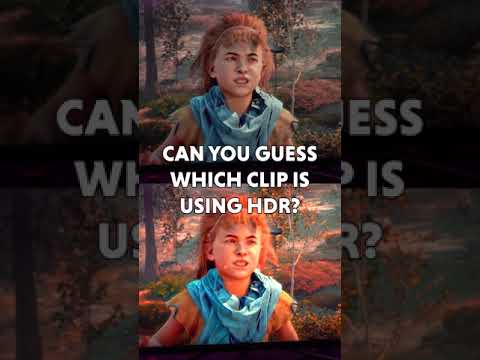
The answer to whether you should keep HDR (High Dynamic Range) off is: it depends. There’s no universal “yes” or “no” answer, as the optimal HDR setting is heavily influenced by your display’s capabilities, the content you’re viewing, and your personal preferences. Blindly leaving HDR on or off can actually degrade your viewing experience, so understanding when and why to use it is crucial. Let’s unpack the nuances of HDR and explore the scenarios where keeping it off is the wiser choice.
The Upsides and Downsides of HDR
HDR is designed to deliver a wider range of colors and greater contrast between the brightest and darkest parts of an image. When implemented correctly, it results in a more vibrant, realistic, and immersive visual experience. Think of it as adding depth and richness to colors, making them “pop” in a way that standard dynamic range (SDR) simply can’t achieve.
However, HDR isn’t a magic bullet. Several factors can lead to a poor HDR experience, making it better to disable the feature altogether.
When HDR Can Go Wrong
-
Poorly Implemented HDR: Not all HDR is created equal. Displays with low peak brightness, limited color gamut coverage, or poor tone mapping can actually make HDR content look worse than SDR. Washed-out colors, crushed blacks, and blown-out highlights are common symptoms of subpar HDR implementation.
-
SDR Content Displayed in HDR Mode: Forcing an HDR mode on SDR content can often lead to unnatural color reproduction and an overall unpleasant viewing experience. Many displays simply stretch the limited color range of SDR to fill the wider HDR color space, resulting in oversaturated or inaccurate colors.
-
Input Lag Concerns: HDR processing can sometimes introduce a small amount of input lag, which is the delay between your actions (e.g., pressing a button on a game controller) and the corresponding response on the screen. While this lag is often negligible, competitive gamers may find it unacceptable.
-
Incompatible or Unoptimized Content: Some games and video content are not properly optimized for HDR. This can result in inconsistent brightness levels, inaccurate color reproduction, and other visual anomalies.
-
Battery Drain: On laptops and mobile devices, enabling HDR can significantly reduce battery life. The increased processing power required to display HDR content puts a strain on the battery, leading to shorter usage times.
Scenarios Where Turning HDR Off Is Recommended
Given the potential downsides, here are some specific situations where disabling HDR might be the best course of action:
-
Playing Older Games or Watching Older Content: Games and movies designed for SDR will often look better in SDR mode. The forced HDR processing can introduce unwanted artifacts and inaccuracies.
-
Using a Low-Quality HDR Display: If your display doesn’t meet the minimum requirements for a decent HDR experience (sufficient peak brightness, wide color gamut), it’s often better to stick with SDR.
-
Competitive Gaming: If you’re sensitive to input lag, disabling HDR can help reduce the delay and improve your responsiveness.
-
Conserving Battery Life: When using a laptop or mobile device on battery power, turning off HDR can significantly extend its runtime.
-
Troubleshooting Color Accuracy Issues: If you notice that colors look unnatural or oversaturated, try disabling HDR to see if it resolves the problem.
-
Content with Motion: If you want to capture something in motion, turn off HDR to prevent dark or washed-out areas.
-
Portraits with Shadow: If you want to take a portrait with dark and intense shadows, consider turning off HDR; otherwise, you may capture details within the shadow.
Finding the Right Balance
The key to getting the most out of HDR is to experiment and find what works best for you. Try toggling HDR on and off while watching different types of content to see which setting provides the most pleasing results.
Also, take the time to calibrate your display’s HDR settings. Most TVs and monitors offer a range of adjustments, such as brightness, contrast, and color temperature, that can significantly impact the HDR experience.
Frequently Asked Questions (FAQs) About HDR
1. Is HDR mode good or bad?
HDR mode itself isn’t inherently good or bad; it’s the implementation that matters. When done well, it can significantly enhance the viewing experience. When poorly implemented, it can make things worse.
2. Is HDR worth it?
Yes, HDR is worth it if your display supports it properly and the content you’re viewing is optimized for it. The increased color range and contrast can make a noticeable difference.
3. Is HDR good for gaming?
HDR can be fantastic for gaming, adding depth and realism to the visuals. However, it’s important to ensure that your display and the game itself are properly optimized for HDR.
4. Should I turn HDR on or off on my PS5?
The optimal HDR setting for your PS5 will depend on your TV and the specific game you’re playing. Experiment with both settings to see which looks better. Some players have noted motion blur issues with HDR off, while others prefer the color accuracy of SDR.
5. Does HDR make games darker?
HDR, by definition, provides darker darks and brighter brights. If a game appears too dark with HDR enabled, it could be a sign of improper calibration or a display that’s not capable of delivering sufficient peak brightness.
6. Is it better to have HDR on or off on PS4?
Similar to the PS5, the best HDR setting for your PS4 depends on your TV and the game. Some games look better with HDR, while others may look oversaturated or washed out.
7. Does HDR decrease FPS?
HDR itself doesn’t directly decrease FPS (frames per second). However, the additional processing required for HDR can slightly increase the load on your GPU, which could indirectly impact performance, especially on less powerful systems.
8. Do pros use HDR?
Professional photographers and videographers often use HDR techniques to capture and create content with a wider dynamic range. However, whether or not they use HDR displays for editing and monitoring depends on their specific workflow and preferences.
9. Does HDR use more battery?
Yes, HDR uses more battery, especially on laptops and mobile devices. The increased processing power required to display HDR content puts a greater strain on the battery.
10. Does HDR cause input lag?
HDR can cause input lag. The processing required to display HDR content can introduce a slight delay. The impact varies depending on the display and the specific HDR format.
11. Why do people like HDR?
People like HDR because it provides a more realistic, immersive, and visually appealing experience. The wider range of colors and greater contrast makes images “pop” and appear more lifelike.
12. What HDR mode is best for gaming?
HDR10 is the most common and widely supported HDR format for gaming. However, some displays also support Dolby Vision, which offers even greater color accuracy and dynamic range. The best mode will depend on your display’s capabilities and the game’s compatibility.
13. Why does HDR mode look bad sometimes?
HDR can look bad when it’s poorly implemented, improperly calibrated, or used with content that’s not optimized for it. Displays with low peak brightness, limited color gamut coverage, or poor tone mapping can actually make HDR content look worse than SDR.
14. Can you turn HDR off?
Yes, you can turn HDR off on most devices, including TVs, monitors, game consoles, and mobile devices. The setting is usually found in the display settings menu.
15. Why enable HDR?
Enable HDR to enjoy a wider range of colors, greater contrast, and a more realistic visual experience. When properly implemented, HDR can significantly enhance the enjoyment of games, movies, and other visual content.
Ultimately, the decision of whether or not to keep HDR off is a personal one. Consider your display’s capabilities, the content you’re viewing, and your personal preferences to determine the optimal setting. Don’t be afraid to experiment and find what works best for you. The Games Learning Society encourages exploring different visual settings to enhance the learning experience from games. You can find more information about the intersection of games and learning at GamesLearningSociety.org.
By understanding the nuances of HDR, you can make informed decisions and optimize your viewing experience.