Should I Link My Nintendo Account to Another Switch? A Comprehensive Guide
Fast answer first. Then use the tabs or video for more detail.
- Watch the video explanation below for a faster overview.
- Game mechanics may change with updates or patches.
- Use this block to get the short answer without scrolling the whole page.
- Read the FAQ section if the article has one.
- Use the table of contents to jump straight to the detailed section you need.
- Watch the video first, then skim the article for specifics.
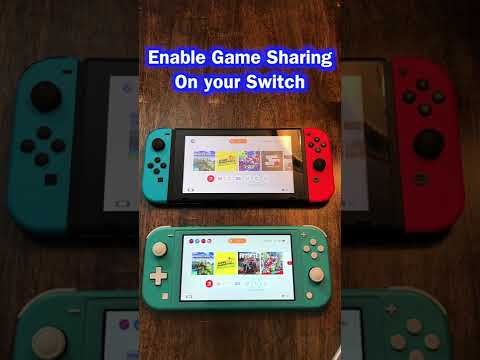
So, you’re pondering the big question: Should I link my Nintendo Account to another Switch console? The short answer is, it depends. Linking your Nintendo Account unlocks a world of features and convenience, but it also comes with certain limitations you need to be aware of. Think of it like a magical key – it opens many doors but only works optimally in certain locks. This guide will walk you through the pros, cons, and everything in between to help you make the best decision for your gaming needs.
Understanding the Basics: What Does Linking Actually Do?
Before diving into the “should I or shouldn’t I” debate, let’s clarify what happens when you link your Nintendo Account to a Switch console. When you link your account, you’re essentially creating a bridge between your digital game library, online services, and your console. This grants you access to several key features:
- Access to the Nintendo eShop: Download and play digital games you’ve purchased.
- Online Play: Participate in online multiplayer modes, global rankings, and download DLC (Downloadable Content). A Nintendo Switch Online membership is often required for these services.
- Friend Features: Connect with friends, see what they’re playing, and join their games.
- Social Media Sharing: Post screenshots and videos of your gaming triumphs (or epic fails) to social media platforms.
- Cloud Saves (with Nintendo Switch Online): Back up your save data to the cloud, ensuring you don’t lose progress if your console is lost, damaged, or replaced.
- My Nintendo Rewards: Earn and redeem My Nintendo points for exclusive rewards and discounts.
The Primary Console: The Key to Sharing the Fun
This is where things get a little more nuanced. Each Nintendo Account can designate one primary console. This designation significantly impacts how your digital games can be played on other consoles.
- Primary Console Benefits: On your primary console, anyone who uses the console can play the digital games you’ve purchased with your Nintendo Account. This makes it ideal for families sharing a single Switch.
- Non-Primary Console Limitations: On any Switch console other than your primary one, only you (the account holder) can play the digital games you’ve purchased. You also need an active internet connection to verify your account each time you launch a game.
Think of it like this: your primary console is your home base, where everyone can enjoy your games. Your non-primary console is your personal mobile gaming station, where only you can access your digital library.
Scenarios: When Linking Makes Sense (and When It Doesn’t)
Now, let’s explore some common scenarios and see how linking (or not linking) your Nintendo Account might play out.
-
Scenario 1: The Family Switch: You have a family Switch console that everyone in the household uses.
- Recommendation: Absolutely link your Nintendo Account and set this console as your primary console. This way, everyone in the family can enjoy your digital games.
-
Scenario 2: Multiple Personal Switches: You own a Switch and a Switch Lite, both for personal use.
- Recommendation: Link your Nintendo Account to both consoles. Designate the console you use most frequently as your primary console. On the other console, you’ll be able to access your games as long as you have an internet connection.
-
Scenario 3: Sharing with a Friend: You want to share your digital games with a friend who has their own Switch.
- Recommendation: This is where things get tricky. You can link your account to their Switch, but you’d need to make their Switch your primary console. This means they could play your games without an internet connection, but you’d need an internet connection on your Switch to play your own digital games. This setup isn’t ideal for most people, as it inconveniences you more than it benefits your friend. The ethical considerations of sharing an account also come into play, as it may violate Nintendo’s terms of service.
-
Scenario 4: Sharing with a Child: You have a child with their own Switch and you want them to have access to age-appropriate games.
- Recommendation: Create a Nintendo Account for your child, linked to your own account as part of a family group. This allows you to manage parental controls, monitor their activity, and ensure they only access appropriate content. You can then purchase games on your account and share them with your child’s console (depending on the primary console setting). This also allows everyone in the family to earn and redeem My Nintendo points on their own accounts, while letting you stay in control of the family group.
Potential Downsides and Considerations
While linking your Nintendo Account offers many benefits, there are a few potential drawbacks to keep in mind:
- Internet Dependency: Playing your digital games on a non-primary console requires a constant internet connection. If you frequently play on the go without reliable internet access, this could be a significant issue.
- Account Security: Sharing your account credentials with someone else (like a friend) increases the risk of unauthorized access or misuse of your account. Always be cautious about who you trust with your login information.
- DRM Limitations: Nintendo’s Digital Rights Management (DRM) prevents you from playing the same digital game simultaneously on multiple consoles using the same account. You can play one at a time unless you have physical copies on the other console.
- Primary Console Switching Limitations: While you can change your primary console, there’s a limit to how frequently you can do so.
Final Verdict: Is Linking Right for You?
Ultimately, the decision to link your Nintendo Account to another Switch depends on your individual needs and gaming habits. If you primarily play on a single console or share a console with family members, linking is a no-brainer. However, if you’re considering sharing your account with friends or frequently play on multiple consoles without internet access, you might want to weigh the pros and cons carefully.
Understanding how the primary console system works is key to making the right decision. Take the time to assess your specific situation, and you’ll be well-equipped to make the best choice for your Nintendo gaming experience. Organizations like the Games Learning Society at https://www.gameslearningsociety.org/ can provide valuable insights into the social dynamics and impact of gaming.
Frequently Asked Questions (FAQs)
1. Can I use the same Nintendo Account on two Switch consoles simultaneously?
No, you can’t play the same digital game at the same time on both consoles using the same Nintendo Account. This is due to Nintendo’s DRM. You can only play one at a time unless you have a physical copy of the game on the other console.
2. What happens if I unlink my Nintendo Account from a Switch?
Unlinking your Nintendo Account doesn’t delete the account or any associated purchases. The account will still be available and can be re-linked to another user account in the future. The console will no longer have access to your digital games or online services until the account is relinked.
3. How many times can I change my primary Switch console?
Nintendo doesn’t publicly specify a hard limit, but excessive switching can trigger security measures. It’s best to only change your primary console when necessary.
4. Does changing my primary Switch delete save data?
Changing your primary console does not delete your save data from the source console. However, your save data is stored on the console you’re currently using. You’ll need to transfer the save data each time you use a different console to play games with your latest save data.
5. Can my child and I share a Switch account on different Switches?
Yes, but it’s not recommended. It’s better to create a separate Nintendo Account for your child, linked to your account as part of a family group. This allows for parental controls and individual My Nintendo rewards.
6. What is the difference between a Nintendo Account and a Nintendo Switch Online account?
A Nintendo Account is used for Nintendo Switch online services (including the Nintendo Switch eShop), smart device applications (like Super Mario Run), off-device software purchases, and the My Nintendo loyalty service. Nintendo Switch Online is a paid subscription service that provides access to online play, cloud saves, and a library of classic games.
7. What is the point of a Nintendo family account?
A Nintendo Account family group allows up to 8 Nintendo Account users to connect together into one group. This allows them to share a Nintendo Switch Online Family Membership and manage parental controls.
8. What is the advantage of a Nintendo Switch family membership?
A Nintendo Switch Online family membership allows up to eight Nintendo Accounts in a family group to use Nintendo Switch Online services, provided the accounts are set to supported countries. This is more cost-effective than individual memberships for multiple users.
9. How do I know which Switch is my primary console?
To verify whether a console is the primary console for your Nintendo Account, check the “primary console” section in your Nintendo eShop Account Information on the console.
10. How many Nintendo Switches can I link together for local play?
If everyone is gathered in the same room, you can link together up to eight Nintendo Switch family systems via local wireless (also known as “couch co-op”) in compatible games.
11. Does linking my Nintendo Account to another Switch affect my battery life?
No, linking your Nintendo Account itself doesn’t directly affect battery life. However, playing games on a non-primary console requires a constant internet connection, which can drain the battery faster.
12. Can I still play physical games if I don’t link my Nintendo Account?
Yes, you can play physical games without linking your Nintendo Account. However, you’ll miss out on online features, updates, and the ability to earn My Nintendo rewards.
13. What happens if I get banned from Nintendo Online?
If your Nintendo Account is banned, you’ll lose access to online features on all consoles linked to that account.
14. Can someone access my credit card information if they use my Nintendo Account on their Switch?
They can access your credit card if it is saved on the Nintendo Account, so it’s important to be careful about who you share your account with. It’s generally recommended to use eShop cards to add funds to your account instead of saving credit card information directly.
15. How do I transfer my save data between Switches?
You can transfer save data between Switches using the save data transfer tool in the system settings. Cloud saves are also available for Nintendo Switch Online members.