Should I Put My PS4 in Rest Mode to Download Games?
Fast answer first. Then use the tabs or video for more detail.
- Watch the video explanation below for a faster overview.
- Game mechanics may change with updates or patches.
- Use this block to get the short answer without scrolling the whole page.
- Read the FAQ section if the article has one.
- Use the table of contents to jump straight to the detailed section you need.
- Watch the video first, then skim the article for specifics.
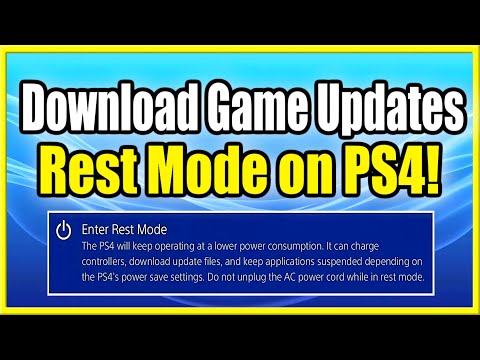
The short answer is a resounding yes, you absolutely should put your PS4 in rest mode to download games. Rest mode is not just a convenient way to pause your gaming session; it’s also a powerful feature designed to optimize background processes, especially downloads and updates. Utilizing rest mode for downloads will generally lead to faster download times and a more efficient overall PlayStation experience. Let’s delve deeper into why this is the case and how you can get the most out of this feature.
Why Rest Mode is Ideal for PS4 Downloads
Optimized Download Speeds
One of the primary advantages of downloading in rest mode is the increased download speed. When your PS4 is actively running a game, it’s allocating system resources to rendering graphics, processing game logic, and managing audio. These processes consume a significant amount of processing power, which can impact the bandwidth available for downloads. In rest mode, your PS4 is essentially idling, dedicating more resources to background processes like downloading. This results in significantly faster download speeds compared to downloading while actively playing a game. The reduced resource usage during rest mode allows the console to focus primarily on downloading, making the process more efficient.
Background Downloading and Updating
Rest mode is designed to enable automatic background downloads and installations of game updates and system software. This means you don’t have to wait idly while your game or console updates – they are updated in the background when the console is not in use. When combined with the “Stay Connected to the Internet” option, your PS4 will automatically download any available game patches or system updates, ensuring your console is always up-to-date and ready to play. This saves you time and avoids interruptions when you want to jump into your favorite game.
Convenience and Efficiency
Beyond speed, rest mode offers a level of convenience that is hard to overlook. You can initiate downloads before you go to bed or while you’re at work, and the game will be ready to play when you are. It also allows for the console to be ready to play when you get back from work or a short break without needing to wait for a game to update. This is especially useful for larger games or updates that can take hours to download. The ability to remotely initiate downloads through the PlayStation App also gives an additional layer of flexibility to manage your downloads while away from your console.
Power Efficiency Considerations
While rest mode keeps your console powered on, it’s crucial to note that it does so at a low power state. This energy-saving mode consumes significantly less power compared to when the console is fully active, so you don’t need to worry about excessively high energy bills by leaving it in rest mode. This makes it an economical and environmentally friendlier way to keep your console updated and your games ready to play, especially for those who utilize these background services often.
Configuring Rest Mode for Downloads
To enable downloads in rest mode, you’ll need to adjust a few settings on your PS4. Here’s how:
- Go to (Settings) on the main menu.
- Navigate to [Power Save Settings].
- Select [Set Features Available in Rest Mode].
- Ensure that the checkbox for [Stay Connected to the Internet] is checked.
- If you also want to charge controllers while in rest mode, you can select the amount of time the USB ports will receive power.
Once these settings are enabled, your PS4 will download games and updates while in rest mode.
FAQs: Common Questions About PS4 Rest Mode and Downloads
1. Does rest mode really speed up downloads?
Yes, rest mode generally speeds up downloads because the PS4 allocates more resources to background processes when it’s not actively running games. This allows for faster transfer of data.
2. Is it safe to leave my PS4 in rest mode overnight?
Yes, it’s perfectly safe to leave your PS4 in rest mode overnight. The console is designed to operate in this low-power state for extended periods.
3. Will rest mode overheat my PS4?
It’s unlikely that rest mode will overheat your PS4 if it’s in a well-ventilated area. However, it’s recommended to close your game completely before entering rest mode to minimize potential heat generation, which might happen when a game is running in the background.
4. Can I remotely download games to my PS4?
Yes, you can remotely initiate downloads to your PS4 using the PlayStation App on your smartphone, provided your console is in rest mode and connected to the internet.
5. What if I need to save even more power?
If you are concerned about power consumption, you can select the option to have the USB ports shut off after a period of time, rather than continuously providing power. You can select this in the settings described above.
6. How do I know if my game is downloading in rest mode?
You won’t see a download progress bar on your screen, but you can check the download status by going to the notifications menu on your PlayStation console when it’s awake. If you have a very slow internet connection, it might take some time to complete.
7. How can I speed up my PS4 downloads further?
Besides rest mode, you can use an Ethernet cable for a more stable and faster connection, close any running applications, and adjust your DNS settings.
8. What is a good download speed for PS4 gaming?
A recommended internet download speed for gaming is 15-25 Mbps. However, for a smooth, lag-free experience, especially for 4K gaming, speeds of 100 Mbps or higher are beneficial.
9. Is it okay to leave my PS4 on 24/7?
While you can leave your PS4 on 24/7, it is not necessary. Rest mode provides the functionality to keep the console updated and download content, while using less energy than leaving it completely on.
10. Will sleep mode stop my downloads?
Yes, sleep mode will stop downloads. Sleep mode is not the same as rest mode. You must use rest mode to download in the background.
11. How long can a PS4 stay on?
Your console can operate for extended periods if you ensure proper airflow around it. However, rest mode is more power-efficient for non-gaming periods.
12. Is it bad for my PS4 to be on constantly?
Generally, it’s not inherently bad to leave your PS4 on, but it’s more energy-efficient and recommended to use rest mode when you’re not actively gaming.
13. Does my game progress continue in rest mode?
No, games do not continue in the background while in rest mode. You will need to have the game open to progress. The benefit of using rest mode is the ability to quickly resume a game.
14. Does a full hard drive slow down my PS4?
Yes, a nearly full hard drive can slow down the PS4’s performance. It’s advisable to maintain sufficient free space for smooth operation.
15. What do I do if my PS4 downloads are still slow?
If you’re still experiencing slow downloads, you can try restarting your PS4 and router, ensure no other devices are hogging your bandwidth, and consider upgrading your router or internet plan.
Final Thoughts
Utilizing your PS4’s rest mode for downloads is a smart choice that offers faster download speeds, convenience, and efficient background operations. By configuring the appropriate settings and understanding how rest mode works, you can significantly improve your overall gaming experience, keeping your console updated and ready to play whenever you are. This feature not only enhances efficiency but also saves time, allowing you to spend more time gaming and less time waiting.