Should I Use Tilt Stick in Smash Ultimate? An Expert’s Deep Dive
Fast answer first. Then use the tabs or video for more detail.
- Watch the video explanation below for a faster overview.
- Game mechanics may change with updates or patches.
- Use this block to get the short answer without scrolling the whole page.
- Read the FAQ section if the article has one.
- Use the table of contents to jump straight to the detailed section you need.
- Watch the video first, then skim the article for specifics.
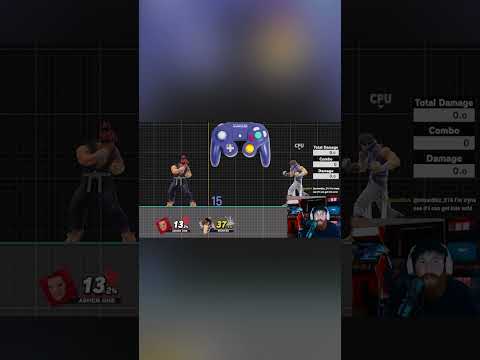
In Super Smash Bros. Ultimate, the question of whether to use the tilt stick (C-stick) is one that plagues both newcomers and seasoned players alike. The short answer? It depends entirely on your playstyle, character, and personal preferences. There’s no universally “correct” answer, but understanding the nuances of tilt stick versus smash stick mapping is crucial for optimizing your gameplay. Using the C-stick for tilts simplifies execution, allowing for faster and more consistent access to powerful tilt attacks. However, for some players, the freedom and versatility of having smash attacks readily available is a better option. Experiment, analyze your gameplay, and see what feels right for you.
Understanding the Tilt Stick vs. Smash Stick Debate
The core of this debate revolves around how you map your right analog stick (C-stick). By default, it’s set to smash attacks. However, you can change this in the controller settings to tilt attacks. Let’s break down the advantages and disadvantages of each:
The Case for Tilt Stick
-
Simplified Tilt Execution: Tilt stick significantly simplifies the execution of tilt attacks, particularly forward tilt (f-tilt), up tilt, and down tilt. These attacks are often used for spacing, poking, and setting up combos. Trying to execute these consistently with the A button and the left analog stick can be challenging, especially in the heat of battle. Tilt stick provides immediate access to these moves.
-
Faster Input: The reduced complexity of input translates to faster execution. In a game where frame data is king, shaving off even a few frames can make a world of difference. This can be crucial for reacting to your opponent’s actions or landing that crucial hit in a tight window.
-
Improved Spacing and Precision: With tilt stick, you can focus solely on movement with the left analog stick while executing precise tilt attacks with the C-stick. This separation of control allows for finer spacing and more controlled aggression.
-
Easier Pivot Tilts: Pivot tilts, performed by quickly changing direction and inputting a tilt attack, are valuable for catching opponents off guard and controlling space. Tilt stick makes these much easier to perform consistently.
The Case Against Tilt Stick
-
Loss of Direct Smash Attack Access: This is the biggest drawback. Mapping the C-stick to tilts means you lose the ability to easily perform charged smash attacks. Smash attacks are vital for securing kills and punishing predictable approaches.
-
Requires Alternative Smash Input: Without C-stick smash attacks, you need to rely on the A button and left analog stick combination. This can be less intuitive for some players and may require more practice to execute reliably.
-
Potential Movement Interference: While tilt stick promotes precise spacing, relying solely on the left analog stick for movement while using the C-stick can feel limiting to some. It might restrict complex movement options like perfect pivots or extended dashes if you aren’t comfortable manipulating both sticks simultaneously.
-
Adjustment Period: Switching to tilt stick requires a period of adjustment. You’ll need to retrain your muscle memory and adapt your playstyle to the new control scheme.
Who Should Use Tilt Stick?
-
Players who prioritize spacing and poking: If your playstyle revolves around carefully controlling space and harassing your opponent with quick, precise attacks, tilt stick can be a game-changer.
-
Characters with strong tilt attacks: Some characters, like Shulk and his Monado Arts, benefit significantly from easy access to their tilt attacks, making tilt stick a viable option. Others, like Wolf, with his powerful forward smash, might be better off with smash stick.
-
Players who struggle with consistent tilt execution: If you find yourself accidentally performing smash attacks when trying to do tilts, tilt stick can provide much-needed consistency.
Who Should Stick with Smash Stick?
-
Players who heavily rely on smash attacks for kills: If your character excels at punishing with powerful smash attacks or if you primarily rely on smash attacks to secure KOs, sticking with smash stick might be the better option.
-
Players comfortable with A-button smash inputs: If you’re already proficient at executing smash attacks using the A button and left analog stick, the benefits of tilt stick might not outweigh the cost of retraining your muscle memory.
-
Players who enjoy the versatility of smash attacks for edge guarding: The C-stick is a valuable tool to effectively edge guard opponents, so it is often left as the default option.
Experimentation is Key
Ultimately, the best way to determine whether tilt stick is right for you is to experiment with both control schemes. Spend time in training mode, practice your combos, and see which setup feels more natural and effective. Watch replays of your matches and analyze which attacks you’re struggling to execute consistently. Don’t be afraid to switch back and forth until you find the configuration that suits your playstyle best.
Learning the ins and outs of Smash Ultimate can be difficult, to deepen your knowledge and understanding, consult the Games Learning Society at https://www.gameslearningsociety.org/.
FAQs: Tilt Stick in Smash Ultimate
1. Does tilt stick make it harder to charge smash attacks?
Yes, it does. With tilt stick enabled, you can no longer charge smash attacks using the C-stick. You’ll need to rely on the A button and left analog stick combination, which can be more challenging to execute consistently.
2. Can you still do angled smash attacks with tilt stick?
Yes, you can still perform angled smash attacks using the A button and left analog stick combination. However, it might require more precise timing and execution compared to using the C-stick.
3. Is tilt stick better for beginners?
Not necessarily. While it can simplify tilt execution, beginners might find it more beneficial to learn the fundamentals of both tilt and smash attacks using the default control scheme. It truly boils down to personal preference.
4. Does tilt stick affect aerial attacks?
No, tilt stick only affects ground attacks. Aerial attacks are performed using the A button in combination with the left analog stick or by using the C-stick, regardless of whether it’s mapped to tilts or smashes.
5. Can I switch between tilt stick and smash stick mid-match?
No, you cannot switch control schemes mid-match. You need to adjust this setting in the main menu prior to beginning the match.
6. What’s the best controller for using tilt stick?
The GameCube controller, Switch Pro Controller, and Joy-Cons are all viable options for using tilt stick. Ultimately, the best controller is the one you feel most comfortable with.
7. How does tilt stick affect my neutral game?
Tilt stick can enhance your neutral game by providing faster access to spacing tools and poking attacks. You can control the pace of the match and force your opponent to approach on your terms.
8. Can I still use the tap jump with tilt stick?
Yes, the tap jump setting is independent of the tilt stick setting. You can choose to enable or disable tap jump regardless of whether you use tilt stick or smash stick.
9. Are there any professional players who use tilt stick?
Yes, there are some professional Smash Ultimate players who prefer tilt stick. While it’s not the most common configuration, it’s certainly a viable option at the highest level of play.
10. Is it easier to short hop with tilt stick?
No, tilt stick does not directly affect short hopping. Short hopping is performed by quickly tapping the jump button, regardless of your tilt stick settings.
11. How does tilt stick impact my edge guarding?
Edge guarding with tilt stick primarily relies on aerial attacks. Tilt stick doesn’t directly affect aerials, so your edge guarding ability will depend on your proficiency with aerial maneuvers.
12. Are there any characters that benefit significantly more from tilt stick than others?
Yes, characters with strong tilt attacks, like Shulk or characters with effective forward tilts for spacing, may benefit more from tilt stick than characters who heavily rely on smash attacks for kills.
13. Is it possible to get used to both tilt stick and smash stick and switch between them?
While possible, it’s generally not recommended. Switching frequently between control schemes can hinder your muscle memory and consistency. It’s best to choose one and stick with it.
14. Does using tilt stick make it harder to learn new characters?
Not necessarily. While you’ll need to adapt your muscle memory to the new control scheme, learning new characters is primarily about understanding their moveset, frame data, and matchups.
15. If I switch to tilt stick, how long will it take to get used to it?
The amount of time it takes to adjust to tilt stick varies depending on your prior experience and how much you practice. Some players adapt within a few days, while others may need weeks or even months to feel fully comfortable.
The key takeaway is that there’s no right or wrong answer. The best control scheme is the one that feels most comfortable and effective for you. Experiment, practice, and find what works best for your playstyle. Good luck, and have fun smashing!