What are Client-Only Mods? A Deep Dive into Minecraft Modifications
Fast answer first. Then use the tabs or video for more detail.
- Watch the video explanation below for a faster overview.
- Game mechanics may change with updates or patches.
- Use this block to get the short answer without scrolling the whole page.
- Read the FAQ section if the article has one.
- Use the table of contents to jump straight to the detailed section you need.
- Watch the video first, then skim the article for specifics.
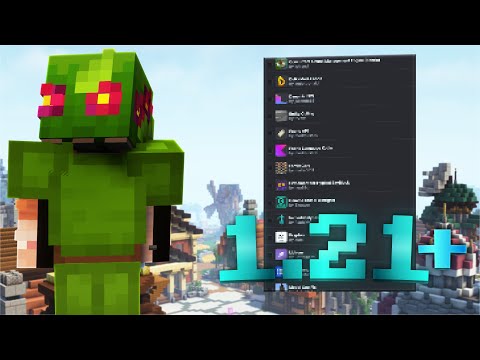
Client-only mods in Minecraft are modifications that primarily affect the player’s individual game experience without directly altering the game’s core mechanics on a multiplayer server. These mods enhance or customize the game’s appearance, functionality, and user interface from the player’s perspective. Think of them as personal upgrades to your Minecraft world, like adding a sleek heads-up display (HUD) or optimizing graphics for smoother performance.
Understanding the Client-Server Divide
To fully grasp client-only mods, it’s essential to understand the fundamental difference between client-side and server-side modifications. Minecraft operates on a client-server architecture, where the client (your game) interacts with a server (which hosts the world).
- Client-side mods are installed on your computer and modify your local game files. Their effects are visible only to you and do not require the server to have the same modifications installed.
- Server-side mods, on the other hand, are installed on the server and affect the entire game world, impacting all players connected to that server.
The key distinction is that client-side mods focus on enhancing individual player experience, while server-side mods focus on modifying the shared game world and its rules.
Common Examples of Client-Only Mods
Client-only mods encompass a wide range of functionalities. Some popular examples include:
- Graphics Enhancements: OptiFine is the quintessential example, improving performance, adding support for HD textures, and offering customizable graphics settings.
- User Interface (UI) Modifications: These mods alter the appearance and functionality of the in-game HUD, inventory screens, and other menus.
- Minimap Mods: Providing real-time maps of the surrounding area, often including features like waypoints and mob tracking.
- Cosmetic Mods: Changing the appearance of your player character, items, or blocks without affecting gameplay.
- Performance Boosters: Mods designed to improve the game’s frame rate and reduce lag.
- Sound Mods: Enhancing or replacing the game’s audio with custom sound effects and music.
Advantages of Using Client-Only Mods
There are several compelling reasons to consider using client-only mods:
- Personalization: Customize your Minecraft experience to your liking, tailoring the game to your preferences.
- Performance Improvement: Optimize the game for your hardware, potentially increasing frame rates and reducing lag.
- Enhanced Gameplay: Add features like minimaps or improved UIs that can make the game more enjoyable and convenient.
- Increased Accessibility: Some mods can make the game more accessible for players with disabilities.
- Freedom to Choose: Use mods without affecting other players on a server (provided the server allows them).
Considerations and Potential Issues
While client-only mods offer many benefits, there are some factors to consider:
- Compatibility: Not all mods are compatible with each other or with specific versions of Minecraft.
- Stability: Some mods can cause crashes or other issues, especially if they are poorly written or outdated. The provided document mentions that “Most client-side mods are poorly written, so you often need to remove them manually too if the server is crashing due to client-side mods being present.”
- Server Rules: Even if a mod is client-side, some servers may prohibit certain modifications that give players an unfair advantage.
- Installation Complexity: Installing mods often requires using mod loaders like Forge or Fabric, which can be a bit daunting for new users.
- Security: Always download mods from trusted sources to avoid malware or other security risks. CurseForge is a very popular and safe option.
How to Install Client-Only Mods
The most common method for installing client-only mods involves using a mod loader such as Minecraft Forge or Fabric. Here’s a general outline of the process:
- Install a Mod Loader: Download and install the appropriate version of Forge or Fabric for your Minecraft version.
- Locate the Mods Folder: After installing the mod loader, run Minecraft once to create a
modsfolder in your Minecraft directory. - Download Mods: Download the desired client-only mods from a reputable source like CurseForge. Ensure the mods are compatible with your Minecraft version and the mod loader you are using.
- Place Mods in the Mods Folder: Copy the downloaded
.jarfiles into themodsfolder. - Launch Minecraft: Launch Minecraft using the Forge or Fabric profile. The mods should now be active.
The Importance of Ethical Modding
It is important to use mods responsibly and ethically. While client-side mods offer fantastic customization, be mindful of how they might impact the experience of other players, particularly on multiplayer servers. Always adhere to server rules and refrain from using mods that provide unfair advantages or violate the spirit of the game.
Frequently Asked Questions (FAQs)
Here are some frequently asked questions about client-only mods:
1. Can servers detect client-side mods?
Servers cannot directly detect which client-side mods you have installed. However, they can detect the effects of certain mods. For example, if a mod allows you to fly, a server anti-cheat plugin might detect this behavior and take action.
2. Do I need Forge or Fabric for all client-side mods?
Yes, most client-side mods require a mod loader like Forge or Fabric to function properly. These mod loaders provide the necessary framework for mods to integrate with the game.
3. Will client-side mods crash a server?
Client-side mods should not directly crash a server. They operate independently on your client. However, issues with client-side mods can sometimes lead to client-side crashes that might appear to be related to the server. Often times, as the article suggests, that is due to the client-side mods being poorly written.
4. Is OptiFine a client-side mod?
Yes, OptiFine is a quintessential client-side mod. It only needs to be installed on your computer to improve performance, enhance graphics, and add customization options.
5. Are all mods allowed on Hypixel?
No, Hypixel has specific rules regarding allowed and disallowed mods. Always check their official guidelines before using any mods on their server.
6. What are some popular client-side performance mods?
Some popular performance-boosting client-side mods include:
- Sodium: A modern rendering engine for Fabric that significantly improves FPS.
- Lithium: A general-purpose optimization mod for Fabric.
- Starlight: A rewrite of the lighting engine for Fabric, improving performance and fixing bugs.
7. How do I enable client modding?
Enabling “Client modding” (if it exists as an option in a specific launcher or modpack) usually involves accessing the advanced settings in the launcher’s settings menu and enabling the option. This is not a standard Minecraft setting, but rather something some launchers might add.
8. Are Minecraft clients the same as client-side mods?
No, Minecraft clients are modified versions of the entire game, often including a collection of pre-installed mods. Client-side mods are individual modifications that you add to the standard game.
9. Is it safe to download mods from CurseForge?
Yes, CurseForge is generally considered a safe and reputable source for downloading Minecraft mods. They have measures in place to scan for malware and ensure the safety of the downloads.
10. Can moderators on Reddit see blocked users’ posts?
Yes, moderators on Reddit can still see and take action on posts from users they have blocked within their communities.
11. What is the difference between client-only and client-server software?
Client-only software runs solely on the user’s device and does not interact with a server. Client-server software, on the other hand, involves communication between a client application and a server application.
12. Why is the client-server model better than a peer-to-peer model?
The client-server model offers several advantages, including centralized management, increased security, and better resource utilization. Servers are typically more powerful and reliable than individual user devices.
13. What should I do if Minecraft crashes with an “Exit Code 1” error after installing a mod?
An “Exit Code 1” error often indicates a problem with the Java runtime environment or a conflict between mods. Try updating Java, removing recently installed mods, or checking for compatibility issues.
14. How do I know if a mod is compatible with my version of Minecraft?
Check the mod’s description or documentation to see which versions of Minecraft it supports.
15. Where can I learn more about the educational aspects of Minecraft?
You can explore the fascinating intersection of gaming and learning at the GamesLearningSociety.org website. Discover how games like Minecraft can be used as powerful tools for education and skill development. The Games Learning Society is dedicated to advancing the field of game-based learning.
Conclusion
Client-only mods are a powerful way to customize and enhance your Minecraft experience. By understanding the difference between client-side and server-side modifications, and by following best practices for installation and usage, you can unlock a whole new world of possibilities within the game. Remember to choose mods wisely, prioritize safety, and respect the rules of any servers you play on. Happy modding!