Understanding Body Types in Roblox: A Comprehensive Guide
Fast answer first. Then use the tabs or video for more detail.
- Watch the video explanation below for a faster overview.
- Game mechanics may change with updates or patches.
- Use this block to get the short answer without scrolling the whole page.
- Read the FAQ section if the article has one.
- Use the table of contents to jump straight to the detailed section you need.
- Watch the video first, then skim the article for specifics.
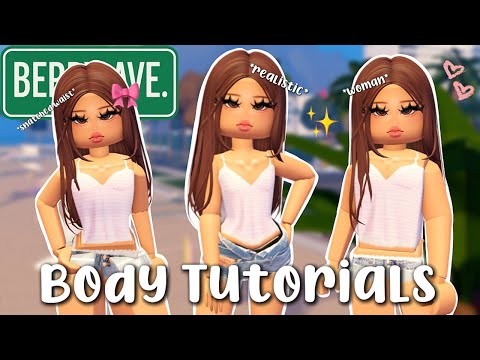
Roblox offers a robust avatar customization system, allowing players to express themselves uniquely within the virtual world. Central to this customization is the concept of body types, which dictate the overall shape and style of a character. Currently, Roblox primarily utilizes R15 and R6 avatar systems, each with different levels of flexibility regarding body modifications. The BodyTypeScale property, alongside accessories and clothing, lets players fine-tune their appearance. Let’s delve deeper into the nuances of body types within Roblox.
The Core Body Systems: R15 and R6
R15: Articulated and Customizable
R15 represents the more modern approach to Roblox avatars. It breaks down the character into 15 distinct parts, providing a greater degree of articulation and customization. With R15, you have the ability to influence the overall size and shape of the avatar, leading to variations beyond the default proportions. The BodyTypeScale property (a NumberValue attached to the Humanoid object within a character) is specific to R15. When this value is set to 0, the character maintains the standard R15 form. Increasing the value towards 1 makes the avatar taller and more slender.
R6: Blocky and Classic
R6, on the other hand, is the classic, blocky Roblox avatar. It consists of only 6 parts and has limited customization options regarding body shape. Unlike R15, BodyTypeScale doesn’t apply to R6. The charm of R6 lies in its simplicity and nostalgic appeal for long-time Roblox players. It has limitations but still offers a lot of room for expression with a variety of clothing and accessories.
BodyTypeScale: Fine-Tuning the R15 Shape
The BodyTypeScale is a crucial element for customizing R15 avatars. Here’s how it functions:
- Value of 0: Represents the standard R15 avatar.
- Value of 1: Creates a taller, more slender avatar.
- Values between 0 and 1: Allow for incremental adjustments, resulting in a spectrum of body shapes.
It’s important to note that while BodyTypeScale offers shape modification, it does so within defined parameters. It won’t drastically alter the avatar into something completely unrecognizable as a standard Roblox character. The purpose is to provide nuanced customization and allow players to express themselves.
Beyond BodyTypeScale: Further Customization
Beyond the base body system (R15 or R6) and BodyTypeScale, Roblox offers several other ways to customize the look of your avatar:
- Clothing: T-shirts, shirts, pants, and accessories.
- Accessories: Hats, hair, face items, neck accessories, shoulder accessories, front accessories, waist accessories, and back accessories.
- Heads: A wide variety of head shapes are available.
- Faces: Different facial expressions add personality to the avatar.
- Limbs: It is possible to swap entire limbs with those of other avatars.
- Animations: Change how the character moves.
- Skin Tone: Allows you to change the overall colour of your avatar.
By combining these elements, players can create truly unique and personalized avatars.
The Social Dimension of Avatar Customization
Avatar customization in Roblox extends beyond mere aesthetics; it plays a crucial role in social interaction. Players use avatars to express their personality, interests, and affiliation with different groups. Certain avatar styles have become associated with specific subcultures within Roblox. For example, the term “Slender” refers to a type of avatar characterized by its tall, thin build, often associated with specific communities and sometimes controversial behavior. It’s critical to be aware of the social connotations of different avatar styles and how they might be perceived by others. Learn more about the impact of virtual worlds and learning at Games Learning Society, located at https://www.gameslearningsociety.org/.
Understanding Customization within Roblox Studio
For game developers using Roblox Studio, understanding the technical aspects of body types is essential for creating immersive and engaging experiences.
Scripting and BodyTypeScale
Developers can utilize scripting to dynamically modify the BodyTypeScale property of characters within their games. This can be used to create different character classes, implement power-ups that alter body size, or even create morphing effects.
Avatar Evolution
Roblox continues to evolve its avatar system, with future updates potentially introducing new body types, customization options, and animation capabilities. Keeping abreast of these developments is crucial for both players and developers looking to stay at the forefront of avatar creation.
Frequently Asked Questions (FAQs)
1. What does BodyTypeScale actually do?
BodyTypeScale is a property specifically for R15 avatars. It adjusts how much the character deviates from the standard R15 body shape. A value of 0 keeps the standard shape, while 1 makes the avatar taller and more slender.
2. How do I change my Roblox body type on mobile?
Log into your Roblox account on the Mobile Application. Go to the Avatar tab. Click on “Customize” and select “Body”. Then you can adjust your skin tone and change heads/limbs if you have any available.
3. How do I make my Roblox avatar look better?
Improve your avatar’s look by using high-quality clothing and accessories, paying attention to color coordination, and experimenting with different combinations. You can also try different face options for an interesting look. Manually setting your Graphics Quality to high in the settings also helps the overall look of the game.
4. Can I get free Robux to buy customization items?
Be cautious of any offer of free Robux, as these are often scams. The most legitimate ways to earn Robux are by creating and selling content on the Marketplace or participating in the Developer Exchange program.
5. Why can’t I change my Roblox body type?
Ensure that the game you are playing allows avatar customization. Some games restrict avatar changes to maintain a specific aesthetic. Also, double-check that you are using the R15 avatar type if you want to utilize BodyTypeScale.
6. How can I make my own body parts for Roblox?
Creating custom body parts requires using Roblox Studio and 3D modeling software. You can create custom meshes and upload them to Roblox as avatar assets. You must comply with Roblox’s guidelines for asset creation and moderation.
7. How do I make my avatar blocky like the classic Roblox style?
Switch your avatar type from R15 to R6 in your avatar settings. This will revert your avatar to the classic, blocky appearance.
8. Is it safe to have a “girlfriend” or “boyfriend” on Roblox?
Exercising caution when interacting with others online is always advised. Be mindful of sharing personal information and be aware that people online may not always be who they claim to be.
9. What is a “Slender” avatar in Roblox?
A “Slender” is a specific type of avatar, usually male, characterized by its tall, thin build. These avatars are often associated with specific subcultures and can sometimes be linked to controversial behavior.
10. Is R6 going to be removed from Roblox?
No, Roblox has no plans to remove R6. It remains a popular choice for players who prefer the classic aesthetic.
11. How many individual parts make up a traditional R15 Roblox character?
An R15 Roblox character consists of 15 individual body parts.
12. Can I design and sell my own clothes on Roblox?
Yes, you can create and sell your own classic clothing items (shirts and pants) on the Marketplace, earning a percentage of the profits.
13. Can a child make a game on Roblox by themselves?
Yes, Roblox provides Roblox Studio, an easy-to-use game editor that allows anyone, including children, to create their own games without extensive coding skills.
14. How can I change the color of my Roblox avatar’s skin?
Navigate to the Avatar section of your account, then go to Head & Body > Skin Tone to select a color for your entire avatar.
15. Why does my Roblox game look weird?
A poorly optimized Roblox game can cause weird graphic issues. Lowering your display’s color quality or moving the graphics quality slider to the left might help solve the problem.
Conclusion
Understanding the intricacies of body types in Roblox is key to unlocking the full potential of avatar customization. By mastering the use of R15, R6, BodyTypeScale, and various customization options, players can express themselves in limitless ways. With a little creativity and effort, you can create an avatar that truly reflects your unique personality and style within the vibrant world of Roblox. For further insights into the educational aspects of gaming, visit GamesLearningSociety.org.