Unlocking the World of Roblox Communication: The Chat Button Explained
Fast answer first. Then use the tabs or video for more detail.
- Watch the video explanation below for a faster overview.
- Game mechanics may change with updates or patches.
- Use this block to get the short answer without scrolling the whole page.
- Read the FAQ section if the article has one.
- Use the table of contents to jump straight to the detailed section you need.
- Watch the video first, then skim the article for specifics.
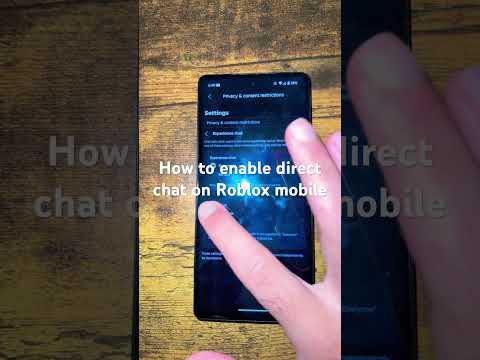
The key to unlocking communication in Roblox is simple: press the forward slash (/) key on your keyboard. This action, if the game developer has enabled the chat feature, will open the chat window and the accompanying chat bar, allowing you to type your message and engage with other players in the virtual world. It’s your gateway to teamwork, friendship, and navigating the vast landscapes of Roblox creations.
Understanding the Roblox Chat System
The Roblox chat system is a cornerstone of the platform’s social experience. It allows players to communicate with each other in real-time, fostering collaboration, strategic planning, and building friendships within the game. Understanding how the chat system works is crucial for maximizing your enjoyment and staying safe on the platform. The chat functionality is designed to be relatively intuitive, but certain settings and game configurations can impact its usability. The ability to effectively communicate can drastically improve gameplay, especially in cooperative experiences.
Factors Affecting Chat Functionality
Several factors can affect whether or not you can successfully use the chat function in Roblox. These include:
- Developer Settings: As mentioned, the game developer has the option to disable the chat feature within their specific game. If the / key doesn’t work, this is the first thing to suspect.
- Account Age and Privacy Settings: Roblox implements different safety measures based on a user’s age. Accounts designated for users under 13 have stricter chat filters and limited communication options. A user’s privacy settings, which can be adjusted in the account settings, can also restrict who they can chat with.
- Keyboard Issues: Sometimes, the issue lies not within Roblox but with your keyboard itself. A malfunctioning keyboard, incorrect keyboard settings, or a simple disconnect can prevent you from typing.
- Game Bugs: Although rare, bugs within the Roblox platform or the specific game you’re playing can occasionally interfere with the chat functionality.
Troubleshooting Chat Problems
If you find yourself unable to chat in Roblox, here’s a systematic approach to troubleshooting the issue:
- Verify the ‘/’ Key: Ensure the forward slash key is functioning correctly on your keyboard. Try using it in another application, like a word processor, to confirm it’s working.
- Check Developer Settings: If possible, inquire with the game developer or other players to confirm whether the chat is enabled in the specific game you’re playing.
- Adjust Keyboard Settings: Ensure your keyboard layout and language settings are correctly configured in your operating system. Sometimes, an incorrect setting can interfere with key inputs.
- Examine Privacy Settings: In your Roblox account settings, navigate to the “Privacy” section and ensure your chat and communication settings are configured to allow you to chat with the desired players.
- Restart Roblox and Your Device: A simple restart can often resolve temporary glitches or software conflicts that may be preventing the chat from working.
- Update Roblox: Ensure you are running the latest version of the Roblox client. Outdated versions can sometimes contain bugs that affect functionality.
- Reinstall Roblox: If all else fails, try uninstalling and reinstalling Roblox to ensure a fresh installation without any corrupted files.
Maintaining a Safe Chat Environment
Roblox is committed to providing a safe and positive environment for all its users. The platform employs a number of measures to moderate chat and prevent inappropriate content. Robust filtering systems are in place to detect and remove offensive language, personal information, and other harmful content.
Parents can also play a crucial role in ensuring their children’s safety on Roblox. Utilizing the platform’s parental control features allows parents to restrict chat access, monitor activity, and customize privacy settings. Educating children about online safety and responsible communication is also essential. Learn more about the importance of safe online gaming with resources from the Games Learning Society at https://www.gameslearningsociety.org/. The GamesLearningSociety.org also has good insight on how game dynamics impact learning behaviors.
FAQs: Decoding the Roblox Chat
1. Why can’t I type in Roblox even after pressing the / key?
Several reasons could be the culprit. First, the game developer may have disabled chat in that specific game. Second, check your keyboard language settings to ensure they’re correct. Third, review your Roblox privacy settings to ensure you haven’t accidentally restricted chat functionality. Finally, restart your computer and Roblox, or reinstall the application as a last resort.
2. What do I do if the backslash () key doesn’t work either?
If neither the forward slash (/) nor the backslash () keys open the chat, the issue is likely not specific to the default chat keybind. It could be a hardware problem with your keyboard, an operating system conflict, or a Roblox bug. Test your keyboard with other applications to rule out a hardware issue.
3. How can I change the Roblox chat keybind?
Unfortunately, Roblox doesn’t officially support custom chat keybinds within the game settings. This is a frequent request from players, but as of now, there’s no built-in option to change it. You’re stuck with the forward slash (/) key.
4. Can I disable chat completely on my child’s Roblox account?
Yes, you absolutely can! Go to your child’s account settings, then navigate to the “Privacy” section. Under “Contact Settings,” change each dropdown box to “No One.” This will effectively disable all chat functionality for the account.
5. How does Roblox filter chat for younger players?
Roblox employs a robust filtering system that actively blocks inappropriate content, personal information, and potentially harmful language. For users under 13, the filters are even stricter, preventing the sharing of any information that could potentially identify the user.
6. Can I see my child’s Roblox chat history?
Yes, Roblox provides tools to monitor account activity. You can view direct and small group chat histories within the “Chat” feature found in the lower right corner of the apps.
7. Is it safe for my 7-year-old to use Roblox chat?
While Roblox has safety measures in place, Common Sense Media recommends Roblox for users age 13+ due to potential exposure to problematic content. For younger children, it’s crucial to enable privacy settings, monitor their activity, and educate them about online safety.
8. What happens if someone uses a fake ID to get voice chat?
Using a fake ID violates Roblox’s terms of service and can lead to account suspension or termination. While it’s unlikely to result in legal consequences, it’s important to adhere to the platform’s rules.
9. Why does the Message button appear unclickable for some users?
If the Message button is grayed out and unclickable, it indicates that the user’s privacy settings are configured to restrict private messages. They may have set their account to only allow messages from friends, or they may have disabled messaging altogether.
10. How can I tell if someone has voice chat enabled in Roblox?
If you and another user are both age-verified and over 13, you’ll see a microphone icon next to their name and above their avatar. This icon signifies that they have voice chat enabled.
11. Is Roblox chat safe for kids?
Roblox takes safety seriously and filters both chats and posts for inappropriate content. Players 12 and under are heavily filtered to prevent personal information from being posted. Those 13 and older can say more, but are still filtered.
12. What age is Roblox suitable for?
Roblox doesn’t have an age limit, but Commonsense media advises 13+. This is mainly due to potentially problematic content.
13. How can I make Roblox kid-friendly?
Log into the child’s account, navigate to the setting icon, and set parental controls. You can also restrict the account’s security, privacy, contact settings, and app permissions.
14. Can people under 13 use voice chat on Roblox?
No, only users 13 and older, who also verify their age, are eligible for Roblox voice chat.
15. Where is the Fn key?
It depends on your keyboard, but on most laptops, the Fn (Function) key is located on the bottom row of the keyboard on the left-hand side.