Decoding Controller Compatibility on Your PlayStation 5
Fast answer first. Then use the tabs or video for more detail.
- Watch the video explanation below for a faster overview.
- Game mechanics may change with updates or patches.
- Use this block to get the short answer without scrolling the whole page.
- Read the FAQ section if the article has one.
- Use the table of contents to jump straight to the detailed section you need.
- Watch the video first, then skim the article for specifics.
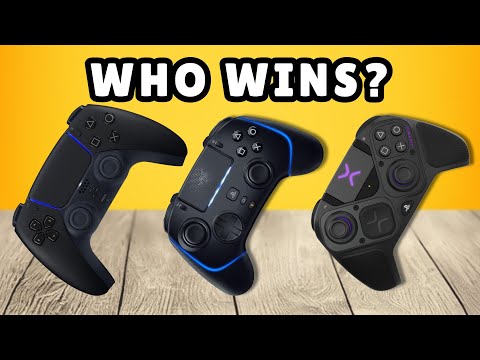
Figuring out which controllers work with your PlayStation 5 can feel like navigating a labyrinth. Fear not, fellow gamers! Let’s cut through the confusion and deliver a clear picture of what’s compatible with your console.
In short, the PlayStation 5 primarily supports its own DualSense wireless controller and the premium DualSense Edge controller for PS5 games. You can use DualShock 4 (PS4 controllers), but only with PS4 games played on the PS5. Third-party controllers designed specifically for the PS5, like the Victrix Pro BFG or the SCUF Reflex Pro, will work seamlessly. Xbox controllers do not natively work with the PS5, although workarounds exist via remote play or adapters. Let’s dive into the details.
Understanding Controller Compatibility: A Deep Dive
The PS5’s controller ecosystem is more nuanced than previous generations. Sony has locked down native compatibility to prioritize the advanced features of the DualSense, like its haptic feedback and adaptive triggers. This means if you want the full PS5 experience, you need to use a DualSense or a DualSense Edge.
However, there’s good news for those with older controllers. You can use your DualShock 4 controller from the PS4, but only when playing PS4 games on your PS5. Sony implemented this limitation, likely to encourage adoption of the new DualSense features for PS5-specific titles.
Official PlayStation Controllers
- DualSense Wireless Controller: This is the standard controller that comes with the PS5. It is fully compatible with PS5 games and PS4 games played on the PS5. The controller also works with PC.
- DualSense Edge Wireless Controller: A premium version of the DualSense, offering customizable controls, replaceable stick modules, and advanced software features. It is fully compatible with PS5 games and PS4 games played on the PS5. The controller also works with PC.
- DualShock 4 Wireless Controller: This controller, from the PS4, only works with PS4 games played on the PS5. It will not function with PS5-specific titles.
Third-Party Controllers
The landscape of third-party controllers is diverse. Some controllers are designed specifically for the PS5, while others offer compatibility through workarounds.
- Officially Licensed PS5 Controllers: Manufacturers like HORI and NACON produce controllers licensed by Sony for PS5. These typically offer full compatibility but may lack some of the advanced features of the DualSense. An example is the HORI Fighting Commander OCTA, a specialized controller for fighting games.
- High-End Third-Party Options: Companies like SCUF and Victrix create premium controllers that often surpass the DualSense in terms of customization and performance. The SCUF Reflex Pro and the Victrix Pro BFG are excellent examples.
- Adapters: Devices like the XIM MATRIX allow you to use a wide range of input devices, including Xbox controllers, keyboards, and mice, on your PS5. However, these adapters may not provide full functionality and could be subject to compatibility issues or restrictions due to game updates.
Xbox Controllers
Unfortunately, Xbox controllers do not natively work with the PS5. You can use the PS Remote Play app with an Android or iPhone device to connect an Xbox controller to play games.
Other Controllers
- Nintendo Switch Controllers: As a general rule, Nintendo Switch controllers (like the Joy-Cons or Pro Controller) are not natively compatible with the PS5. Adapters are required, but functionality may be limited.
- PS3 Controllers: While technically possible through adapters, using a PS3 controller on the PS5 is not officially supported and may result in a suboptimal experience.
- Keyboards and Mice: The PS5 does support keyboards and mice, primarily for navigation and some games that offer native support. You can connect them via USB or Bluetooth.
Addressing Common Questions: FAQs About PS5 Controller Compatibility
Here are some frequently asked questions (FAQs) to further clarify the controller compatibility landscape on the PS5.
1. Can I use my PS4 controller on PS5 games?
No, the DualShock 4 (PS4 controller) is only compatible with playing PS4 games on the PS5. You will need a DualSense controller for all PS5 games.
2. Why won’t my PS4 controller connect to my PS5?
If you’re trying to use a PS4 controller, ensure you’re playing a PS4 game. If it still doesn’t connect, try the following:
- Disconnect the controller from any other devices.
- Ensure the controller is charged.
- Try a different USB cable.
- Reset the controller by pressing the small reset button on the back.
3. Can I use an Xbox controller on PS5?
Not natively. You’ll need to use the PS Remote Play app on another device (like a phone or tablet) or purchase a third-party adapter, like the XIM MATRIX, to connect the controller. However, even with an adapter, compatibility isn’t guaranteed for all games and you may only be able to play PS4 games.
4. What is the best third-party PS5 controller?
The “best” controller depends on your needs and preferences. The Victrix Pro BFG and SCUF Reflex Pro are consistently ranked among the top choices for their customization, performance, and features.
5. Do all PS5 games support the DualSense’s adaptive triggers and haptic feedback?
No, not all games fully utilize these features. However, many PS5-exclusive titles are designed to showcase these capabilities, providing a more immersive gaming experience.
6. Can I use a keyboard and mouse on my PS5?
Yes! The PS5 supports keyboards and mice via USB or Bluetooth. However, game support varies. Some games allow full keyboard and mouse control, while others only support it for menu navigation.
7. Can I connect AirPods to my PS5?
AirPods cannot connect directly to the PS5. You’ll need a Bluetooth adapter that is compatible with the PS5 to bridge the connection.
8. How many controllers can I connect to a PS5?
The PS5 supports up to four controllers simultaneously.
9. Is there a difference between the original DualSense controller and newer versions?
Yes, some newer DualSense controllers have slightly improved battery life and more durable analog sticks. Look for models with an FCC ID ending in “A” instead of “1” to identify the revised version.
10. Can I use a PS4 SCUF controller on PS5 games?
No, a PS4 SCUF controller will only work with PS4 games played on the PS5. It will not work with native PS5 titles.
11. How do I connect my DualSense controller to my PS5 wirelessly?
- Turn on your PS5.
- Press the PS button on the controller.
- If it’s the first time connecting, use a USB-C cable to pair the controller. Once paired, you can disconnect the cable and use it wirelessly.
12. Are there any fighting game-specific controllers for PS5?
Yes, companies like HORI offer specialized fighting game controllers, such as the Fighting Commander OCTA, which are designed for precision and responsiveness in fighting games.
13. Can I use any controller for PS5 Remote Play?
The PS Remote Play app on desktops and laptops is compatible with the DUALSHOCK 4, DualSense, or DualSense Edge wireless controllers.
14. Can I customize my PS5 controller?
Absolutely! Sony offers the DualSense Edge for in-depth hardware customization, and various companies offer custom shells, buttons, and other accessories to personalize your DualSense controller.
15. Where can I learn more about gaming and technology in education?
For more insights into gaming, technology, and their intersection with education, check out the Games Learning Society at GamesLearningSociety.org. You’ll find valuable resources and research that explores the positive impact of games on learning and development.
Final Thoughts
Navigating controller compatibility on the PS5 can be tricky, but understanding the official guidelines and exploring third-party options empowers you to find the perfect setup for your gaming needs. Whether you’re sticking with the DualSense, exploring premium options, or finding clever workarounds, there’s a controller solution for every gamer. Now go forth and conquer those virtual worlds!