Understanding the CPU’s Role in Your Minecraft Server: A Deep Dive
Fast answer first. Then use the tabs or video for more detail.
- Watch the video explanation below for a faster overview.
- Game mechanics may change with updates or patches.
- Use this block to get the short answer without scrolling the whole page.
- Read the FAQ section if the article has one.
- Use the table of contents to jump straight to the detailed section you need.
- Watch the video first, then skim the article for specifics.
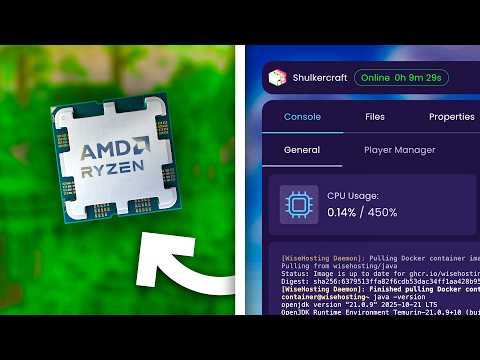
The CPU (Central Processing Unit) is the brains of any computer, and a Minecraft server is no exception. In essence, the CPU on a Minecraft server is responsible for executing the game’s code, managing player interactions, calculating physics, and handling world generation. It dictates how smoothly your server runs, how many players it can support, and the overall experience for everyone involved. Let’s unpack this vital role in detail.
The Core Responsibilities of a Server CPU
A Minecraft server’s CPU has a demanding job. It’s not simply rendering graphics like a client-side computer; instead, it’s constantly juggling multiple critical tasks. Here’s a breakdown:
-
Game Logic Execution: The CPU runs the Minecraft server software (typically Java), interpreting and executing the game’s code. This involves everything from entity AI (mobs, players) to item interactions and block updates.
-
Player Management: The CPU handles incoming and outgoing data streams for each connected player. This includes processing player movements, chat messages, inventory changes, and more. The more players, the greater the load on the CPU.
-
Physics Calculations: Even though Minecraft’s physics are simplified, the CPU still needs to calculate the interactions between entities and the environment. This includes things like gravity, collision detection, and block breaking.
-
World Generation and Management: When players explore new areas, the CPU generates the terrain, places structures, and loads chunks from the server’s storage. It also manages changes to the world, such as block placements and explosions.
-
Mod and Plugin Handling: If your server uses mods or plugins, the CPU must also execute their code. This can add significant overhead, depending on the complexity and optimization of the installed modifications.
-
Server Administration Tasks: Tasks such as running commands, managing permissions, and monitoring server performance also rely on the CPU.
Why CPU Performance is Paramount
While a powerful GPU is crucial for playing Minecraft on your personal computer, the server prioritizes CPU power. Here’s why:
-
Single-Threaded Bottleneck: Traditionally, Minecraft server operations have relied heavily on a single main thread. While newer versions are improving multi-threading capabilities, the performance of that single core remains critical. A fast CPU with a strong single-core performance can process instructions quicker, reducing lag and improving responsiveness.
-
Limited GPU Utilization: Unlike client-side Minecraft, the server doesn’t focus on rendering graphics. The GPU load is minimal, making a powerful GPU unnecessary.
-
Scaling Challenges: As you add more players, the demand on the CPU increases linearly. Each additional player requires the CPU to handle more data streams and calculations. If the CPU is underpowered, the server can quickly become overwhelmed.
Factors Affecting CPU Performance on a Minecraft Server
Several factors influence how well a CPU handles the demands of a Minecraft server:
-
Clock Speed: The clock speed (measured in GHz) represents how many instructions the CPU can execute per second. A higher clock speed generally translates to faster processing, especially for single-threaded tasks.
-
Number of Cores: While Minecraft servers historically relied on a single core, newer versions can leverage multiple cores for certain tasks like chunk loading. More cores can help distribute the workload and improve overall performance, particularly on servers with many players or complex mods.
-
CPU Architecture: The underlying architecture of the CPU significantly impacts its efficiency. Newer CPU architectures generally offer better performance per clock cycle than older ones. Researching different CPU generations can reveal substantial performance differences even at similar clock speeds.
-
Cache Size: The CPU cache is a small, fast memory that stores frequently accessed data. A larger cache can improve performance by reducing the need to access slower main memory.
-
RAM Speed and Capacity: While not directly part of the CPU, the speed and capacity of your server’s RAM (Random Access Memory) are crucial. The CPU needs to be able to quickly access data stored in RAM. Insufficient RAM can lead to increased disk access, which is significantly slower. It’s recommended to have more RAM for bigger worlds, more players and more modifications.
Choosing the Right CPU for Your Minecraft Server
Selecting the appropriate CPU for your Minecraft server depends on various factors, including the number of players you expect to support, the complexity of your world, and whether you plan to use mods or plugins.
-
Small Servers (1-10 Players): A mid-range CPU with a clock speed of 3.0 GHz or higher and at least 4 cores should be sufficient.
-
Medium Servers (10-50 Players): A higher-end CPU with a clock speed of 3.5 GHz or higher and at least 6 cores is recommended.
-
Large Servers (50+ Players): A server-grade CPU with a clock speed of 4.0 GHz or higher and at least 8 cores is advisable.
-
Modded Servers: Consider using a more powerful CPU than you would for a vanilla server. Mods often add significant processing overhead.
-
Cloud vs. Dedicated Servers: Cloud servers often offer a variety of CPU options with varying performance characteristics. Research the specific CPU models offered by your cloud provider. Dedicated servers provide more control over hardware selection.
Optimizing CPU Usage on Your Minecraft Server
Even with a powerful CPU, optimizing server settings can significantly improve performance:
-
Limit View Distance: Reducing the server’s view distance reduces the number of chunks that the CPU needs to load and manage.
-
Optimize Tick Speed: Adjusting the server’s tick speed can impact performance. However, be cautious, as changing the tick speed can affect gameplay.
-
Use Performance-Enhancing Mods: Several mods are designed to improve server performance, such as Paper, Fabric, and Spigot. These mods often include optimizations that can reduce CPU load.
-
Regularly Monitor Server Performance: Use server monitoring tools to identify CPU bottlenecks and optimize server settings accordingly.
-
Keep Your Server Software Updated: Updates often include performance improvements and bug fixes.
Frequently Asked Questions (FAQs)
Here are some frequently asked questions about the CPU’s role in Minecraft servers:
-
Is a higher clock speed or more cores better for a Minecraft server?
Generally, a higher clock speed is more beneficial due to Minecraft’s historical reliance on single-threaded processing. However, more cores can help with tasks like chunk loading and handling a large number of players. The optimal balance depends on the specific server configuration.
-
Does RAM affect CPU performance on a Minecraft server?
Yes, RAM and CPU performance are intertwined. Insufficient RAM can force the CPU to rely on slower storage (like the hard drive or SSD), significantly impacting performance.
-
How much RAM do I need for my Minecraft server?
The amount of RAM depends on the number of players, world size, and mods. A good starting point is 4GB for a small vanilla server and increasing it as needed.
-
Will upgrading my CPU automatically improve my Minecraft server’s performance?
Upgrading your CPU can significantly improve performance if your current CPU is a bottleneck. However, other factors, such as RAM and storage, can also impact performance.
-
Is a server CPU different from a desktop CPU?
Server CPUs are often designed for continuous operation and reliability. They may also have features like error-correcting code (ECC) memory support.
-
Can I use a regular desktop CPU for a Minecraft server?
Yes, you can use a desktop CPU for a Minecraft server, especially for smaller servers. However, a server CPU may be a better choice for larger, more demanding servers.
-
What is CPU throttling, and how does it affect my Minecraft server?
CPU throttling is when the CPU reduces its clock speed to prevent overheating. This can negatively impact server performance. Make sure your server has adequate cooling.
-
How can I monitor my Minecraft server’s CPU usage?
You can use server monitoring tools or command-line utilities like
top(on Linux) to monitor CPU usage. -
Does the operating system affect CPU performance on a Minecraft server?
Yes, the operating system can impact CPU performance. Linux is often preferred for servers due to its efficiency and resource management.
-
What is the difference between CPU utilization and CPU load?
CPU utilization is the percentage of time the CPU is actively processing tasks. CPU load is a measure of the number of processes waiting to be executed by the CPU.
-
How do mods affect CPU usage on a Minecraft server?
Mods can significantly increase CPU usage, depending on their complexity and optimization. Choose mods carefully and monitor their impact on performance.
-
What are some CPU-intensive tasks in Minecraft server operations?
World generation, entity AI, and handling a large number of player interactions are CPU-intensive tasks.
-
How can I optimize my Minecraft server for better CPU performance?
Limit view distance, optimize tick speed, use performance-enhancing mods, and regularly monitor server performance.
-
Does the Java version affect CPU usage on a Minecraft server?
Yes, using the latest version of Java can improve performance due to optimizations and bug fixes.
-
Where can I learn more about optimizing game-based learning environments?
You can explore resources and research on game-based learning at the Games Learning Society website: https://www.gameslearningsociety.org/. GamesLearningSociety.org offers a lot of information about serious games for learning.
Conclusion
The CPU is the engine that drives your Minecraft server. Understanding its role and how to optimize its performance is crucial for creating a smooth, enjoyable experience for all players. By carefully selecting the right CPU and implementing best practices for server management, you can ensure that your Minecraft server thrives, and your community enjoys countless hours of lag-free gameplay.