Unlocking Madden’s Secret Weapon: Understanding the Player Speed Threshold
Fast answer first. Then use the tabs or video for more detail.
- Watch the video explanation below for a faster overview.
- Game mechanics may change with updates or patches.
- Use this block to get the short answer without scrolling the whole page.
- Read the FAQ section if the article has one.
- Use the table of contents to jump straight to the detailed section you need.
- Watch the video first, then skim the article for specifics.
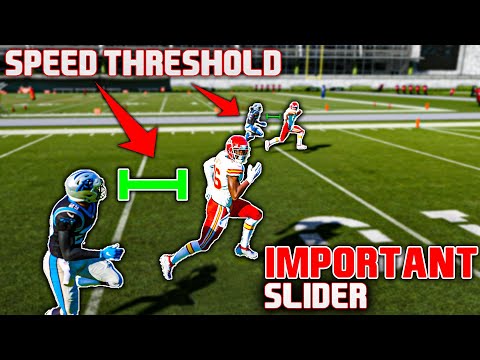
The Player Speed Threshold in Madden is one of the most impactful, yet often misunderstood, sliders in the game’s settings. It fundamentally alters how speed ratings are translated into on-field performance, influencing the separation between fast and slow players. Mastering this setting is key to crafting a truly realistic and enjoyable Madden experience.
Essentially, the Speed Threshold dictates how much a player’s speed rating affects their in-game speed relative to other players. A lower threshold emphasizes the difference between speed ratings, making faster players significantly faster and slower players noticeably slower. Conversely, a higher threshold compresses these differences, reducing the gap and making the game feel faster overall. The default setting is usually 50, allowing for a decent balance, but adjusting this slider to fit your gameplay style is the key to Madden mastery.
Delving Deeper: How it Works
Think of it like this: Imagine a race where everyone starts at a certain “minimum speed.” The Speed Threshold determines what that minimum speed is. A lower threshold means a lower starting point, allowing faster players to pull ahead and slower players to fall behind more drastically. A higher threshold raises the starting point, making everyone closer together.
In numerical terms, if a player has a speed rating of 95 and another has a rating of 75, the impact of that 20-point difference is magnified at a lower threshold. The 95-speed player will feel much faster than the 75-speed player. At a higher threshold, that 20-point difference is less noticeable, bringing them closer in terms of perceived speed.
Achieving Realistic Gameplay
The beauty of the Speed Threshold lies in its ability to fine-tune the game to your preferred level of realism. Many Madden veterans advocate for a lower threshold (around 25-35) for a more authentic experience. This creates a tangible difference between a burner like Tyreek Hill and a slower lineman, forcing you to strategize and exploit mismatches. It also makes player scouting and team building more crucial, as speed becomes a valuable commodity.
However, a higher threshold (around 60-70) can be appealing for those who prefer a faster, more arcade-like experience. This leads to more explosive plays and quicker animations, but can also diminish the importance of individual player ratings.
The best setting depends entirely on your personal preferences. Experimentation is key! Spend some time playing games at different threshold levels to see what feels the most engaging and realistic to you.
Impacts on Gameplay Dynamics
The Speed Threshold significantly influences various aspects of gameplay:
- Offensive Play: Wide receivers with high speed ratings become more effective at creating separation, opening up deep passing opportunities. Running backs with blazing speed can break off longer runs, especially on outside zones and stretch plays.
- Defensive Play: Cornerbacks and safeties with high speed ratings are better equipped to cover speedy receivers. Defensive ends and linebackers can chase down quarterbacks and running backs more effectively.
- Special Teams: Kick and punt returners with exceptional speed become game-changing threats.
- Overall Strategy: Team building becomes more focused on identifying and acquiring players with high speed ratings, especially at key positions.
Furthering Your Understanding
The Games Learning Society (GamesLearningSociety.org) fosters innovative research into learning through gaming and game-based learning. If you are interested in the research behind gaming and skill development, check out their site!
FAQs: Demystifying the Player Speed Threshold
Here are some Frequently Asked Questions to further clarify the role of the Player Speed Threshold in Madden:
1. What is the Player Speed Threshold range?
The slider usually has a range from 0 to 100. 0 represents the lowest threshold (maximum speed disparity), and 100 represents the highest threshold (minimum speed disparity).
2. What is the default Player Speed Threshold in Madden?
The default setting is typically 50. This offers a balanced starting point, but it’s highly recommended to experiment with different values.
3. Does lowering the Player Speed Threshold make the game harder?
Not necessarily harder, but it requires a different approach. You’ll need to be more strategic in exploiting mismatches and utilizing players with specific strengths, like speed. Slower players become less effective overall.
4. Does increasing the Player Speed Threshold make the game easier?
Again, not necessarily easier, but it changes the gameplay. Faster players are less dominant, and the overall pace of the game tends to be quicker. The impact of individual player ratings may be diminished.
5. What is a realistic Player Speed Threshold setting?
Many players find that a setting between 25 and 35 provides a good balance between realism and enjoyable gameplay. This creates a noticeable difference between fast and slow players without making speed the only determining factor.
6. How does the Player Speed Threshold affect pass coverage?
A lower threshold makes speedier cornerbacks and safeties more effective in covering fast receivers, as their superior speed rating translates into better coverage.
7. How does the Player Speed Threshold affect the running game?
A lower threshold allows fast running backs to exploit holes and break away for longer runs, as their speed advantage becomes more pronounced.
8. Does the Player Speed Threshold affect player acceleration?
While the Speed Threshold primarily affects top speed, it can indirectly impact acceleration. With a lower threshold, a faster player will reach their top speed more quickly, creating a noticeable difference in acceleration.
9. Does Player Height also impact speed?
Yes. Height has been known to subtly impact speed within the Madden engine. Taller players may feel faster at the same speed rating, however, this affect is less impactful than Speed.
10. Should I adjust the Player Speed Threshold based on the skill level?
Adjusting the Speed Threshold can complement your chosen skill level (Rookie, Pro, All-Pro, All-Madden). A lower threshold may be preferred on higher skill levels for a more challenging and realistic experience.
11. How often should I adjust my threshold?
This is up to you. If you are happy with the way the game is performing, you may never want to touch it again. However, as new game updates and patches are released, you may find yourself wanting to adjust it again.
12. Does the Speed Threshold affect offline Franchise mode?
Yes, the setting affects both online and offline gameplay, so you can customize your Franchise experience to match your preferences.
13. Can the Speed Threshold compensate for lower player ratings?
While speed is important, it doesn’t completely negate other key attributes. A player with lower ratings in catching, route running, or blocking will still be at a disadvantage, even with high speed.
14. How does the Player Speed Threshold interact with other sliders?
The Speed Threshold is just one piece of the puzzle. Experiment with other sliders, such as acceleration, agility, and tackling, to fine-tune the gameplay to your liking.
15. Is Speed the only thing that makes a good receiver?
No, Speed is only one of the important factors. Catching, route running, jumping, and other skills all factor in as well.
Mastering the Player Speed Threshold is crucial for creating a Madden experience that aligns with your personal preferences. By understanding its impact and experimenting with different settings, you can unlock the game’s full potential and enjoy a more realistic and engaging football simulation.