Understanding the “This Email Address is Already Registered to Another Nintendo Account” Message
Fast answer first. Then use the tabs or video for more detail.
- Watch the video explanation below for a faster overview.
- Game mechanics may change with updates or patches.
- Use this block to get the short answer without scrolling the whole page.
- Read the FAQ section if the article has one.
- Use the table of contents to jump straight to the detailed section you need.
- Watch the video first, then skim the article for specifics.
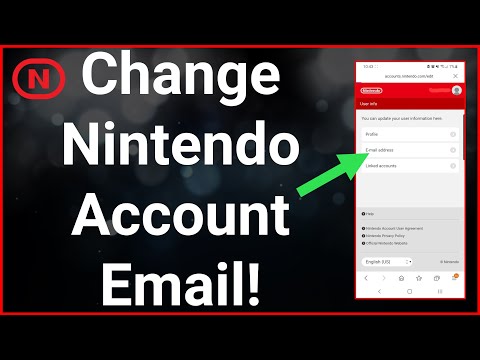
The message “This email address is already registered to another Nintendo Account” simply means that the email address you’re attempting to use is currently associated with an existing Nintendo Account. Each Nintendo Account requires a unique email address for identification, security, and communication purposes. Therefore, you cannot create a new account using an email already linked to another. You’ll need to either log into the existing account associated with that email address or use a different email to create a new account.
What To Do When You Encounter This Message
Encountering this error can be frustrating, but there are several steps you can take to resolve it:
-
Attempt to Log In: The most straightforward solution is to try logging in to the Nintendo Account you may have already created. Use the email address in question and any password you might recall. If successful, you’ve found your existing account.
-
Password Reset: If you can’t remember your password, use the “Forgot Password” option on the Nintendo Account login page. This will send a password reset link to the email address, allowing you to regain access.
-
Check Family Accounts: If you share devices or accounts with family members, it’s possible that someone else created a Nintendo Account using your email address, perhaps unintentionally. Coordinate with them to determine if this is the case.
-
Create a New Email Address: If you cannot access the existing account or if you prefer to create a completely separate account, you can create a new email address through services like Gmail, Outlook, or Yahoo.
-
Contact Nintendo Support: If all else fails, reach out to Nintendo Support. They can help you identify the account associated with your email address or guide you through the necessary steps to resolve the issue.
Why This Restriction Exists
Nintendo’s policy of requiring unique email addresses is in place for several important reasons:
- Account Security: Linking each account to a unique email address helps prevent unauthorized access and allows for easier account recovery.
- Communication: Nintendo uses the email address to send important account-related information, such as purchase confirmations, security alerts, and promotional offers.
- Identification: The email address acts as a unique identifier for each Nintendo Account within their system.
Best Practices for Managing Your Nintendo Account
To avoid future complications, consider these best practices:
- Keep Your Email Address Updated: If you change your email address, update it in your Nintendo Account settings immediately.
- Use a Strong, Unique Password: Choose a password that is difficult to guess and different from passwords you use on other websites.
- Enable Two-Factor Authentication: Add an extra layer of security to your account by enabling two-factor authentication.
- Document Account Information: Store your Nintendo Account email address and password in a safe and accessible location.
Understanding the Nintendo Ecosystem
Understanding the Nintendo ecosystem is critical to avoiding these situations. Nintendo operates a multifaceted system with several components that interact. A Nintendo Account is at the core and essential for using a Nintendo Switch console, and Nintendo Switch Online service.
- Nintendo Account This is your unique account that is not tied to a console. It is the main requirement for accessing the majority of Nintendo’s services.
- User Account: These are the profiles on your Nintendo Switch console. A single console can have multiple users and each profile has its own save data and custom settings.
- Nintendo Network ID (NNID) This was the main online ID for the Wii U and 3DS. They can be linked to a Nintendo Account but are not essential for the Nintendo Switch console.
Frequently Asked Questions (FAQs)
Nintendo Account Email Issues and Solutions
Here are some frequently asked questions to further clarify the process of creating a new Nintendo Account and what you can do if you encounter issues:
1. Can 2 Nintendo accounts have the same email?
No, an email address can only be linked to one Nintendo Account. This ensures account security and personalized communication.
2. How do I unlink my email from my Nintendo Account?
You can change the email address associated with your Nintendo Account by logging into the Nintendo Account website, navigating to “User information,” and editing the “Email address” field. You may need to verify your identity.
3. How to find out what email is linked to your Nintendo Account?
On your Nintendo Switch, select your user icon from the HOME Menu, then go to “User Settings.” If you know your password, select “Check Nintendo Account Settings” to view the associated email address.
4. How do I change my Nintendo registered email address?
Log in to your Nintendo Account on the Nintendo Account website, go to “User information,” and edit the “Email address” field. You’ll likely need to confirm your identity.
5. How do I change my Nintendo email without original email?
If you no longer have access to the original email address, contact Nintendo Support. They will guide you through the process of updating your email address.
6. How do I unlink two Nintendo accounts?
You cannot directly unlink a Nintendo Account from a user account on a Nintendo Switch. To effectively “unlink” them, you must delete the associated user account from the console.
7. What happens if you link 2 Nintendo Accounts?
You cannot link two separate Nintendo Accounts together. However, you can link up to 8 Nintendo Accounts to a single Nintendo Switch console.
8. Can you change your linked account on Nintendo Switch?
Once a Nintendo Account is linked to a user account on a Nintendo Switch, you cannot change the linked Nintendo Account. You would need to delete the user profile and create a new one.
9. Can 2 Nintendo Accounts on the same switch share an online?
Yes, if they are part of a Nintendo Switch Online Family Membership. This allows multiple accounts on the same console (or different consoles) to access online services. Multiple users on the same console are not automatically covered by an individual membership.
10. Can one Nintendo Account be linked to two profiles?
No, one Nintendo Account can only be linked to one user profile on a Nintendo Switch.
11. Why can’t I connect to my Nintendo Account?
Ensure you’re entering your correct password. If you’ve forgotten it, use the “Forgot Your Password?” option to reset it. Also, verify your system’s region settings if an error message about region mismatch appears.
12. How to delete email account?
Since each email provider has its own procedures for deleting an account. But, if you are using a Google account, go to the Data & Privacy section of your Google Account, then Scroll to “Your data & privacy options.”, and Select More options. Delete your Google Account.
13. Why can’t you unlink a Nintendo Account?
This is a security measure. To effectively unlink them, you must delete the associated user account from the console.
14. What happens if I delete My Nintendo account?
Deleting your Nintendo Account will erase all associated data, including My Nintendo points, digital purchases, and game progress.
15. Can multiple accounts play the same game on switch?
Yes, anyone using your primary Nintendo Switch console can play digital games you’ve purchased with your Nintendo Account. You can designate one console as your primary console.
Further Resources
Understanding the nuances of gaming is not only fun but also educational. You can learn more about the intersection of gaming and learning at the Games Learning Society website: https://www.gameslearningsociety.org/.