Understanding the Xbox One Hard Reset: A Comprehensive Guide
Fast answer first. Then use the tabs or video for more detail.
- Watch the video explanation below for a faster overview.
- Game mechanics may change with updates or patches.
- Use this block to get the short answer without scrolling the whole page.
- Read the FAQ section if the article has one.
- Use the table of contents to jump straight to the detailed section you need.
- Watch the video first, then skim the article for specifics.
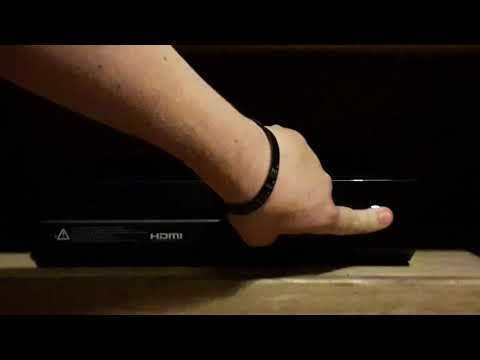
An Xbox One hard reset is a powerful troubleshooting tool that effectively restarts your console after its power has been completely switched off. It involves more than just a simple power cycle; it fully clears the console’s temporary memory (RAM), forcing a fresh start. While it doesn’t inherently delete games or saved data, it can be used as part of a factory reset, which does wipe all personal data and settings, returning the console to its original factory state. Understanding when and how to use a hard reset can be crucial for maintaining your Xbox One’s performance and resolving common issues.
When to Consider a Hard Reset
Before diving into the process, it’s important to understand when a hard reset is the appropriate solution. Consider a hard reset if you’re experiencing any of the following:
- Game Freezes or Crashes: If a game consistently freezes or crashes, a hard reset can clear any corrupted data that might be causing the problem.
- Console Unresponsiveness: When your Xbox One becomes unresponsive to controller inputs or navigation, a hard reset can force a restart and restore functionality.
- Black Screen of Death: This dreaded issue can often be resolved with a hard reset, forcing the console to reboot and potentially bypass the problem.
- Network Connectivity Issues: If you’re experiencing persistent problems connecting to Xbox Live, a hard reset can refresh the network settings and resolve connection errors.
- General Performance Issues: If your Xbox One is running sluggishly or experiencing other performance problems, a hard reset can clear out temporary files and improve overall performance.
- Preparing for Resale or Donation: Before selling or donating your Xbox One, it’s essential to perform a factory reset (which includes a hard reset) to wipe all personal data and protect your privacy.
How to Perform a Hard Reset
The process for performing a hard reset on your Xbox One is relatively straightforward:
- Power Off: Press and hold the Xbox button on the front of your console for approximately 10 seconds until the console completely shuts down. Make sure the light on the power brick also turns off.
- Unplug: Disconnect the power cord from the back of the console or from the wall outlet. This step is crucial as it ensures that the console’s power capacitors are fully discharged.
- Wait: Wait for at least 10 seconds (some experts recommend waiting for a full minute) to allow the console to fully power down.
- Plug In: Reconnect the power cord to the console and the wall outlet.
- Power On: Press the Xbox button on the console or the Xbox button on your controller to turn the console back on.
Hard Reset vs. Factory Reset: Understanding the Difference
It’s important to distinguish between a hard reset and a factory reset as they serve different purposes.
- Hard Reset: A hard reset is essentially a forced reboot of the console. It clears the console’s RAM and restarts the operating system. It does not delete any games, apps, or saved data. It’s primarily used for troubleshooting minor issues and improving performance.
- Factory Reset: A factory reset, on the other hand, wipes all personal data from the console, including games, apps, saved data, accounts, settings, and preferences. It restores the console to its original factory state, as if it were brand new. A factory reset is typically used when selling or donating the console, or when troubleshooting severe software issues.
The Impact on Your Games and Data
As mentioned earlier, a standard hard reset does not delete your games, apps, or saved data. Your games are typically stored on the internal hard drive or an external hard drive, and a hard reset does not affect these storage locations. Your saved game progress is usually synced to the cloud via Xbox Live, so you won’t lose your progress even if you perform a factory reset (assuming you’re connected to Xbox Live).
However, if you’re performing a factory reset, you will need to redownload and reinstall your games and apps after the reset is complete. You’ll also need to sign back into your Xbox Live account and resync your saved data.
Factory Reset Options: Keep Games & Apps vs. Remove Everything
When performing a factory reset, you’ll be presented with two options:
- Reset and keep my games & apps: This option removes all accounts, settings, and personal data, but it keeps your installed games and apps. This is a good option if you’re troubleshooting a software issue but don’t want to go through the hassle of redownloading everything.
- Reset and remove everything: This option completely wipes the console, removing all accounts, settings, personal data, games, and apps. This is the recommended option when selling or donating the console to ensure that your data is completely erased.
Optimizing Your Xbox One Performance
In addition to performing hard resets when necessary, there are other steps you can take to optimize your Xbox One’s performance:
- Keep Your Console Updated: Ensure that your console is running the latest system software updates to benefit from bug fixes and performance improvements.
- Manage Your Storage: Regularly check your storage space and delete any games or apps that you no longer use to free up space and improve performance.
- Use an External Hard Drive: Consider using an external hard drive to store your games and apps. This can help to improve loading times and overall performance, especially if your internal hard drive is nearly full.
- Clear the Cache: Periodically clear the console’s cache to remove temporary files that can accumulate over time and slow down performance.
- Ensure Adequate Ventilation: Make sure that your console is placed in a well-ventilated area to prevent overheating, which can negatively impact performance.
Hard Reset, Gaming, and Learning
The troubleshooting skills acquired through maintaining gaming consoles like the Xbox One are often transferable to other areas, including learning. The ability to systematically diagnose problems, research solutions, and implement fixes is valuable in any field. Organizations like the Games Learning Society explore the connections between gaming and education, demonstrating how gaming can foster critical thinking and problem-solving skills. You can explore more at GamesLearningSociety.org.
FAQs: Everything You Need to Know About Xbox One Hard Resets
1. Will a hard reset delete my game progress?
No, a standard hard reset will not delete your game progress. Your saved game progress is typically synced to the cloud via Xbox Live. However, a factory reset will remove all saved data unless it’s synced with the cloud.
2. How often should I perform a hard reset?
There’s no fixed schedule for performing hard resets. Do it when you encounter performance issues like freezing, crashing, or unresponsiveness.
3. Is a hard reset the same as a power cycle?
Yes, a hard reset and a power cycle are essentially the same thing on the Xbox One. Both involve completely shutting down the console and unplugging it from the power outlet.
4. Can a hard reset fix network connectivity issues?
Yes, a hard reset can often fix network connectivity issues by refreshing the console’s network settings.
5. Will a hard reset fix the black screen of death?
In many cases, yes, a hard reset can fix the black screen of death. It forces the console to reboot and can bypass the issue.
6. Is it safe to perform a hard reset frequently?
Yes, it’s generally safe to perform hard resets frequently. It won’t damage your console.
7. What if a hard reset doesn’t fix the problem?
If a hard reset doesn’t fix the problem, you may need to consider a factory reset or contact Xbox Support for further assistance.
8. How long does a hard reset take?
A hard reset itself only takes a few minutes, including the time to power down, unplug, wait, plug back in, and power back on the console.
9. Can I perform a hard reset using the controller?
Yes, you can initiate a hard reset by holding the Xbox button on the controller until the console powers down.
10. Does a hard reset affect my Xbox Live subscription?
No, a hard reset does not affect your Xbox Live subscription.
11. Will a hard reset improve my game’s performance?
A hard reset can sometimes improve game performance by clearing out temporary files and freeing up memory.
12. What is the difference between a hard reset and a soft reset?
A hard reset involves completely powering down the console, while a soft reset is simply restarting the console through the system menu.
13. How do I know if my game data is synced to the cloud?
You can check your Xbox Live settings to ensure that cloud saves are enabled. Most games automatically sync their saved data to the cloud.
14. Can I perform a hard reset on the Xbox Series X/S?
Yes, the process for performing a hard reset on the Xbox Series X/S is similar to the Xbox One.
15. Where can I find more troubleshooting tips for my Xbox One?
You can find more troubleshooting tips on the official Xbox Support website.
By understanding what an Xbox One hard reset does and how to perform one, you can effectively troubleshoot many common issues and keep your console running smoothly. Remember to consider the difference between a hard reset and a factory reset, and always back up your important data before performing a factory reset.