Mastering Long-Range Combat: Understanding Zeroing in Battlefield 1
Fast answer first. Then use the tabs or video for more detail.
- Watch the video explanation below for a faster overview.
- Game mechanics may change with updates or patches.
- Use this block to get the short answer without scrolling the whole page.
- Read the FAQ section if the article has one.
- Use the table of contents to jump straight to the detailed section you need.
- Watch the video first, then skim the article for specifics.
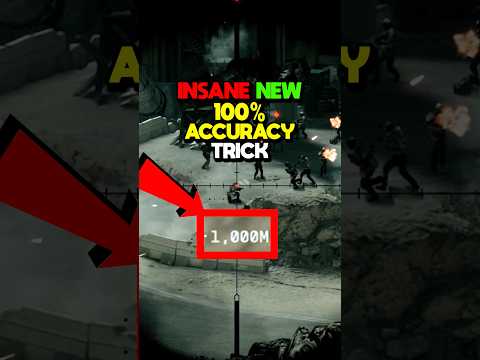
Zeroing in Battlefield 1 allows you to adjust the distance at which your rifle’s sights are calibrated, minimizing bullet drop and ensuring your shots hit where you aim. This is crucial for long-range engagements, enabling you to accurately snipe targets without needing to compensate for the bullet’s trajectory. Mastering this feature can significantly improve your effectiveness as a sniper or marksman.
The Art of Distance: How Zeroing Works
Imagine throwing a ball across a field. The further you throw, the higher you need to aim to account for gravity pulling the ball down. Bullets behave similarly. In Battlefield 1, zeroing simulates adjusting your scope to a specific distance, effectively compensating for this bullet drop. When you zero your rifle to 100 meters, for example, the game adjusts the angle of your barrel (virtually, of course) so that the bullet will land exactly where your crosshair is pointing at that 100-meter mark.
Essentially, you’re telling the rifle, “I expect to be shooting targets at THIS distance.” The game then calibrates the shot to ensure accuracy. This is incredibly helpful when dealing with targets far away, negating the need for guess work.
Why Zeroing is Critical
Without zeroing, you’re forced to estimate the bullet drop, requiring you to aim higher than your target, leading to missed shots and frustrated attempts at long-range kills. With zeroing, however, you can eliminate the guesswork, giving you a far better chance of hitting your target with a single, well-placed shot. This is especially important when using sniper rifles with high zoom levels, as even minor errors in aiming can result in significant misses.
How to Use Zeroing in Battlefield 1
Battlefield 1 offers preset zeroing distances depending on the weapon you’re using. The specific distances available varies, but they typically include options like 75, 150, and 300 meters. You can cycle through the available zeroing distances by pressing the designated key (usually the “V” key by default).
Before engaging a target, estimate the distance between you and your target. Use landmarks, the in-game spotting system, or simply your best judgment. Then, select the zeroing distance that most closely matches your estimation. Finally, aim directly at the target and fire. With proper zeroing, your bullet should land close to your point of aim. Practice makes perfect, so get out there and test the distances and bullet trajectories!
Zeroing and Weapon Choice
Different weapons benefit from zeroing differently. Sniper rifles, obviously, profit the most. Weapons with a larger scope work great with zeroing, but if you’re using a close-range rifle like a shotgun, you’re better off without it.
The Learning Curve and the Value of Practice
Mastering zeroing takes practice. Don’t be discouraged if you don’t immediately become a long-range sharpshooter. Experiment with different zeroing distances on different maps and against various targets. Pay attention to how the bullet drop changes with distance, and adjust your zeroing accordingly. The more you practice, the better you’ll become at estimating distances and making accurate shots. You might even consider joining the Games Learning Society, as collaborative learning can accelerate your skill acquisition. Look for more information on this topic at GamesLearningSociety.org.
Frequently Asked Questions (FAQs) about Zeroing in Battlefield 1
Here are some commonly asked questions to help you further understand the function of zeroing in Battlefield 1.
What weapons can be zeroed in Battlefield 1?
Most sniper rifles and some marksman rifles in Battlefield 1 can be zeroed. The specific weapons and their available zeroing distances vary depending on the class and weapon type.
How do I change the zeroing distance on my weapon?
By default, the zeroing distance is usually changed by pressing the “V” key on your keyboard. Check your in-game key bindings to confirm the correct key.
What are the common zeroing distances available in Battlefield 1?
Common zeroing distances include 75 meters, 150 meters, and 300 meters. Some weapons may have different or additional distances available.
Does zeroing affect bullet velocity?
No, zeroing does not affect the bullet velocity. It only adjusts the angle of the barrel (virtually) to compensate for bullet drop.
How do I estimate distance in Battlefield 1?
Use the in-game spotting system, landmarks, or simply your best judgment based on your experience with the map. Pay attention to the size of targets at different distances. With time, you can adjust distances by referencing the length of the target.
Is zeroing useful for close-range combat?
No, zeroing is primarily beneficial for long-range combat. At close range, the bullet drop is minimal, and zeroing becomes unnecessary.
Does zeroing affect iron sights?
Zeroing typically only affects the scoped sights on rifles. It does not affect iron sights, which are designed for close-range engagements.
Can I customize the zeroing distances?
No, you cannot customize the zeroing distances in Battlefield 1. You are limited to the preset distances available for each weapon.
How do I know if my zeroing is correct?
The best way to determine if your zeroing is correct is to practice and observe the bullet trajectory. If your shots consistently land below the point of aim, you may need to decrease the zeroing distance. If they land above, increase the distance.
Does zeroing work the same way in all Battlefield games?
The concept of zeroing is similar in other Battlefield games, but the specific mechanics, available distances, and controls may vary.
What is the difference between zeroing and bullet drop compensation?
Zeroing automates bullet drop compensation by adjusting the sight to a specific distance. Bullet drop compensation is the manual process of aiming higher than your target to account for bullet drop.
Is zeroing available on all game modes?
Zeroing is available in most game modes in Battlefield 1 where long-range engagements are possible, such as Conquest, Operations, and Team Deathmatch (on larger maps).
Does zeroing affect the accuracy of hip-fire?
No, zeroing only affects the accuracy when using the weapon’s sights. It does not affect hip-fire accuracy.
What is the best zeroing distance for beginners?
A good starting point for beginners is 150 meters. This distance provides a balance between short and long-range engagements, allowing you to get a feel for how zeroing works.
How do I improve my zeroing skills?
Practice regularly, experiment with different distances, pay attention to bullet trajectory, and adjust your zeroing accordingly. Watch experienced players to learn their techniques.
Conclusion: Zeroing in on Victory
Mastering the art of zeroing in Battlefield 1 can give you a significant advantage in long-range combat. By understanding how it works, practicing your aiming, and learning to estimate distances, you can become a deadly sniper and dominate the battlefield. So, grab your rifle, zero your sights, and get ready to take down your enemies from afar!