What FPS Does Xbox Get? A Deep Dive into Frame Rates Across Xbox Consoles
Fast answer first. Then use the tabs or video for more detail.
- Watch the video explanation below for a faster overview.
- Game mechanics may change with updates or patches.
- Use this block to get the short answer without scrolling the whole page.
- Read the FAQ section if the article has one.
- Use the table of contents to jump straight to the detailed section you need.
- Watch the video first, then skim the article for specifics.
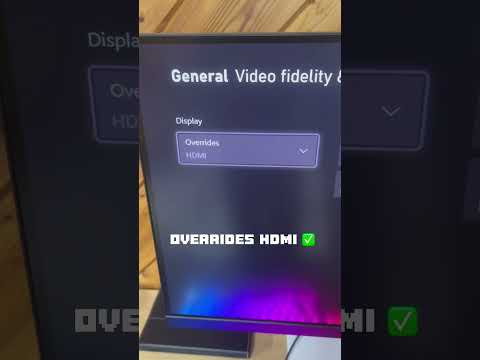
The question of what FPS does Xbox get is surprisingly complex. It doesn’t have a single, straightforward answer because the frame rate (FPS) achievable depends heavily on the specific Xbox console, the game being played, and the resolution being output. Simply put, different Xbox generations and even different models within those generations offer varying performance capabilities. Let’s break it down: generally, you can expect anywhere from 30 FPS to 120 FPS depending on the Xbox console and game in question. Newer Xbox consoles like the Xbox Series X and S are capable of running many games at 60 FPS and even 120 FPS at 1080p, 1440p, and even 4K resolutions. Older consoles like the Xbox One typically target 30 FPS. Understanding these nuances is crucial for gamers looking to optimize their experience.
Understanding Frame Rates and Their Impact
Before diving into the specifics of each Xbox console, it’s essential to understand what FPS actually means and why it matters. FPS, or Frames Per Second, refers to the number of individual frames a device can display each second. A higher FPS translates to a smoother, more responsive, and visually pleasing gaming experience. Low FPS, conversely, can lead to stuttering, lag, and an overall less enjoyable experience.
- 30 FPS: This has been a common target frame rate for many console games. While playable, some gamers find it less fluid, especially in fast-paced action titles.
- 60 FPS: Considered the sweet spot for many gamers, 60 FPS provides a noticeably smoother and more responsive experience. It’s often the target for competitive games where quick reactions are crucial.
- 120 FPS: Becoming increasingly common, especially on newer consoles, 120 FPS offers an incredibly smooth and responsive experience, though it requires a display that supports a 120Hz refresh rate.
Xbox One FPS Capabilities
The Xbox One family, which includes the original Xbox One, the Xbox One S, and the Xbox One X, has varying FPS capabilities.
-
Xbox One: Generally targets 30 FPS at 1080p. Some games might dip below this, and very few will achieve a consistent 60 FPS.
-
Xbox One S: Offers similar performance to the original Xbox One, generally targeting 30 FPS at 1080p. Its main advantage over the original model is its support for 4K video streaming and Blu-ray playback, but not necessarily 4K gaming.
-
Xbox One X: A significant upgrade over the other two, the Xbox One X is capable of delivering 4K gaming at 30 FPS, and some titles can even achieve 60 FPS at 1080p or 1440p. This console was designed to provide a premium gaming experience with enhanced visuals and smoother performance.
Xbox Series X and S FPS Capabilities
The Xbox Series X and S represent a significant leap forward in terms of performance.
-
Xbox Series X: This is the flagship console, designed for 4K gaming at 60 FPS, with many titles supporting 120 FPS at 1080p or 1440p. It’s a powerhouse that delivers stunning visuals and incredibly smooth gameplay.
-
Xbox Series S: While less powerful than the Series X, the Series S is still a capable console. It typically targets 1440p resolution at 60 FPS, with some games also supporting 120 FPS. It’s a more affordable option that still offers a significant upgrade over previous-generation consoles.
Factors Affecting FPS on Xbox
Several factors can influence the FPS you experience on your Xbox:
-
Game Optimization: How well a game is optimized for a particular console can significantly impact performance. Poorly optimized games may struggle to maintain a consistent frame rate.
-
Resolution: Higher resolutions require more processing power, which can lead to lower FPS. Playing at 4K will generally result in lower FPS than playing at 1080p on the same console.
-
Graphics Settings: Some games allow you to adjust graphics settings, such as texture quality and shadow detail. Lowering these settings can improve FPS.
-
Game Mode (Performance vs. Quality): Some games offer a choice between prioritizing performance (higher FPS) or visual quality (higher resolution and graphical fidelity).
-
Game Updates and Patches: Developers often release updates and patches to improve game performance, which can include optimizations for FPS.
Frequently Asked Questions (FAQs) About Xbox FPS
Here are 15 frequently asked questions to provide additional valuable information:
1. Can I improve the FPS on my Xbox One?
Yes, you can try a few things: Ensure your Xbox is well-ventilated to prevent overheating, clear the cache regularly, and close any unnecessary apps running in the background. Upgrading to an Xbox One X would also provide a significant FPS boost.
2. Does the Xbox Series X always run games at 120 FPS?
No. While the Xbox Series X is capable of 120 FPS, not all games support it. It depends on the game developer and the specific game’s optimization.
3. Is 60 FPS enough for gaming on Xbox?
For many gamers, yes. 60 FPS provides a smooth and responsive experience that is generally considered very good for most game genres. However, competitive gamers often prefer 120 FPS for the added responsiveness.
4. How can I check the FPS in a game on Xbox?
Some games have built-in FPS counters in their settings menus. For others, you may need to rely on external devices or software if available for the specific game.
5. Does the Xbox Series S support 4K gaming?
The Xbox Series S is designed for 1440p gaming, but it can output a 4K signal for video content. However, it doesn’t natively render most games in 4K.
6. Will a better TV improve my Xbox FPS?
A TV with a higher refresh rate (e.g., 120Hz) is required to take advantage of 120 FPS output from the Xbox Series X or S. However, a better TV won’t magically increase the FPS your Xbox can generate.
7. What is Variable Refresh Rate (VRR) and how does it help with FPS?
VRR technology, like AMD FreeSync or HDMI 2.1 VRR, allows the TV’s refresh rate to dynamically adjust to match the game’s frame rate. This reduces screen tearing and stuttering, resulting in a smoother gaming experience even if the FPS fluctuates.
8. Do all Xbox games run at the same FPS?
No. FPS varies significantly from game to game, depending on the game’s complexity, optimization, and the capabilities of the Xbox console.
9. Can I force a game to run at a higher FPS on Xbox?
Generally, no. The FPS is determined by the game’s design and the Xbox’s hardware capabilities. However, some games may offer graphics settings that allow you to prioritize performance over visual quality, potentially increasing FPS.
10. Does the Xbox Series X have more stable FPS than the Xbox Series S?
Yes, the Xbox Series X generally offers more stable FPS due to its more powerful hardware. It’s less likely to experience frame rate drops, especially in demanding games.
11. What is the difference between 60 FPS and 120 FPS in terms of gaming experience?
120 FPS offers a significantly smoother and more responsive experience than 60 FPS. The difference is most noticeable in fast-paced action games where quick reactions are crucial. However, the difference may be less noticeable in slower-paced games.
12. Does playing online multiplayer affect FPS on Xbox?
Yes, playing online multiplayer can sometimes affect FPS due to the increased processing load of handling network communication and other players’ actions. However, this effect is usually minimal on newer consoles.
13. How important is FPS for competitive gaming on Xbox?
FPS is crucial for competitive gaming. Higher FPS allows for faster reaction times and a smoother, more responsive experience, giving players a competitive edge.
14. Can I stream Xbox games at 60 FPS?
Yes, both the Xbox Series X and S support streaming at 60 FPS, provided you have a sufficient internet connection and the streaming platform supports it.
15. Where can I learn more about game design and its relation to FPS?
The Games Learning Society is a great resource for understanding the nuances of game design, which directly influences FPS optimization and overall game performance. Their resources delve into the technical aspects of game development, providing valuable insights for both players and aspiring developers. You can explore their website at GamesLearningSociety.org.
Choosing the Right Xbox for Your FPS Needs
Ultimately, the best Xbox for your FPS needs depends on your budget and your priorities. If you want the absolute best performance and are willing to pay for it, the Xbox Series X is the clear choice. If you’re looking for a more affordable option that still offers a significant upgrade over previous-generation consoles, the Xbox Series S is a great value. If you’re on a tight budget and don’t need the latest and greatest, the Xbox One X can still provide a decent experience. Remember to consider the games you want to play and the resolution and frame rate you’re aiming for when making your decision. Choosing the right Xbox will help provide the best gaming experience possible for your needs.