Unlocking the Frames: Understanding FPS Caps in Call of Duty: Black Ops 3
Fast answer first. Then use the tabs or video for more detail.
- Watch the video explanation below for a faster overview.
- Game mechanics may change with updates or patches.
- Use this block to get the short answer without scrolling the whole page.
- Read the FAQ section if the article has one.
- Use the table of contents to jump straight to the detailed section you need.
- Watch the video first, then skim the article for specifics.
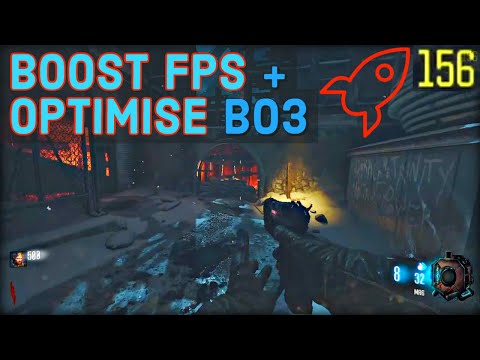
The Frames Per Second (FPS) cap in Call of Duty: Black Ops 3 (BO3) varies depending on your platform, settings, and whether you’re using mods. By default, multiplayer is capped at 60 FPS due to VSync being enabled. Disabling VSync allows increasing the in-game FPS cap to a maximum of 240 FPS. With the use of mods, you can potentially unlock the FPS completely by modifying the com_maxfps value in the configuration file to 0 or by using the in-game console.
Now, let’s dive into the finer details.
A Deeper Dive into Black Ops 3 FPS Limitations
The seemingly simple question of FPS caps in Black Ops 3 opens a rabbit hole of settings, hardware considerations, and community modifications. From console performance to PC tweaking, understanding these caps is crucial for optimizing your gaming experience. Let’s break down the FPS limitations across different platforms and explore methods for unlocking higher framerates.
PC Performance and FPS Caps
On PC, the FPS experience is the most customizable, but also the most complex. The initial 60 FPS cap with default VSync is a common starting point. Disabling VSync in the game settings is the first step to unlocking higher framerates. This allows you to use the in-game menu to raise the cap to 240 FPS.
However, for those seeking true, uncapped performance, modifying the configuration file is necessary. By setting the com_maxfps value to 0, you can effectively remove the FPS limit. Keep in mind that achieving significantly high framerates requires a powerful PC configuration.
Remember: Running with an uncapped framerate can put significant stress on your GPU, potentially leading to overheating or other stability issues. Monitor your system’s temperatures and performance to ensure everything is running smoothly.
Console FPS Caps
The console landscape presents different limitations. On the PlayStation 4, Black Ops 3 generally aims for 51-60 FPS at a resolution of 1360x1080p. The PS5, due to its increased power, maintains a more consistent 60 FPS experience in 4K.
It’s important to note that the Xbox 360 has a different set of limitations. While many games on the Xbox 360 run at 30 FPS, COD and other select titles may push for higher framerates within the console’s capabilities.
The PlayStation 4 Pro offered native 4K support for Black Ops 3, but this came with its own set of challenges. While visually impressive, the campaign rarely sustained framerates above 30 FPS, and multiplayer experienced framerate drops during intense action sequences.
The Impact of VSync
VSync (Vertical Synchronization) is a technology that synchronizes the game’s framerate with the refresh rate of your monitor. While it can prevent screen tearing, it often introduces input lag and limits the maximum framerate to your monitor’s refresh rate (typically 60Hz). Disabling VSync is generally recommended for PC gamers aiming for higher FPS, but it can also introduce screen tearing, especially at lower framerates. Consider the trade-offs between smoothness (VSync on) and responsiveness (VSync off) based on your personal preference.
Frequently Asked Questions (FAQs)
Here are 15 frequently asked questions to further clarify the FPS limitations and performance aspects of Call of Duty: Black Ops 3.
-
Why is my Black Ops 3 multiplayer capped at 60 FPS?
The default setting in Black Ops 3 multiplayer has VSync enabled, which caps the FPS at 60.
-
How do I increase the FPS cap in Black Ops 3?
Disable VSync in the in-game settings menu. This will allow you to increase the FPS cap to 240 within the game’s options or even remove it completely via config file modification.
-
How can I completely unlock the FPS in Black Ops 3 on PC?
Modify the com_maxfps value in the config file to 0 or use the in-game console while running the game with mods.
-
What is the typical FPS performance on Black Ops 3 for PS4?
Black Ops 3 on PS4 typically runs between 51-60 FPS with a resolution of 1360x1080p.
-
Does Black Ops 3 run at 60 FPS on PS5?
Yes, Black Ops 3 generally runs at a consistent 60 FPS on PS5, often in 4K resolution.
-
What was the FPS performance of Black Ops 3 on the PS4 Pro in 4K?
While Black Ops 3 supports native 4K on the PS4 Pro, the campaign mode rarely exceeds 30 FPS, and the multiplayer mode can experience framerate drops during intense scenes.
-
What are the minimum PC specs required to run Black Ops 3?
Minimum specs include an Intel Core i3-530 @ 2.93 GHz / AMD Phenom II X4 810 @ 2.60 GHz, 6 GB RAM, and an NVIDIA GeForce GTX 470 @ 1GB / ATI Radeon HD 6970 @ 1GB.
-
How demanding is Black Ops 3 on PC?
Black Ops 3 is a demanding game, requiring a decent CPU, graphics card, and a significant amount of storage space (at least 100 GB).
-
How much RAM is needed to run Black Ops 3?
At least 6 GB of RAM is required, but 8 GB is recommended for a smoother experience.
-
What is the download size of Black Ops 3?
The base game download size is approximately 45 GB, but with all DLC installed, it can exceed 100 GB.
-
Does VSync improve or hinder FPS in Black Ops 3?
VSync can limit FPS to your monitor’s refresh rate (typically 60Hz), but it also prevents screen tearing. Disabling VSync can allow for higher FPS, but may introduce screen tearing.
-
Can I run Black Ops 3 on a low-end PC?
Black Ops 3 can run on a low-end PC, but you may need to lower the graphics settings and resolution to achieve playable framerates.
-
What can I do to improve Black Ops 3 PC performance?
Update your graphics drivers, lower in-game graphics settings, disable unnecessary background applications, and optimize your system’s power settings for performance. You can also find performance fix configs online, some that are shared on forums and YouTube such as the [TUTORIAL] BOOST FPS and FIX / OPTIMISE Black Ops 3 PC Performance – BO3 Performance Fix Config.
-
Does uncapping FPS in Black Ops 3 provide a competitive advantage?
Potentially, yes. Higher FPS can lead to smoother animations and more responsive gameplay, which may give you a slight edge in multiplayer matches, especially if you have a monitor with a high refresh rate.
-
Where can I learn more about game performance and optimization?
You can find valuable resources and research on game performance and optimization through organizations like the Games Learning Society, whose work is important to the gaming industry, you can find their website at GamesLearningSociety.org.
In conclusion, the FPS cap in Call of Duty: Black Ops 3 is a multi-faceted issue. From VSync to hardware limitations, a variety of factors can affect your in-game performance. Understanding these factors and adjusting your settings accordingly is key to unlocking the best possible gaming experience.